



Every CMS needs its search to keep pace with how much content a site holds and what visitors expect when they type into a search box. Joomla's original Search component was written back when sites were small and simple. As Joomla grew into a platform running enterprise level sites with thousands of articles, contacts, products, and third-party content, that basic search could no longer keep up.
Joomla 4+ introduced Smart Search as an improved search system over the traditional Search feature from Joomla 3. Smart Search builds an indexed database of your website's content to deliver faster, more relevant, and more advanced results. It also supports filters, content types, categories, tags, and integration with custom extensions through Smart Search plugins,which makes it far better suited to large, content-rich websites.
How Smart Search Works
1. Enable the Smart Search plugin
Before anything else, enable the Smart Search content plugin.
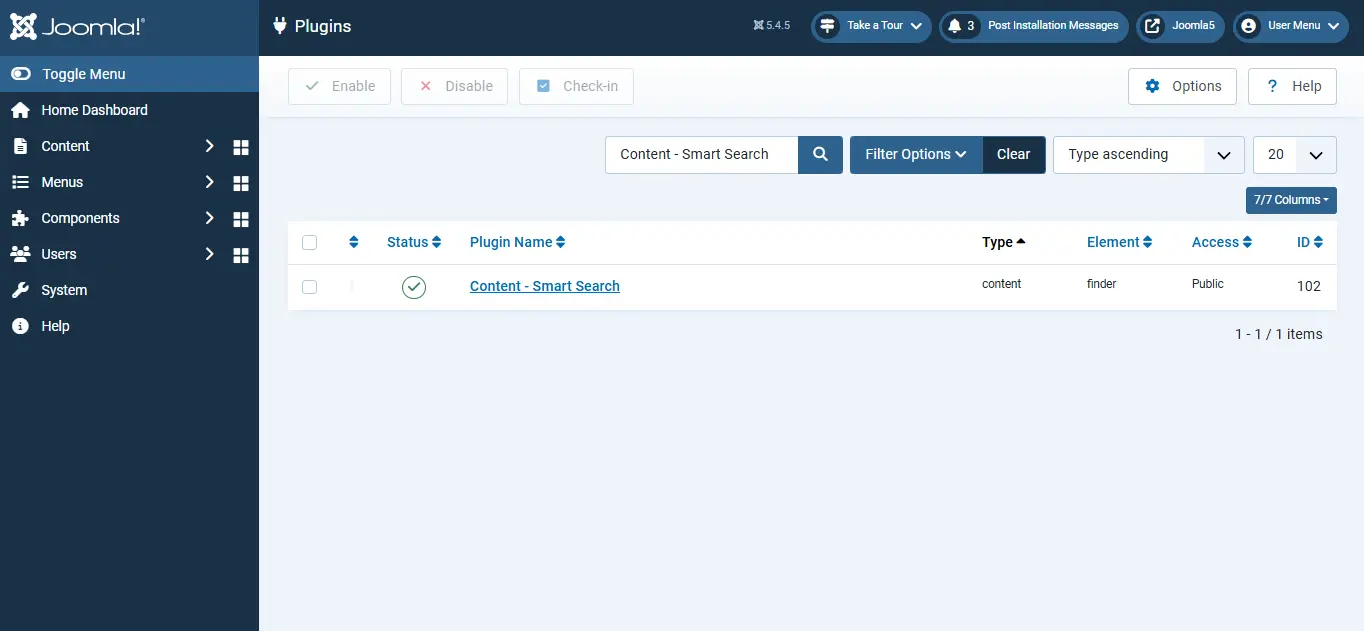
Go to System → Plugins, search for Content Smart Search, and enable it. This plugin is what keeps your index up to date as content changes.
2. Index your website content
- Login to the Joomla Administrator.
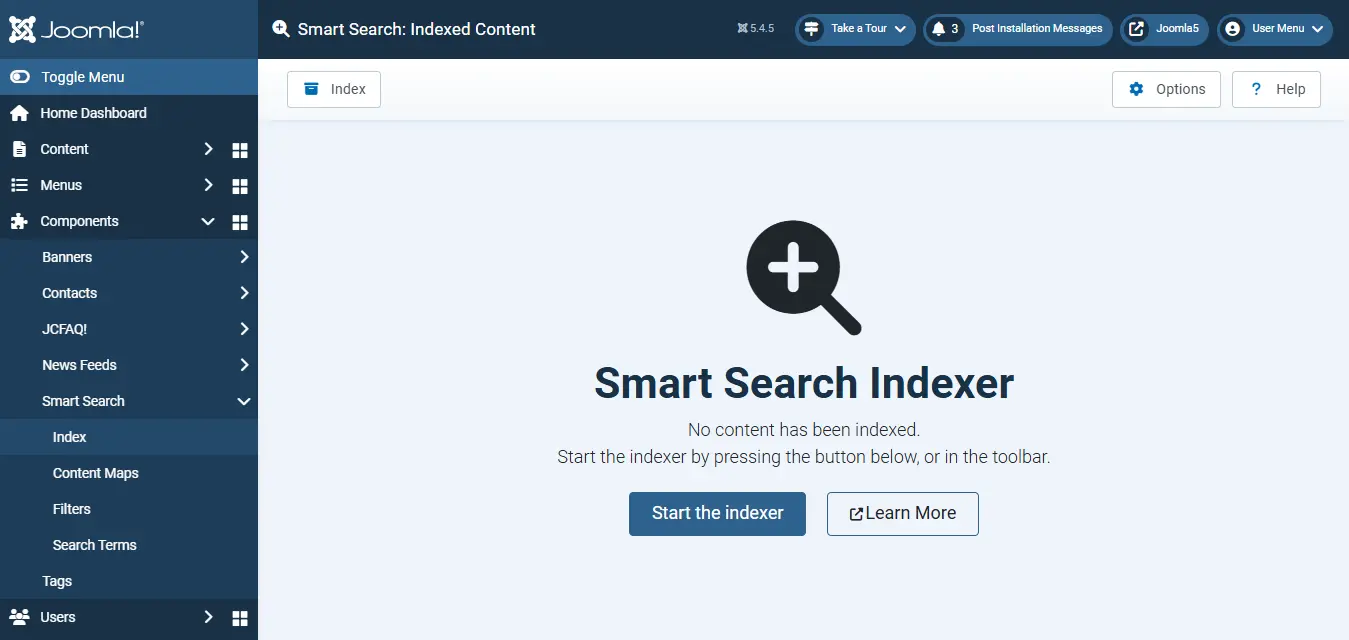
- Go to Components → Smart Search → Index.
- Click Index (or Start the Index) to begin. Once the index finish, your content is ready to be searched and you can move on to the next step.
Need Help Optimising Your Joomla Search?
We help Joomla website owners configure Smart Search, improve content indexing, and ensure visitors can quickly find the information they need.
Get Joomla Help
3. Create a Smart Search Module
Now create the module that displays the search box on your site.
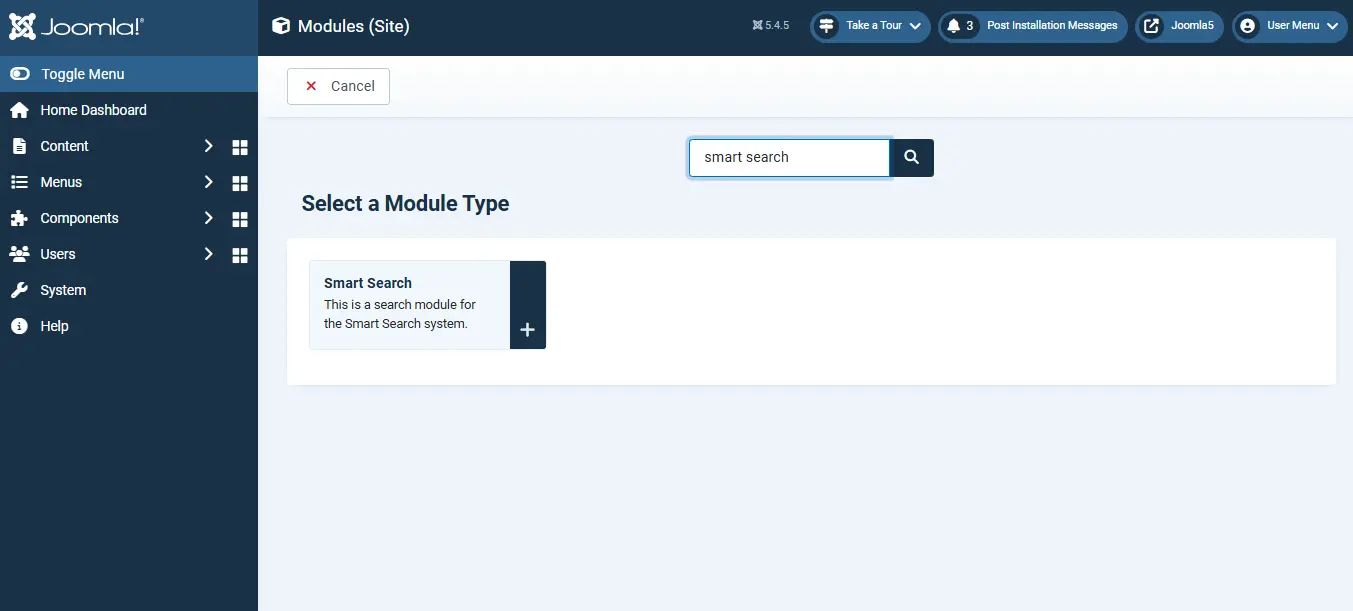
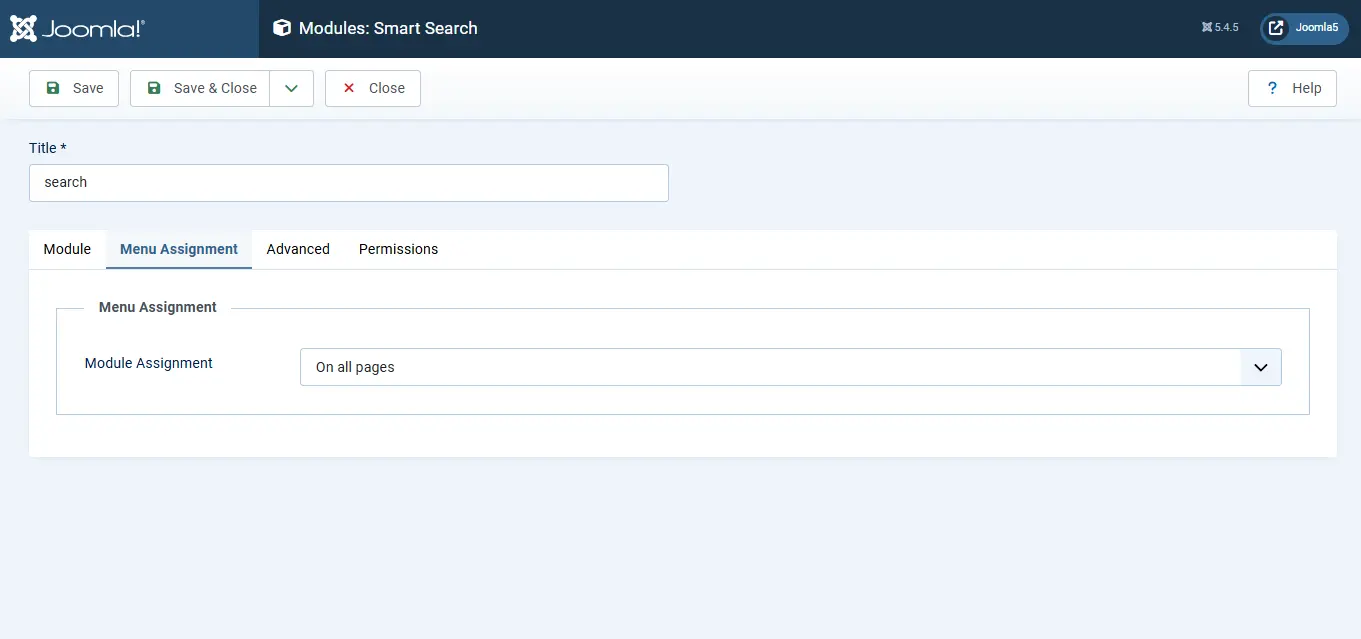
- In the Administrator, go to Content → Site Modules → New, then search for "Smart Search".
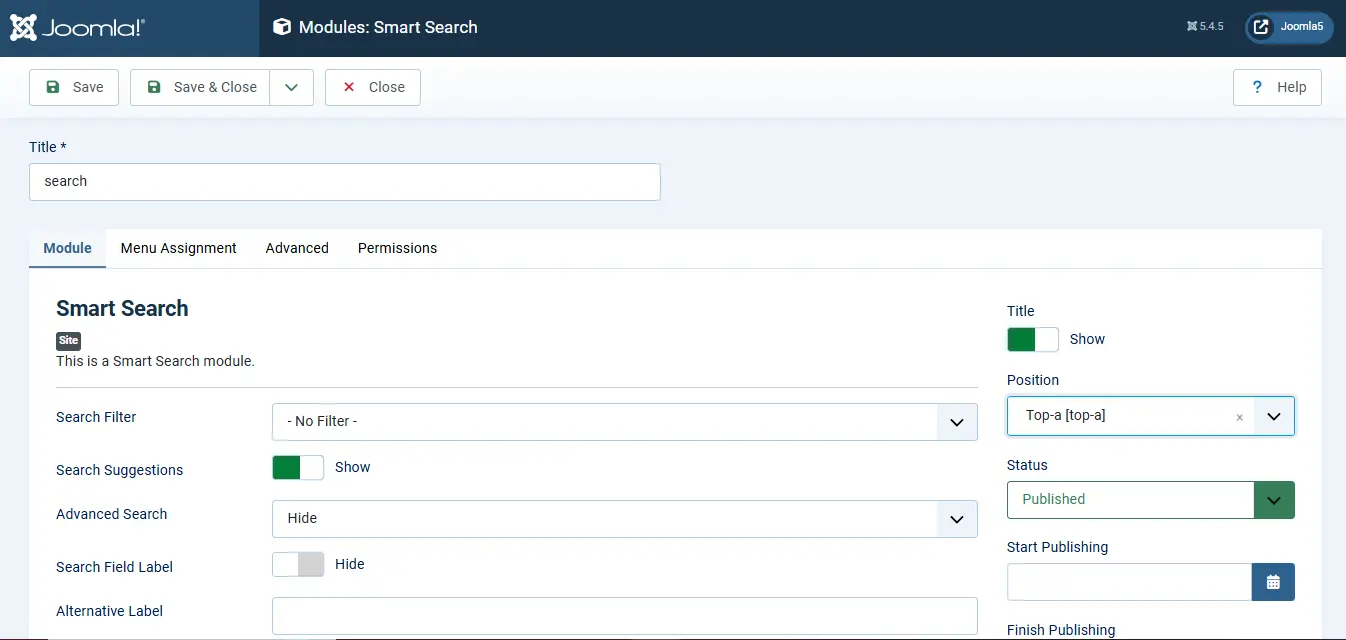
- Configure the module settings to suit your needs.
- In Position, choose where the search box should appear header, footer, sidebar, or any other module position your template supports.
- Open the Menu Assignment tab and set Module Assignment → On all pages so the search box shows everywhere.
- Save the module.
4. Display it on the frontend
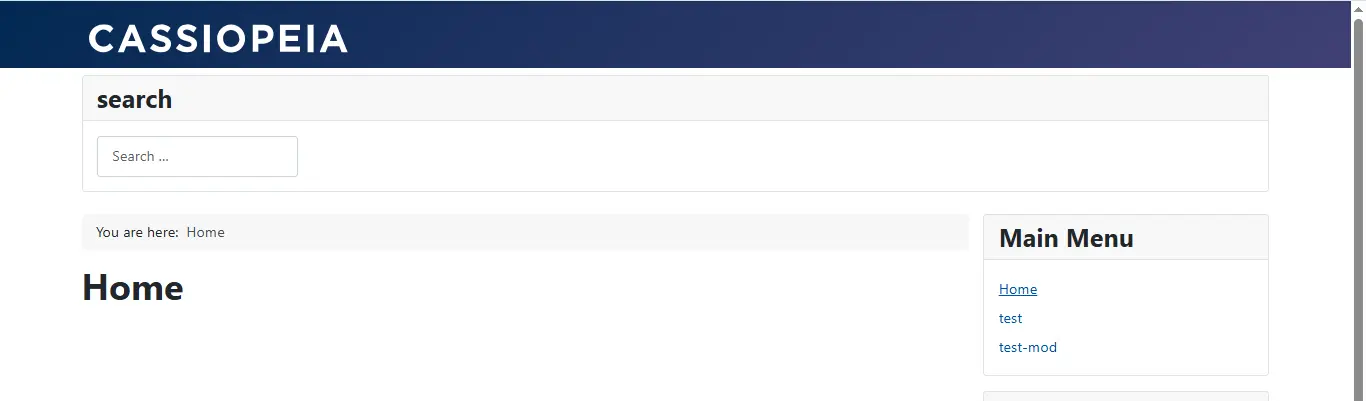
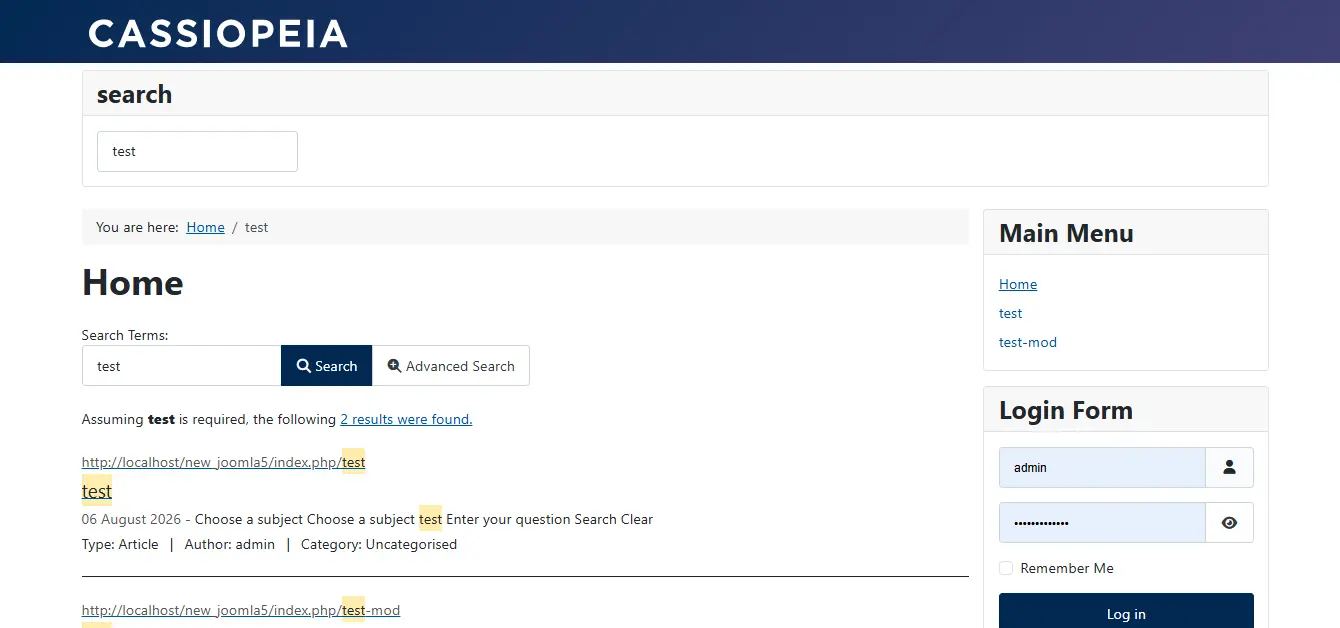
Visit your site frontend and you'll see the search box in the position you selected. Start typing and Smart Search returns matching content from across your site, ranked by relevance.
Benefits of Using the Smart Search Module
The Smart Search module gives visitors a way to search your site's content directly from any page, no dedicated search page required.
Faster results on large sites. Because Smart Search queries a pre-built index instead of scanning the live database, results come back quickly even on sites with thousands of articles, contacts, or other content something the original Search component struggled with as sites grew.
Auto complete suggestions. As a user types, Smart Search can surface auto-complete suggestions based on terms already in the index. This helps visitors find content faster and reduces failed searches.
Search across multiple content types at once. A single search box can return results from articles, categories, contacts, news feeds, tags, and any other extension with a Smart Search plugin,so visitors don't need to know which section of the site to look in.
Built in, no extra extension needed. Smart Search ships with Joomla core, so you get advanced search functionality without installing a third-party search extension.
 Need Help Configuring Joomla Smart Search?
Need help configuring Smart Search or tuning it for a large or multilingual Joomla site? Get in touch with JoomConsultant.
Get Expert Joomla Help →