



Standardmässig erscheinen Joomla Module nur an den Modulpositionen, die Ihr Template vorgibt, also Header, Sidebar, Footer und so weiter. Mitten im Text eines Beitrags können sie nicht stehen. Das Plugin „Inhalt - Module laden“ hebt diese Grenze auf.
Ohne das Plugin gibt es keine Möglichkeit, ein Module wie eine Box mit eigenem HTML, ein Banner oder eine Liste verwandter Inhalte direkt in den Textfluss eines Beitrags zu setzen. Das Plugin macht es möglich: Sie fügen spezielle Tags in den Beitragstext ein ({loadposition}, {loadmodule}, {loadmoduleid}), die beim Aufbau der Seite durch die tatsächliche Ausgabe des Module ersetzt werden.
Syntax im Überblick
{loadposition position,[style]}
{loadmodule mod_type,the title,[style]}
{loadmoduleid moduleId}
{loadposition}
{loadposition myposition}
{loadposition myposition,style}
Lädt alle Module an der Position myposition.
So nutzen Sie es:
- Legen Sie ein Module an und setzen Sie seine Position auf einen eigenen Namen (z. B. myposition). Tippen Sie den Namen von Hand ein und drücken Sie Enter, statt ihn aus der Liste zu wählen, denn er steht nicht in der offiziellen Positionsliste des Templates.
- Weisen Sie das Module allen Menüeinträgen zu, damit es nicht an eine bestimmte Seite gebunden ist.
- Fügen Sie im Beitrag {loadposition myposition} dort ein, wo das Module erscheinen soll.
Beispiel: {loadposition myposition,card}
{loadmodule}
Lädt ein Module anhand seines Typs statt anhand seiner Position.
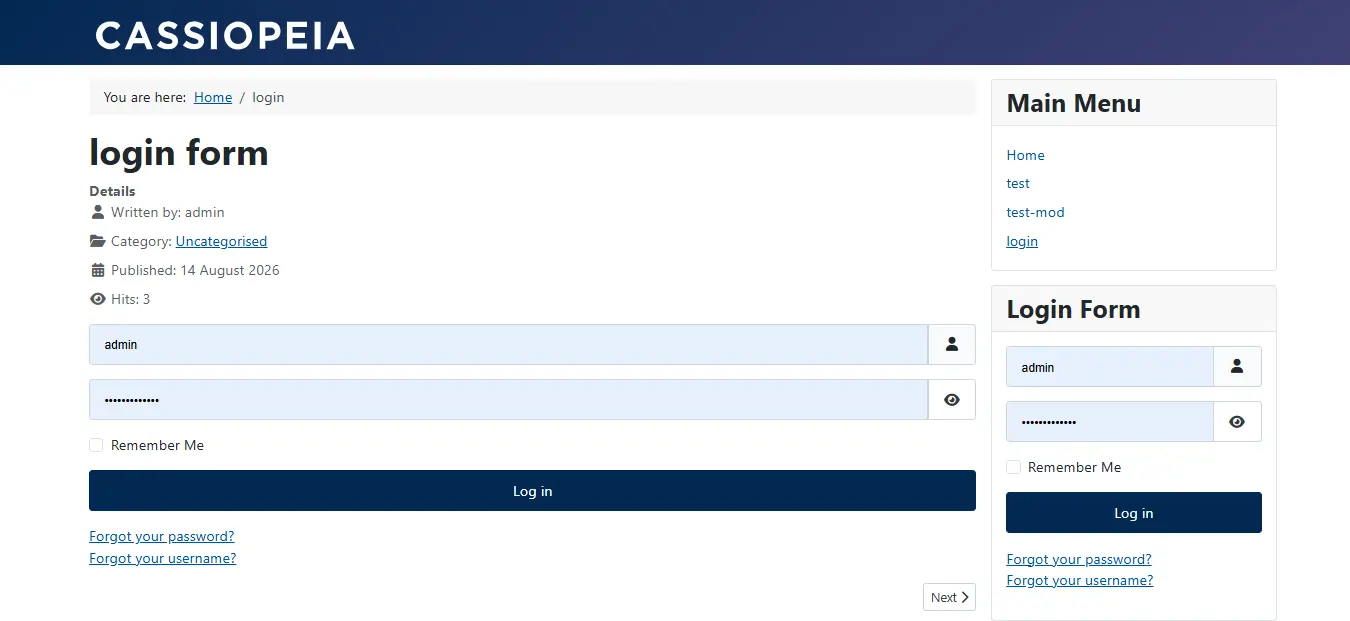
{loadmodule login}
Damit wird das erste Module gefunden, dessen Typ login entspricht (Beispiel: mod_login), und geladen. Der Typ ist am Namen des Module im Backend nicht immer erkennbar. Oft müssen Sie im Ordnernamen des Module nachsehen (ohne das Präfix mod_ ). Das Module Sprachumschalter hat zum Beispiel den Typ languages.
Beispiel: {loadmodule mod_login,Login 2}
{loadmoduleid}
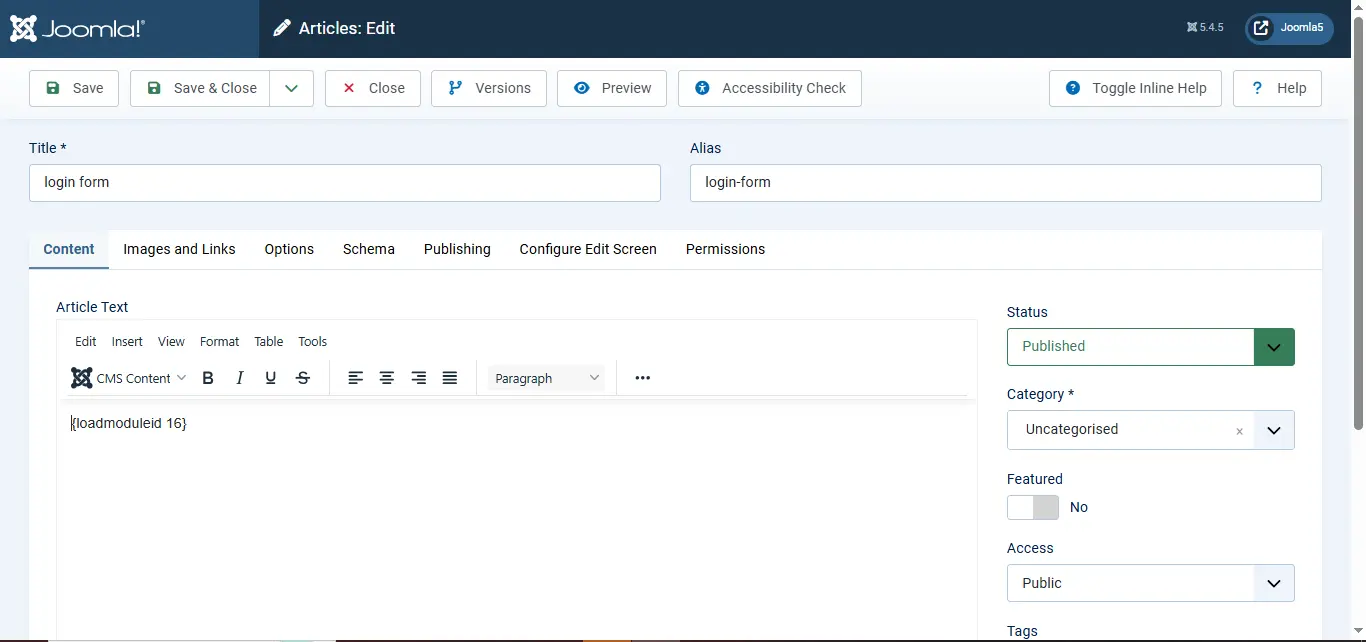
{loadmoduleid z}
Lädt das Module, dessen numerische ID mit z übereinstimmt, wie in der Verwaltung der Module angezeigt.
Beispiel: {loadmoduleid 200} lädt das Module mit der ID 200.
Abkürzung über die Editor-Schaltfläche
Ist das Editor-Plugin Schaltfläche - Module aktiviert, müssen Sie diese Tags nicht von Hand eingeben:
- Klicken Sie auf die nummerierte Schaltfläche in der Spalte Titel (Einfügen per ID: {loadmoduleid}).
- Klicken Sie auf die Schaltfläche in der Spalte Position (Einfügen per Position: {loadposition}).
So wenden Sie es an
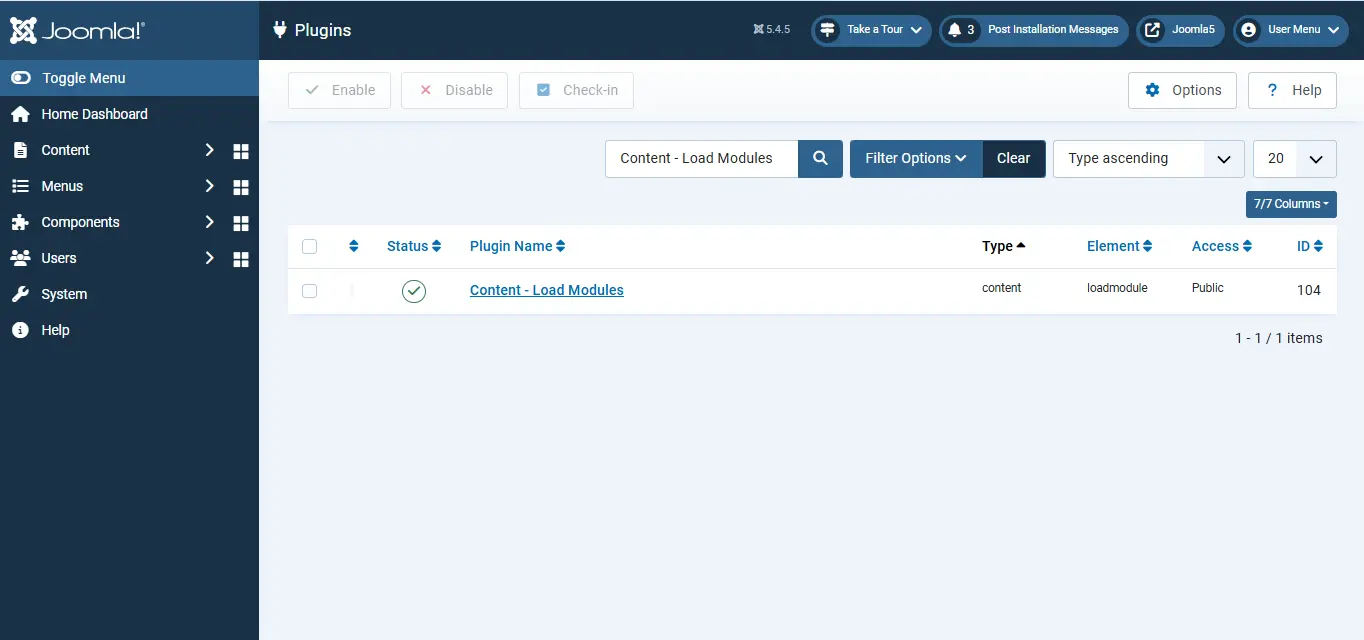
1. Das Plugin aktivieren
System → Plugins → nach „Inhalt - Module laden“ suchen → aktivieren.
2. Ein Module in einen Beitrag einbetten
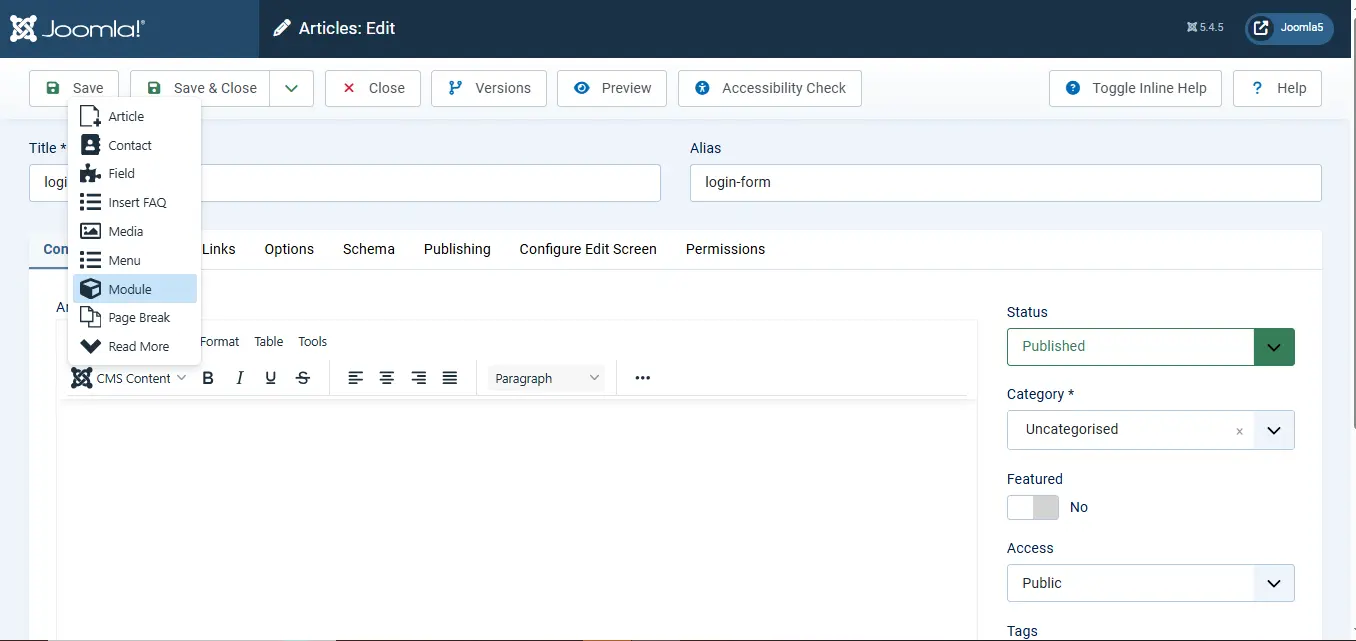
Inhalt → Beiträge → Neu → klicken Sie im Editor auf die Schaltfläche Module unter dem Editor → wählen Sie Ihr Module. Damit wird der passende Tag in den Beitragstext eingefügt.
Brauchen Sie Hilfe bei Joomla Modulen?
Wir richten Modulpositionen, Layouts und die Struktur Ihrer Inhalte genau so ein, wie Sie es brauchen, sauber auf Basis des Joomla Core und ohne Abkürzungen.
Joomla Hilfe anfordern
3. Im Frontend anzeigen
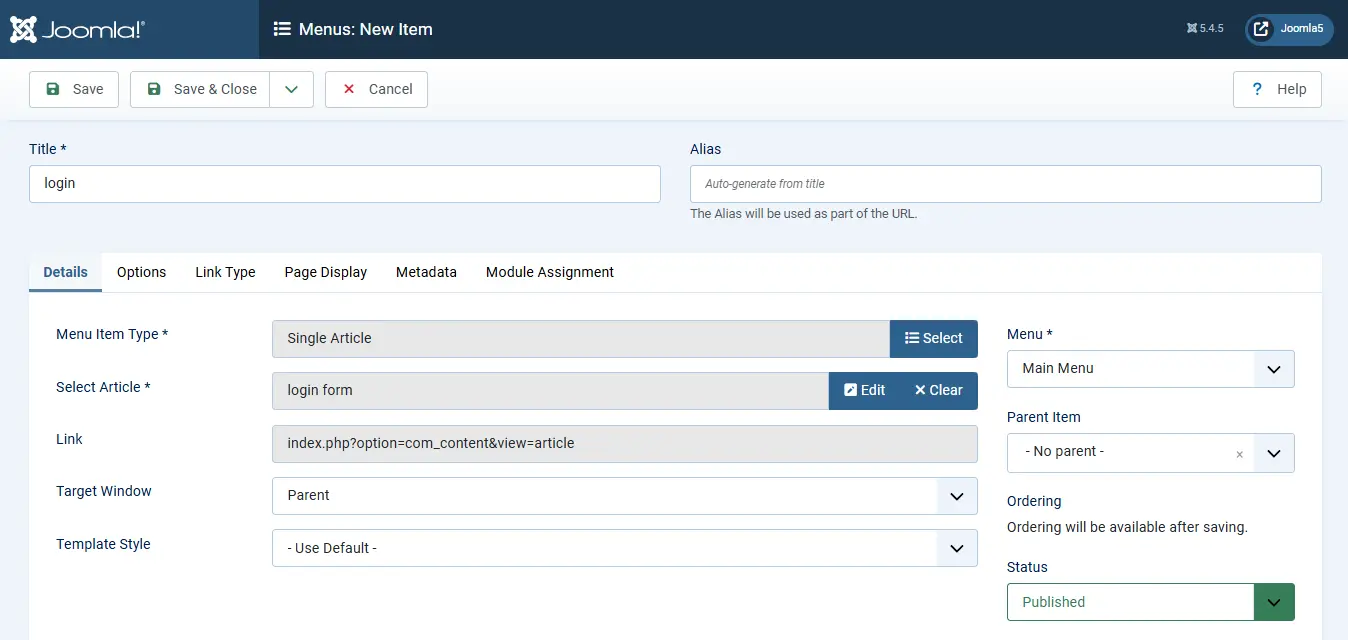
Legen Sie einen Menüeintrag an, damit der Beitrag erreichbar ist:
Menüs → (Ihr Menü) → Neu → Menüeintragstyp: Beiträge → Einzelner Beitrag → Ihren Beitrag wählen → Speichern.
Vorteile des Plugins „Inhalt - Module laden“
Module an beliebiger Stelle im Beitrag platzieren. Module sind normalerweise auf die Positionen Ihres Templates beschränkt. Mit diesem Plugin setzen Sie ein Module an jede Stelle im Beitragstext, auch mitten in den Inhalt, ganz gleich, welche Positionen Ihr Template bietet.
Inhalte in mehreren Beiträgen wiederverwenden. Statt denselben Inhalt (eine Newsletter-Anmeldung, eine Box mit Handlungsaufruf, eine Gruppe allgemeiner Hinweise) in jeden Beitrag zu tippen oder zu kopieren, legen Sie ihn einmal als Module an und nutzen ihn, wo er gebraucht wird. Ändern Sie das Module, ändert es sich überall, wo es verwendet wird. Kein Suchen in einzelnen Beiträgen mehr.
Inhalte einem einzelnen Beitrag zuordnen. Module hängen meist an Menüeinträgen und erscheinen je nachdem, auf welcher Seite sich ein Besucher befindet. Mit diesem Plugin verbinden Sie ein Module direkt mit einem bestimmten Beitrag, ohne dass ein Menüeintrag die Sichtbarkeit steuern muss.
Mehrere Wege, ein Module anzusprechen. Mit drei Tags {loadposition}, {loadmodule} und {loadmoduleid} können Sie ein Module über Position, Typ und Titel oder die genaue ID ansprechen. Diese Flexibilität vermeidet Verwechslungen, wenn eine Website viele ähnliche Module hat.
Keine zusätzliche Extension nötig. Es ist ein Plugin aus dem Joomla Core und kein Zusatz eines Drittanbieters. Die Funktion steht also sofort nach dem Aktivieren bereit, ohne Installation.
 Brauchen Sie Hilfe bei fortgeschrittener Joomla Entwicklung?
Sie bauen komplexe Layouts für Beiträge, die Inhalte und Module mischen?
JoomConsultant hilft Ihnen, sie sauber auf Basis des Joomla Core zu strukturieren.
Joomla Hilfe vom Experten anfordern →