




Hat Ihre Website Besucher aus verschiedenen Ländern oder mit unterschiedlichen Sprachen, machen Inhalte in mehreren Sprachen einen grossen Unterschied. Menschen beschäftigen sich lieber mit Inhalten in ihrer bevorzugten Sprache, und eine mehrsprachige Website baut Hürden ab, die Besucher sonst davon abhalten würden, Ihre Inhalte zu entdecken.
Joomla bringt diese Funktionen direkt im Core mit. Sie müssen also keine Extension für Mehrsprachigkeit suchen. Ich schätze sehr, dass Sie verschiedene Sprachen in einer einzigen Joomla Installation verwalten. Sie legen Inhalte und Menüs für jede Sprache an. Joomla kann sogar die Browsersprache eines Besuchers erkennen und die passende Sprache automatisch wählen. Ausserdem ordnet Joomla URLs, SEO-Metadaten und Inhalte nach Sprache. So erscheint jede Sprachversion besser in den Suchergebnissen.
Dieser Leitfaden führt durch die gesamte Einrichtung, von der Installation der Sprachpakete bis zu den Verknüpfungen von Inhalten und dem Module Sprachumschalter. :contentReference[oaicite:0]{index=0}
Schritt 1: Sprachen installieren
Installieren Sie vor dem Aufbau einer mehrsprachigen Website alle Sprachen, die Sie anbieten möchten.
Backend → System → Verwalten → Sprachen → Sprachen installieren
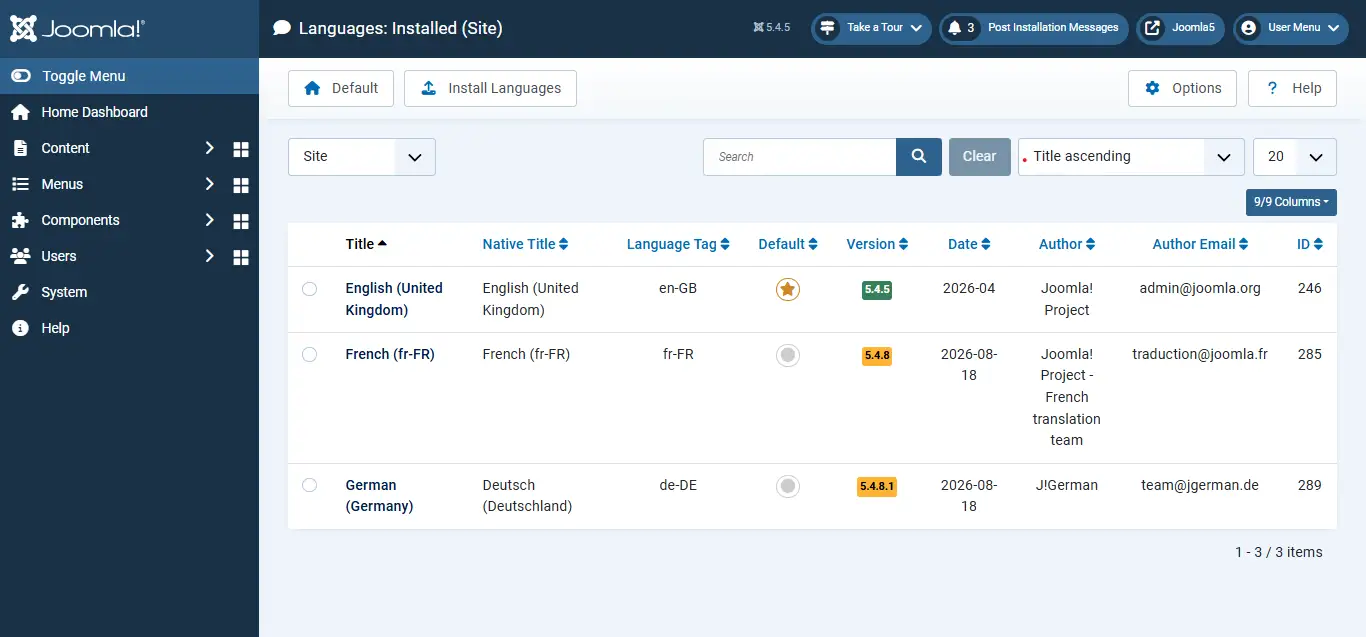
Wählen Sie die benötigten Sprachpakete und installieren Sie sie. Danach stehen sie in ganz Joomla bereit, für Inhalte, Menüs, Module und mehrsprachige Verknüpfungen.
Schritt 2: Inhaltssprachen anlegen
Jede installierte Sprache braucht einen passenden Eintrag unter Inhaltssprachen. Oft legt Joomla diese automatisch an, Sie sollten aber prüfen, ob sie vorhanden und aktiviert sind.
System → Verwalten → Inhaltssprachen → installierte Sprache aktivieren
Fehlt eine Sprache, legen Sie sie von Hand an:
System → Verwalten → Inhaltssprachen → Neu → Titel, Sprach-Tag und URL-Sprachkürzel ausfüllen → Speichern
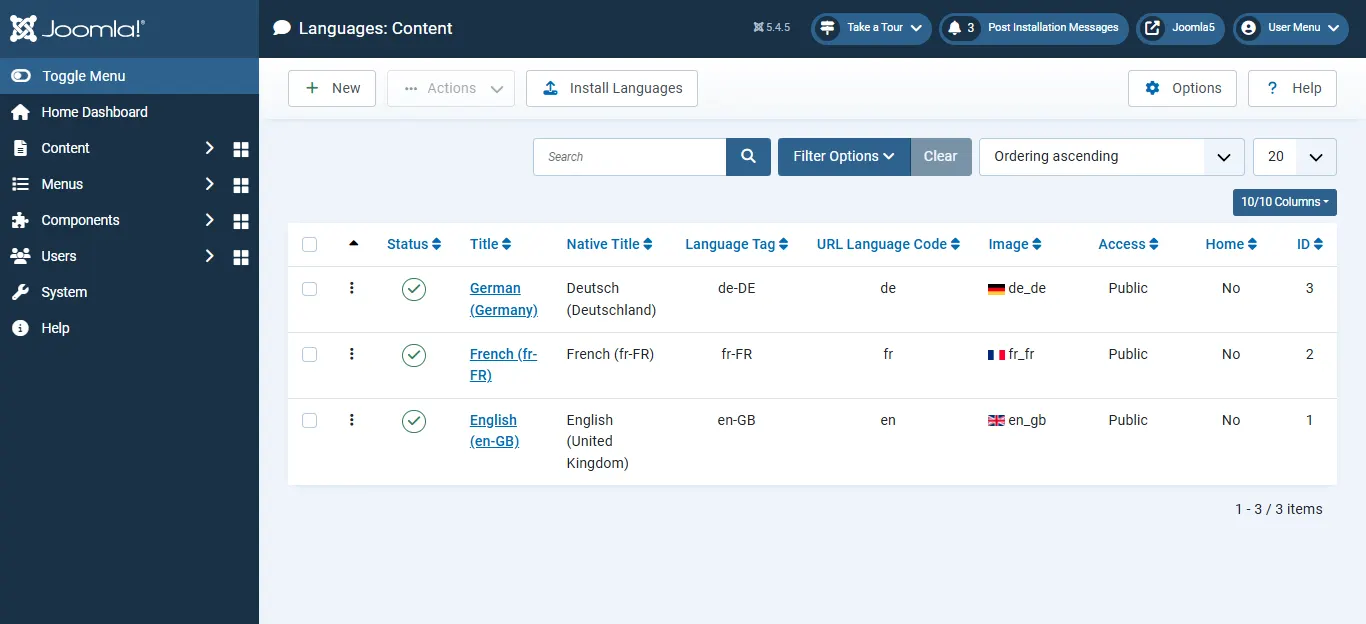
Mit den Inhaltssprachen erkennt und ordnet Joomla die Inhalte jeder Sprachversion Ihrer Website.
Schritt 3: Das Plugin Sprachenfilter aktivieren
Dieser Schritt gehört zu den wichtigsten der gesamten Einrichtung. Fehlt das Plugin Sprachenfilter, behandelt Joomla alle Inhalte als Teil einer einzigen Website und trennt die Sprachen nicht richtig. Ich habe viele Websites genau daran scheitern sehen.
System → Verwalten → Plugins → nach „System - Sprachenfilter“ suchen → Plugin aktivieren
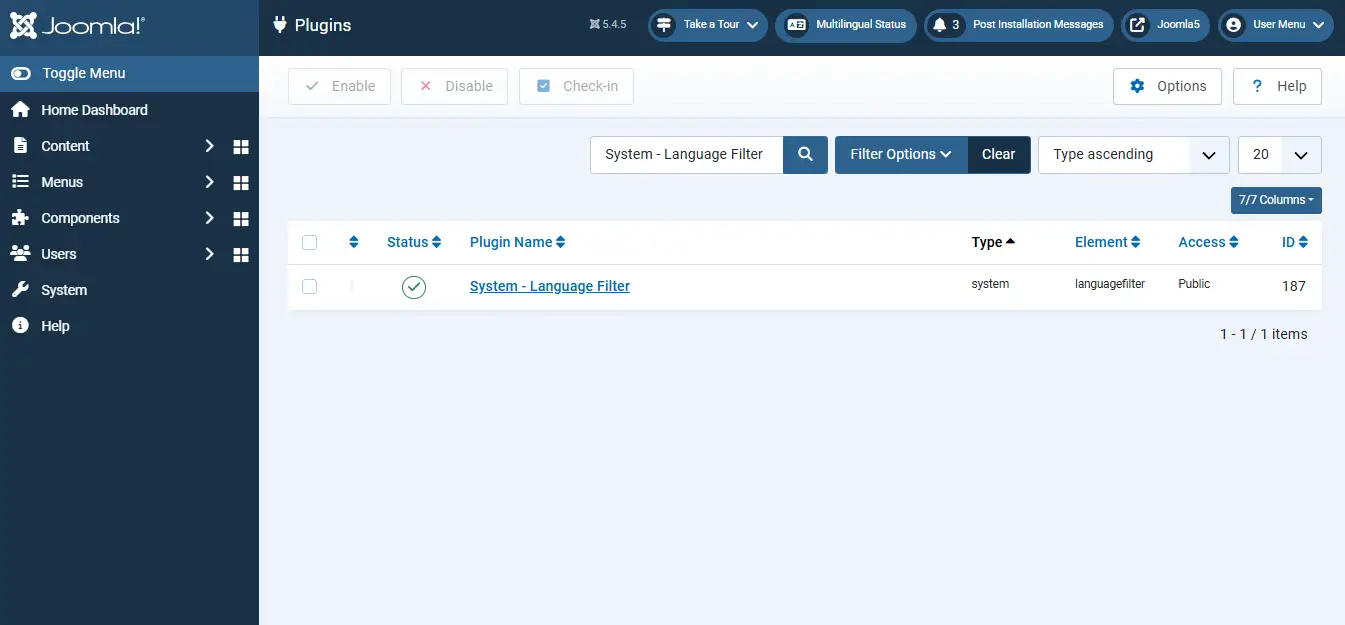
Danach zeigt Joomla Inhalte in der vom Besucher gewählten Sprache an und steuert die mehrsprachigen URLs korrekt.
Schritt 4: Ein Menü für jede Sprache anlegen
Jede Sprache sollte eine eigene Menüstruktur haben. So sehen Besucher eine Navigation in der Sprache, die sie gewählt haben.
Menüs → Verwalten → Neu → Titel, Name und Beschreibung des Menüs eingeben → Speichern
Legen Sie danach für jede Sprache einen eigenen Startseiten-Menüeintrag an:
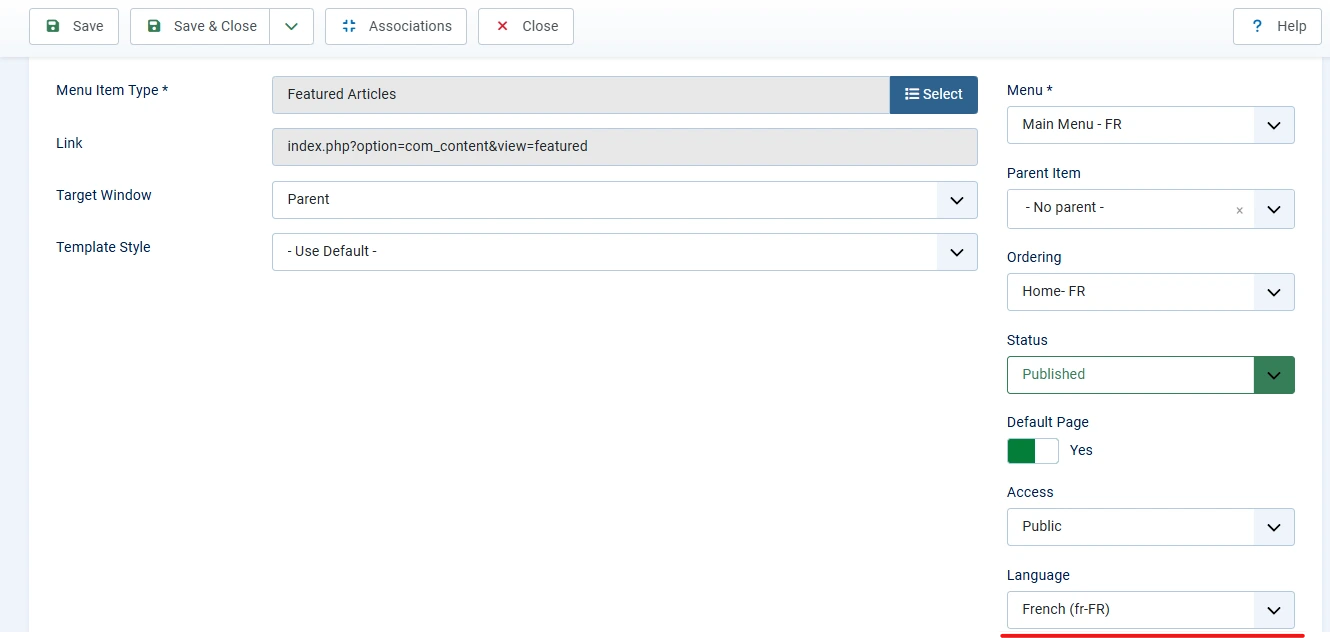
Menüs → Sprachmenü → Neu → Details des Menüeintrags ausfüllen → Standardseite auf Ja setzen → passende Sprache wählen → Speichern
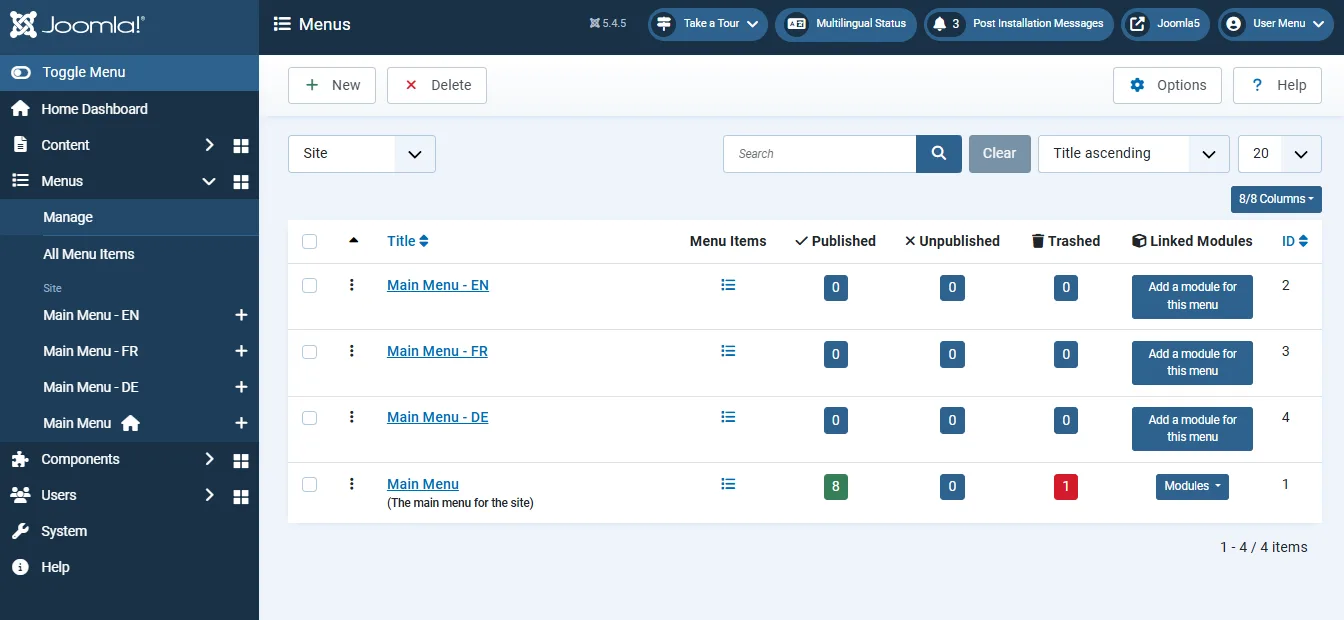
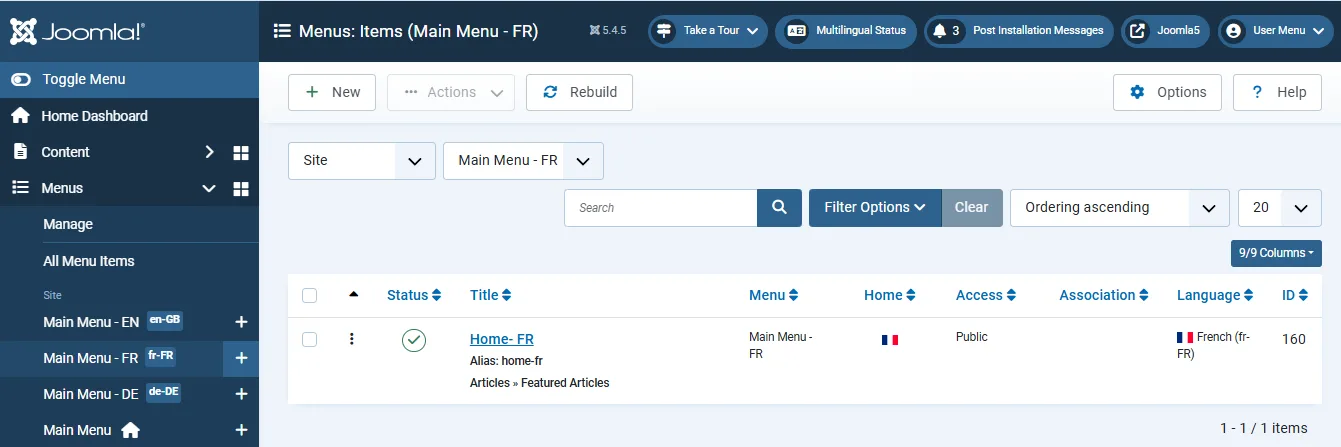
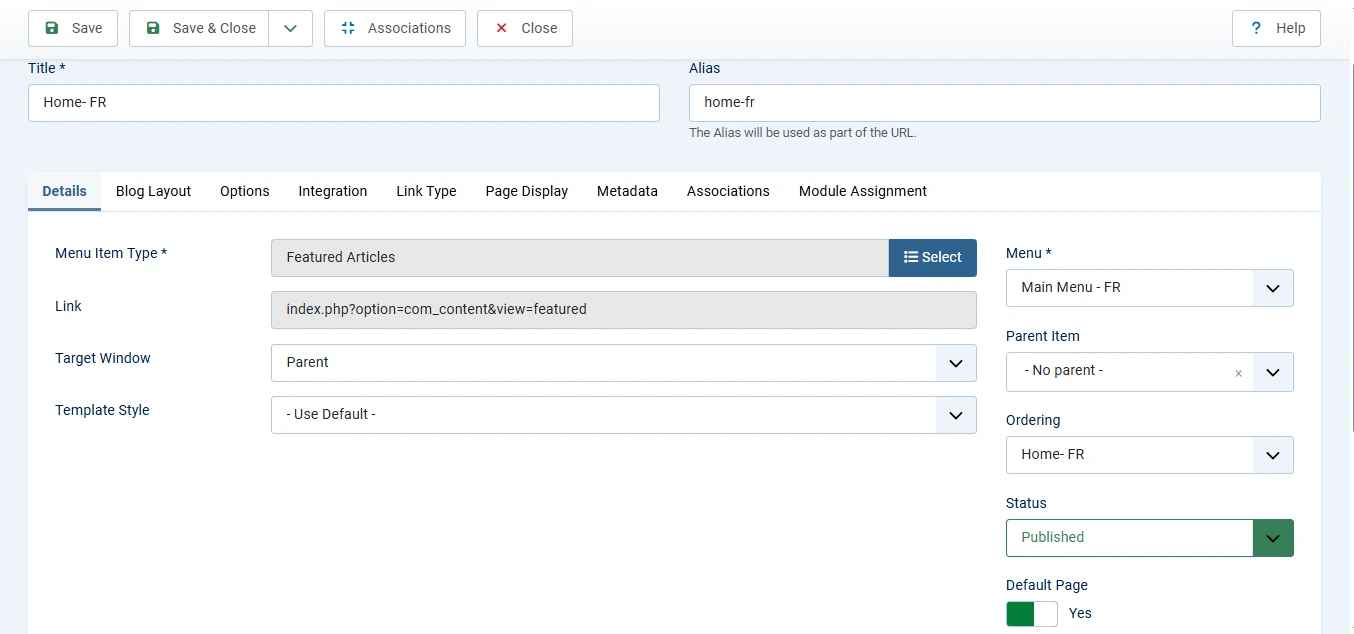
Jede Sprache braucht eine eigene Standard-Startseite. Ohne sie kann der Sprachumschalter Besucher nicht richtig zwischen den Sprachversionen wechseln lassen.
Brauchen Sie Hilfe beim Aufbau einer mehrsprachigen Joomla Website?
Ob mehrsprachige Inhalte, Sprachverknüpfungen, suchmaschinenfreundliche URLs pro Sprache oder die komplette Einrichtung einer mehrsprachigen Website: Unsere Joomla Experten helfen Ihnen, eine vollständig lokalisierte Website mit den Core-Funktionen von Joomla aufzubauen.
Joomla Hilfe anfordern
Schritt 5: Inhalte anlegen und Sprachen zuweisen
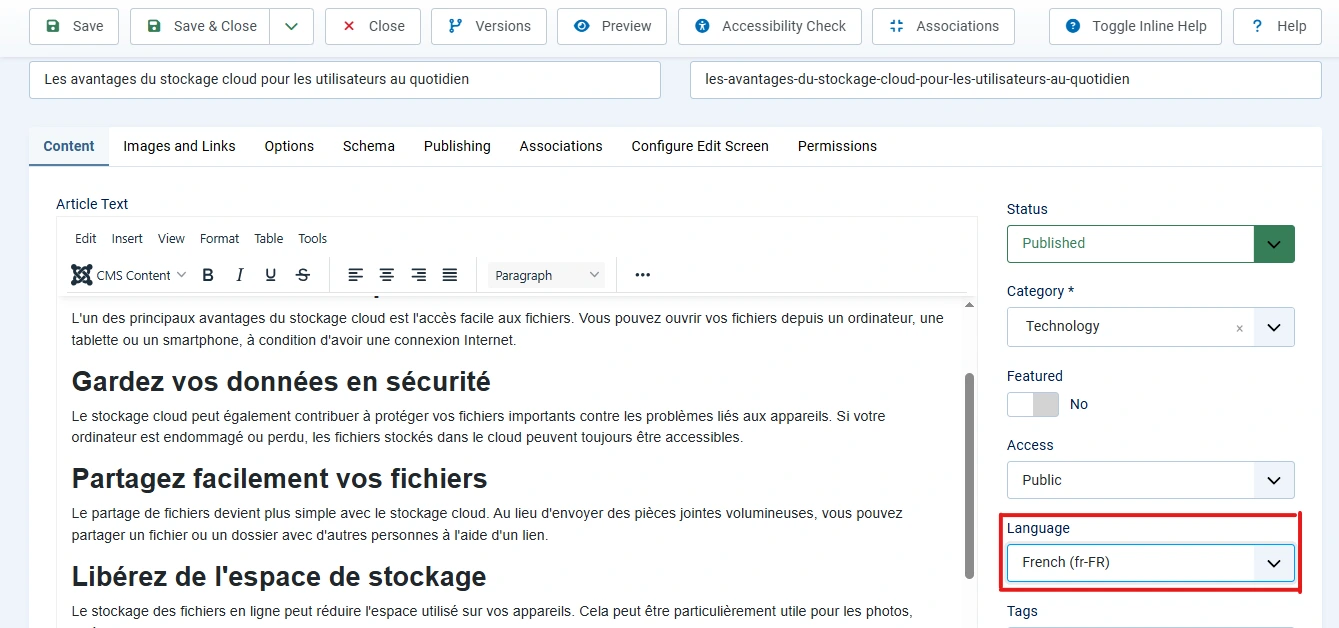
Legen Sie Beiträge, Module und andere Inhalte in der passenden Sprache an.
Inhalt → Beiträge → Neu (oder vorhandenen Beitrag bearbeiten) → Sprache wählen → Speichern
Wiederholen Sie das für jeden übersetzten Beitrag. Achten Sie darauf, dass auch der Startseiten-Menüeintrag jeder Sprache die richtige Sprache hat. So passen Navigation und Inhalte auf der gesamten Website zusammen.
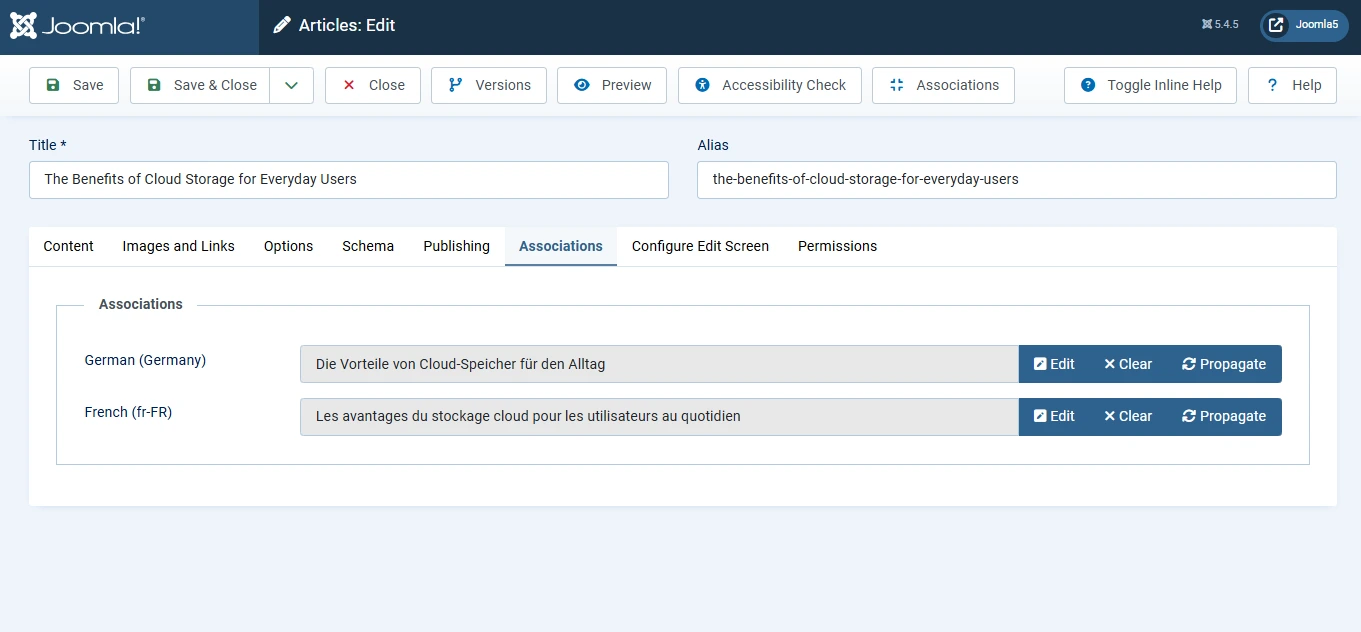
Schritt 6: Verknüpfungen von Inhalten anlegen
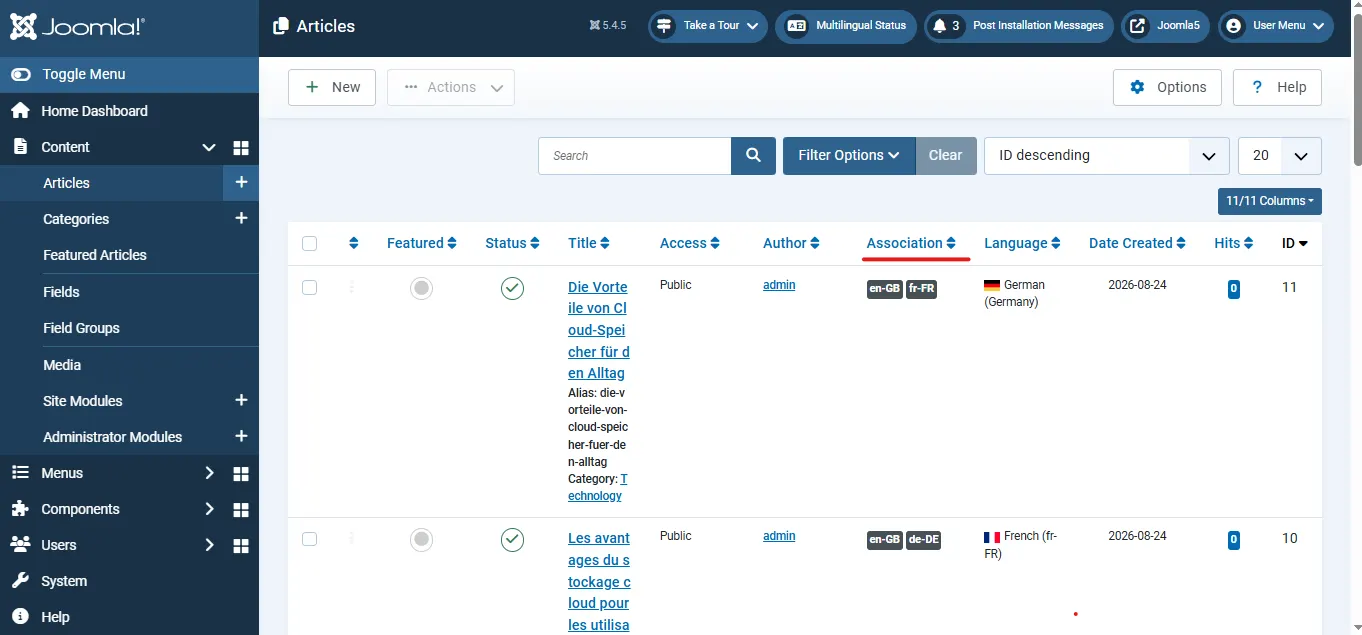
Verknüpfungen verbinden die übersetzten Versionen desselben Inhalts. So können Besucher die Sprache wechseln und bleiben auf der entsprechenden Seite, statt woandershin geleitet zu werden.
Inhalt → Beiträge → Beitrag öffnen → Tab Verknüpfungen → passende Beiträge in anderen Sprachen wählen → Speichern
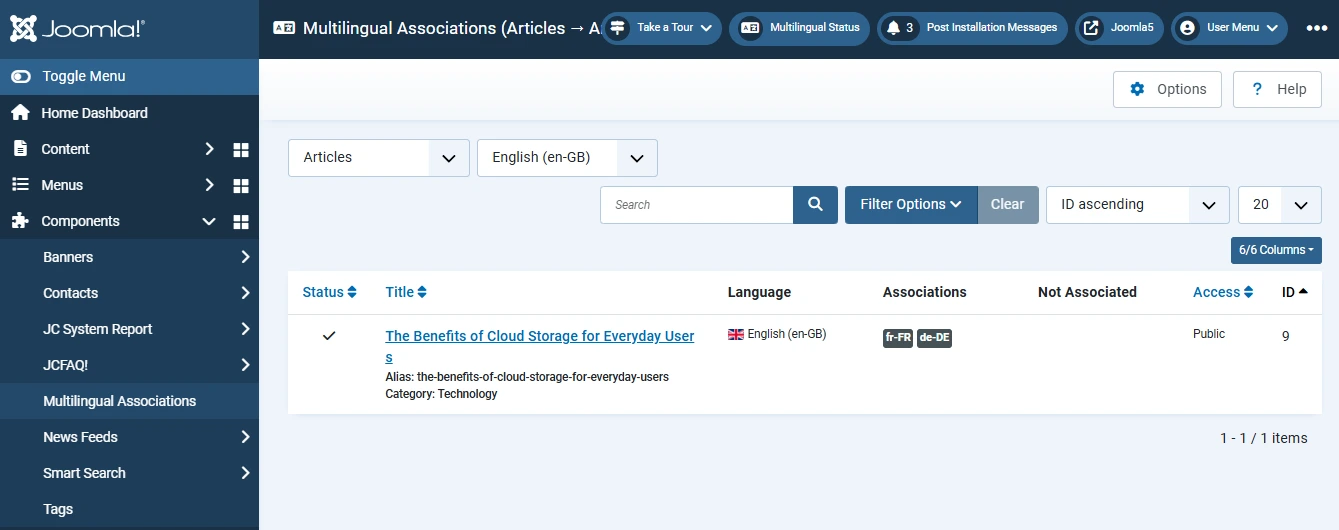
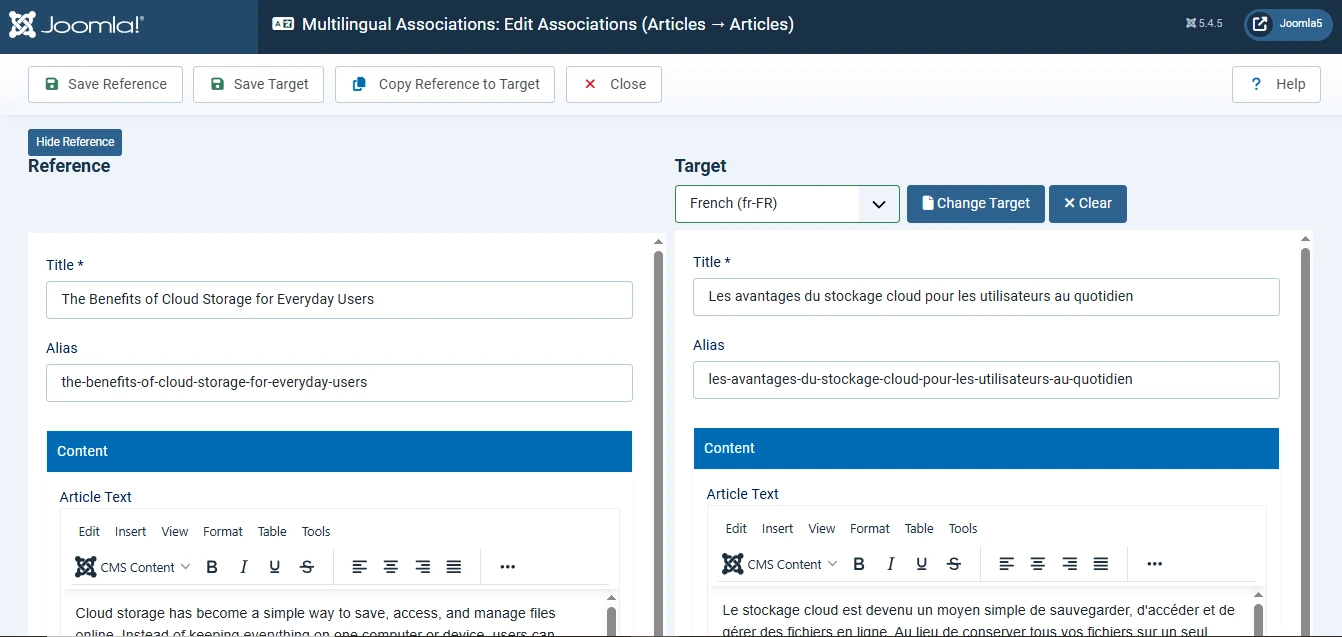
Für grössere Websites bietet Joomla ausserdem eine zentrale Verwaltung:
Komponenten → Mehrsprachige Verknüpfungen → Elementtyp und Sprachen wählen → Inhalte verknüpfen → Speichern
Startseiten verknüpfen
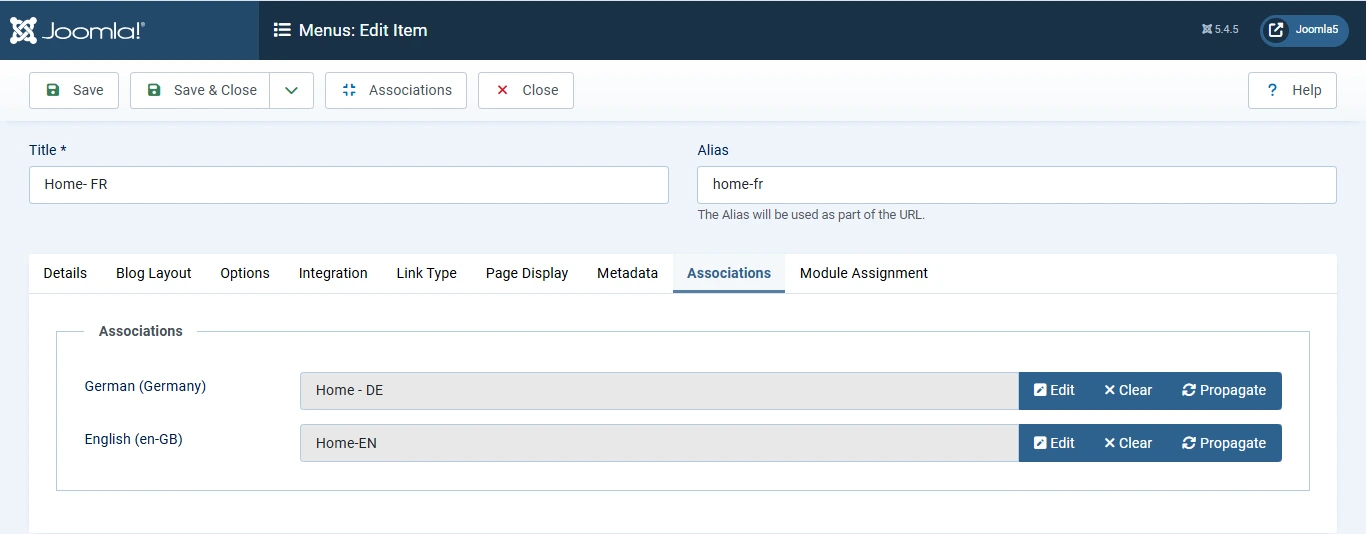
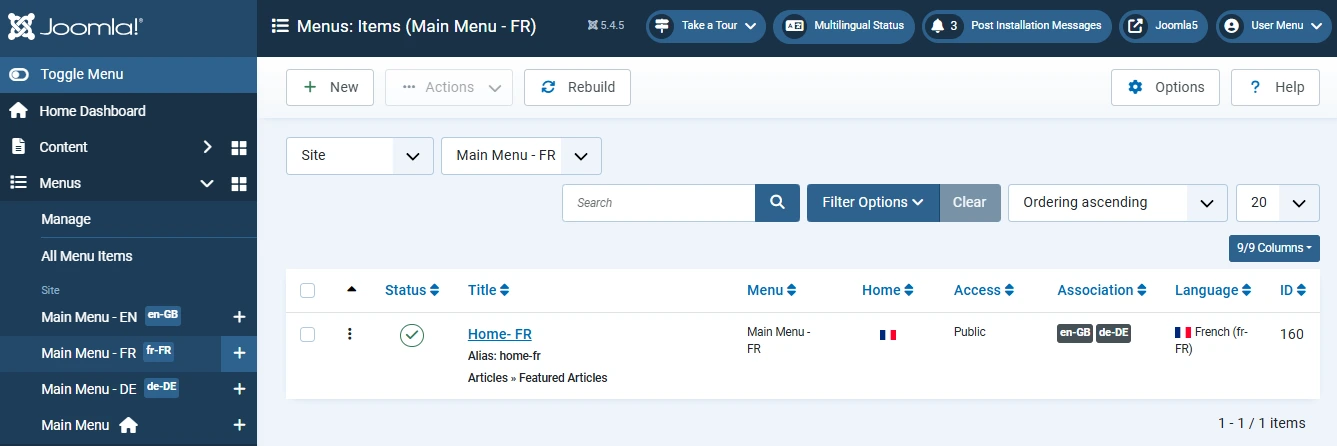
Vergessen Sie nicht, die Standard-Startseiten jeder Sprache miteinander zu verknüpfen. Genau wie Beiträge sollten auch die Startseiten der einzelnen Sprachen verbunden sein.
Menüs → Sprachmenü → Startseite → Tab Verknüpfungen → passende Startseiten verknüpfen → Speichern
So landen Besucher beim Sprachwechsel auf der richtigen Startseite.
Schritt 7: Das Module Sprachumschalter anlegen
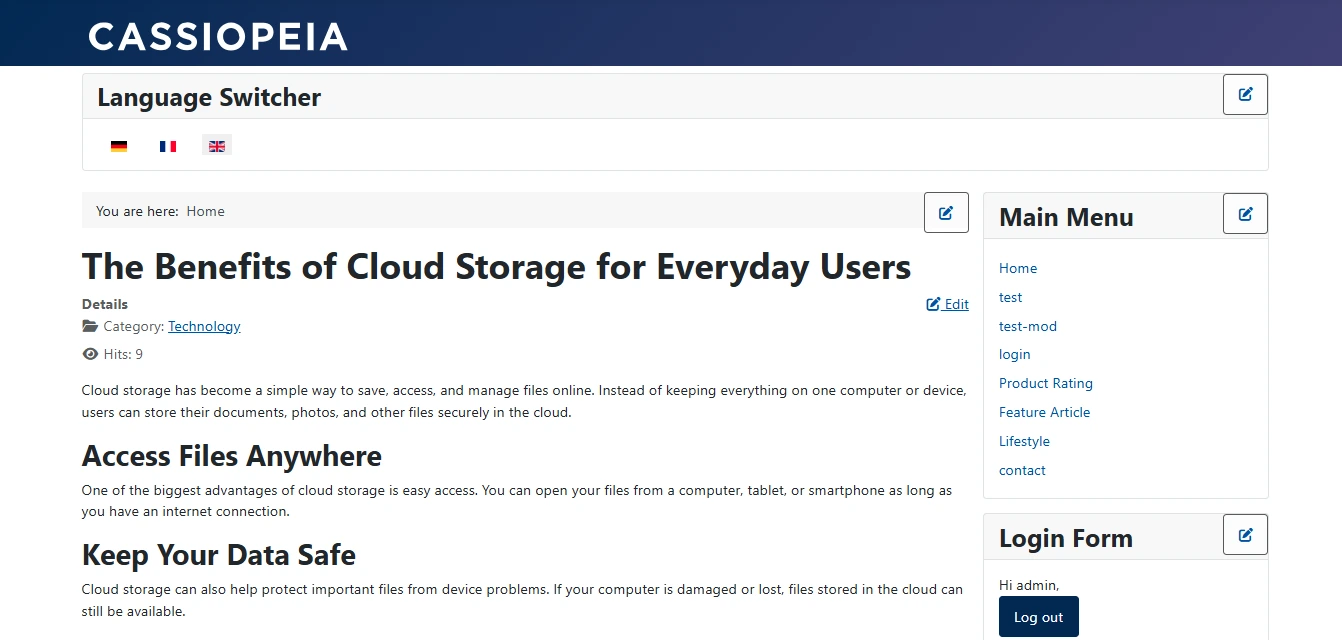
Im letzten Schritt ergänzen Sie das Module Sprachumschalter, damit Besucher im Frontend die Sprache wechseln können.
Inhalt → Website Module → Neu → nach „Sprachumschalter“ suchen → Module einrichten → Position zuweisen → Speichern
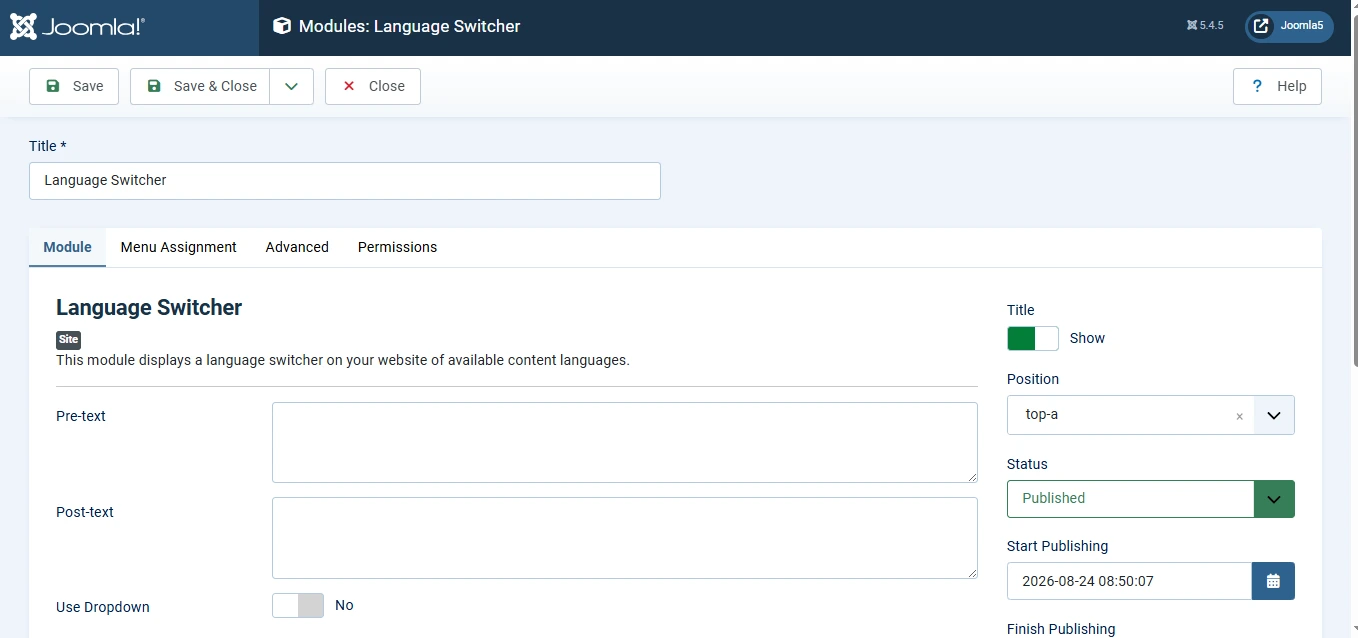
Wählen Sie unter Menüzuweisung „Auf allen Seiten“, damit der Sprachumschalter auf der gesamten Website verfügbar ist.
Vorteile von Verknüpfungen
Verknüpfungen bieten mehrere wichtige Vorteile:
- Besucher bleiben beim Sprachwechsel auf der entsprechenden Seite.
- Die Navigation wirkt natürlicher und benutzerfreundlicher.
- Joomla erzeugt korrekte hreflang-Tags für mehrsprachige SEO.
- Zusammengehörige Übersetzungen lassen sich im Backend leichter verwalten.
- Alle Sprachversionen behalten eine einheitliche Struktur und Nutzererfahrung.
So entsteht eine professionelle mehrsprachige Website, die wie aus einem Guss wirkt und nicht wie eine Sammlung getrennter Websites.
Fazit
Die Mehrsprachigkeit von Joomla bietet alles, was Sie für Aufbau und Pflege einer mehrsprachigen Website brauchen, ohne Extensions von Drittanbietern. Mit installierten Sprachen, aktiviertem Sprachenfilter, eigenen Menüs und Inhalten pro Sprache, Verknüpfungen und dem Module Sprachumschalter bieten Sie Besuchern in jeder Sprache ein reibungsloses Erlebnis.
 Brauchen Sie Hilfe bei der erweiterten Einrichtung mehrsprachiger Joomla Websites?
Sie brauchen mehr als eine einfache mehrsprachige Einrichtung? Ob mehrsprachige SEO, Verknüpfungen von Inhalten, Menüs pro Sprache, eigene Abläufe für Übersetzungen oder eine komplexe mehrsprachige Architektur: Unsere Joomla Experten helfen Ihnen, eine skalierbare mehrsprachige Lösung aufzubauen.
Joomla Hilfe vom Experten anfordern →