


Before Custom Fields existed in core Joomla, adding something like a price, rating, or release date to an article meant either hardcoding it into the article text or installing a third-party extension. Fields solve this natively, no extra installation needed.
Joomla's Fields feature lets you add extra, structured data to articles such as a price, a rating, a location, or a release date without a separate extension. These custom fields are built directly into core Joomla and can be attached to articles (and other supported content types like contacts and users), then displayed automatically wherever that content is rendered.
Joomla ships with more than a dozen field types. Beyond simply holding extra information, they let you control where the value displays and how it’s set up. You can use them in the simplest way a single text value or build more complex layouts and functionality.
Field Types Available
Choose a field type that matches the kind of data you're capturing. Core types include:
- Text : free text (e.g. a product code)
- Textarea : longer free text
- Integer : a numeric value chosen from a range
- List : a dropdown of predefined values (e.g. rating 1–5)
- Checkboxes
- Radio
- Calendar : date values
- URL
- User / User Group
- Media : image or file uploads
- Image List : a predefined list of images
- SQL : values pulled from a database query
- Subform : a repeatable group of sub-fields
How to Use It
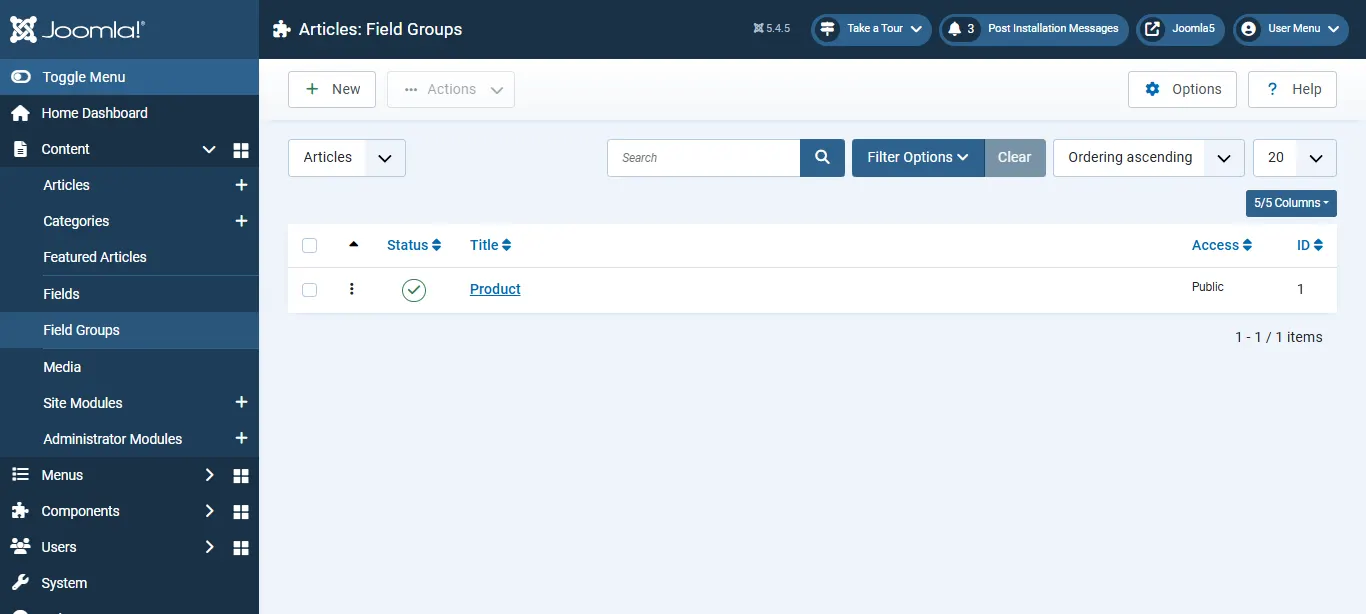
1. Create a Field Group
A Field Group keeps related fields together on the editing screen and lets you display them as a set.
Content → Field Groups → New → add a Field Group title (e.g. Product) → Save.
2. Create a custom field
Content → Fields → New → choose a Type, add a Label, and configure the options as needed → Save.
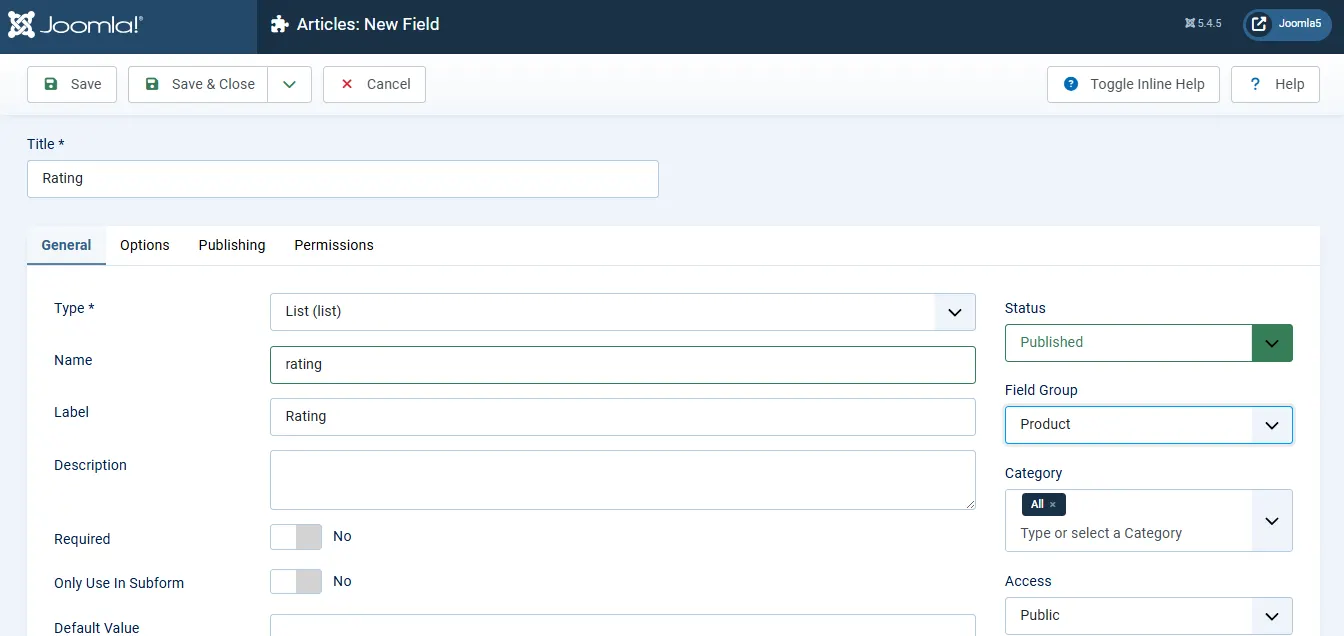
Assign the field to your Field Group, and (optionally) restrict it to the categories where it should appear.
Need Help Building Custom Fields in Joomla?
Whether you need product fields, property listings, staff profiles, event data, or other structured content, we can help you build custom field solutions using Joomla core.
Get Joomla Help
3. Set the field value on an article
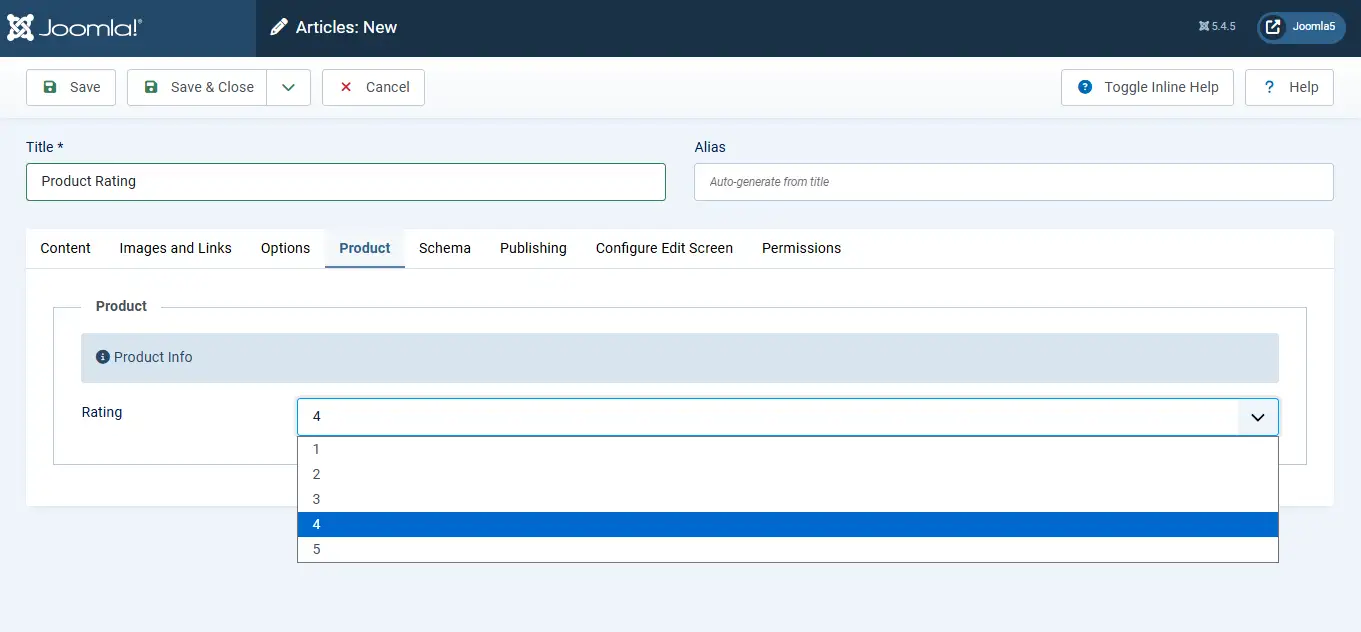
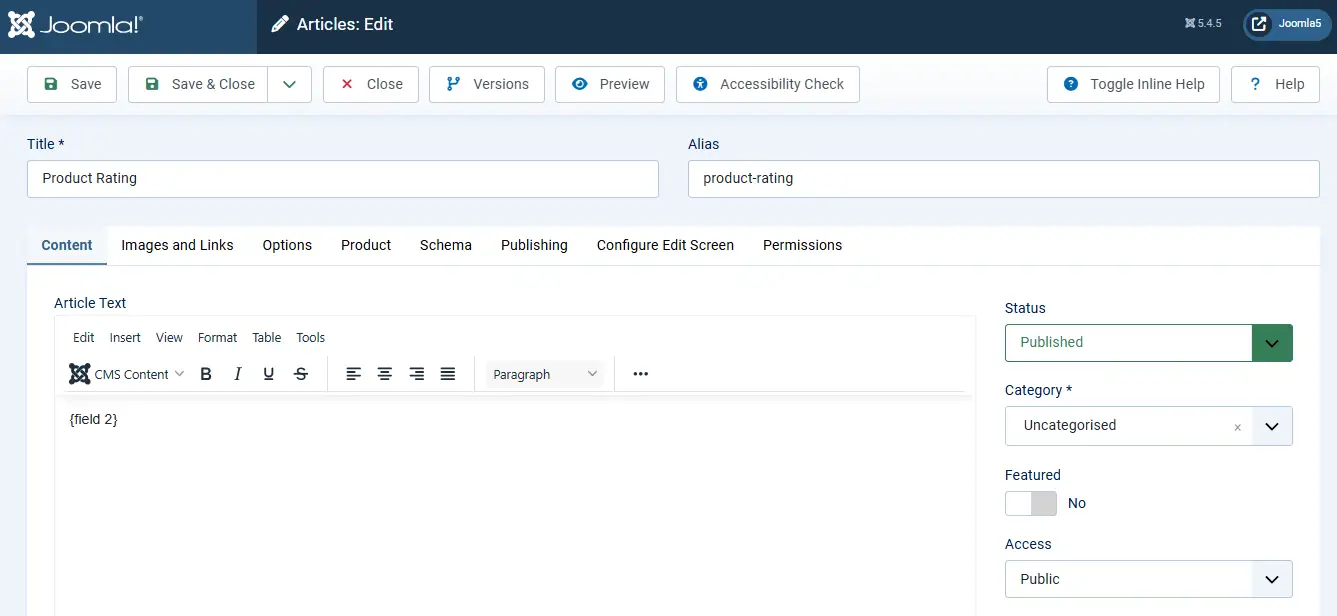
Content → Articles → New → open the Product field group tab → enter the value for your field → Save.
4. Insert the field into the article body (optional)
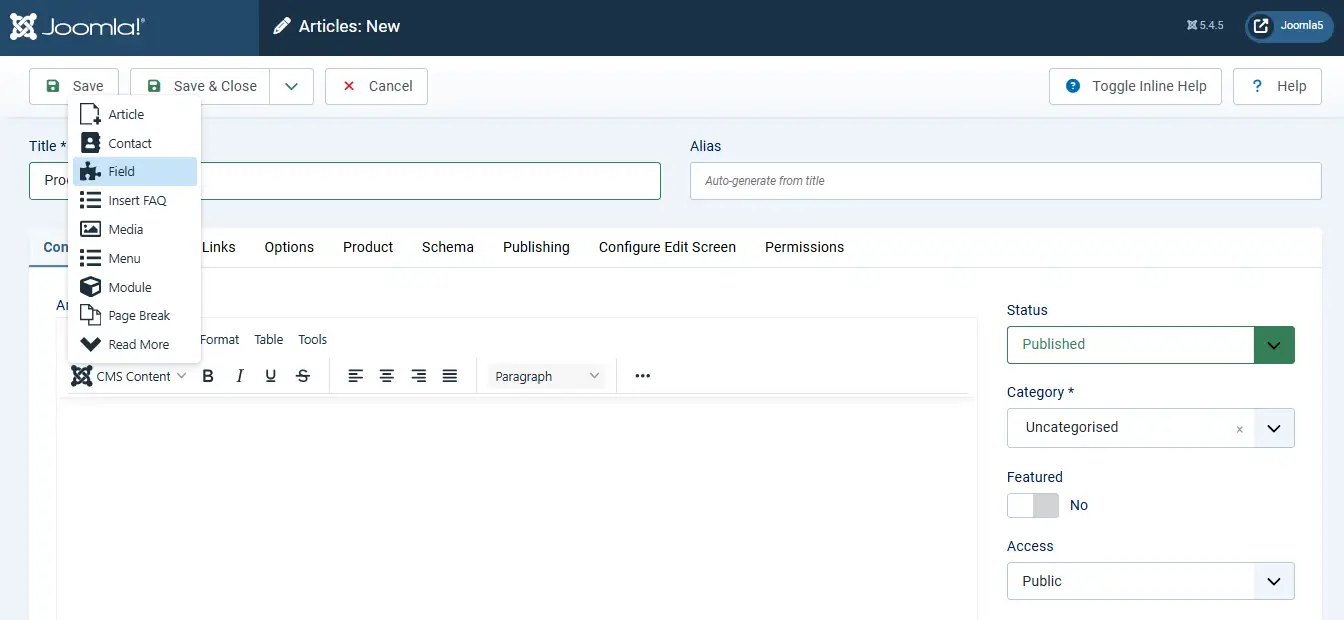
If you don't want the field to display automatically, place it manually. In the article editor, use the editor Fieldbutton to insert the field shortcode () exactly where you want the value to appear.
5. Display on the frontend
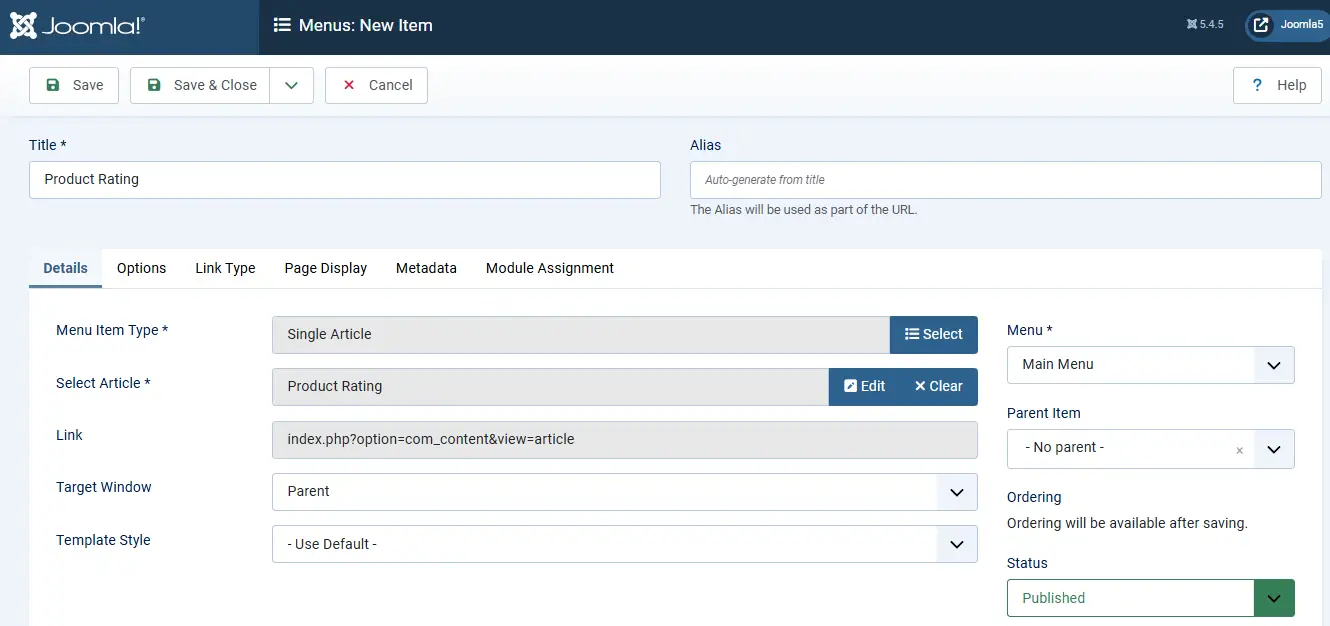
Create a menu item that points to the article:
Menus → (your menu) → New → Menu Item Type: Articles → Single Article → select your article → Save.
Open that menu item on the frontend and your article now shows its custom field value.
Benefits of Using Custom Fields
No extension required. The feature is built natively into Joomla’s core (dating back to version 3.7), meaning you can effortlessly display structured information like a price, rating, or location without installing outside software.
Scoped to relevant categories only.Fields can be assigned to specific categories, so they only appear on the articles that need them for example, only Products articles show Price and Rating, keeping unrelated content clean.
Keeps structured data separate from article text. Instead of typing "Rating: 5" as plain text, Fields store that value independently. Because it acts as a structured piece of data, you can quickly update, style, or reuse it without messing with the main article.
Reusable across multiple content types. Fields aren't limited to articles, they can also be applied to contacts, users, and other supported content types, giving you a consistent way to add structured data across the whole site.
 Need Help With Advanced Joomla Custom Fields?
Need custom field logic that goes beyond the basics — conditional display, complex layouts, or multilingual field sets? JoomConsultant can help you build it on top of Joomla core.
Get Expert Joomla Help →