


Almost every website needs a way for visitors to contact the site owner, a department, or a specific employee. A Contact Us page is often one of the most visited pages on a website and plays an important role in communication and customer support.
Before Joomla introduced its built-in Contacts component, website owners typically had to install third-party contact form extensions. This increased maintenance requirements, compatibility concerns, and security risks.
To solve this common requirement, Joomla includes a powerful Contacts component that allows administrators to manage contact information directly from the backend without installing additional extensions.
Unlike a simple contact form, Joomla Contacts stores structured information such as:
- Name
- Position
- Department
- Email Address
- Telephone Number
- Contact Image
- Custom Fields
- Categories
This structured approach makes Joomla Contacts suitable for:
- Contact Us pages
- Employee directories
- Team pages
- Department listings
- Office locations
- Business directories
What is the Joomla Contact Form Component?
The Joomla Contacts component is a built in extension that allows administrators to create and manage contact information directly from the Joomla administrator panel.
Using Contacts, you can:
- Create individual contacts
- Organize contacts into categories
- Add custom fields
- Link contacts to Joomla users
- Display contact information on the frontend
- Enable built-in contact forms
This makes Joomla Contact Management a complete solution for handling contact information without custom development.
Why Use Joomla Contact Forms?
The Joomla Contact Form allows visitors to send messages directly to a specific contact without exposing email addresses publicly.
Benefits include:
- No third-party extension required
- Built into Joomla core
- Easy administration
- Spam reduction
- Contact-specific enquiries
- Professional contact pages
Each contact can have its own contact form, allowing messages to be routed to the appropriate employee or department automatically.
How to Create a Joomla Contact Form
Step 1: Create a Contact Category
Before creating contacts, it is recommended to organize them using categories.
Navigate to:
Joomla Administrator → Components → Contacts → Categories
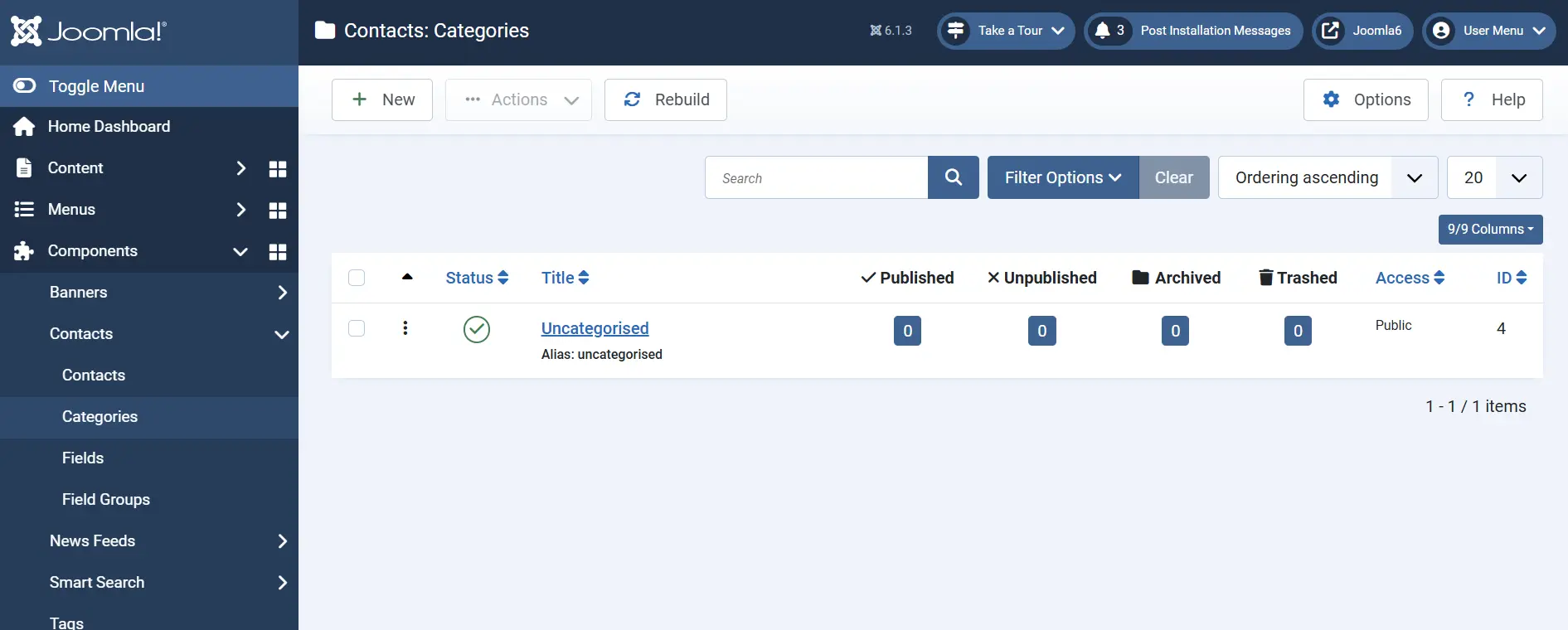
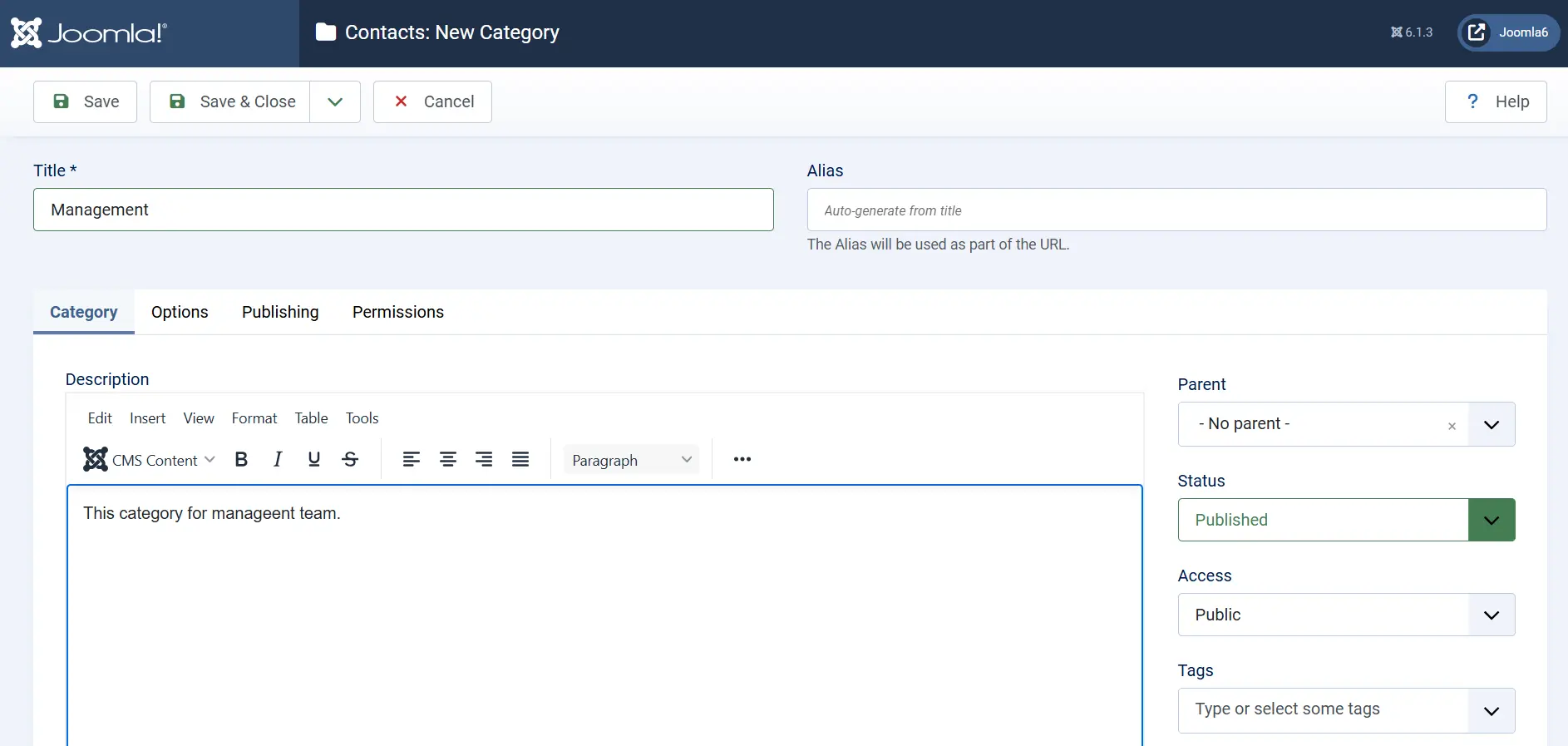
Create categories such as:
- Sales
- Support
- Management
- Human Resources
- Technical Team
Categories help organize contacts and make management easier when your website contains multiple contacts.
Step 2: Create a Contact
Navigate to:
Joomla Administrator → Components → Contacts → Contacts
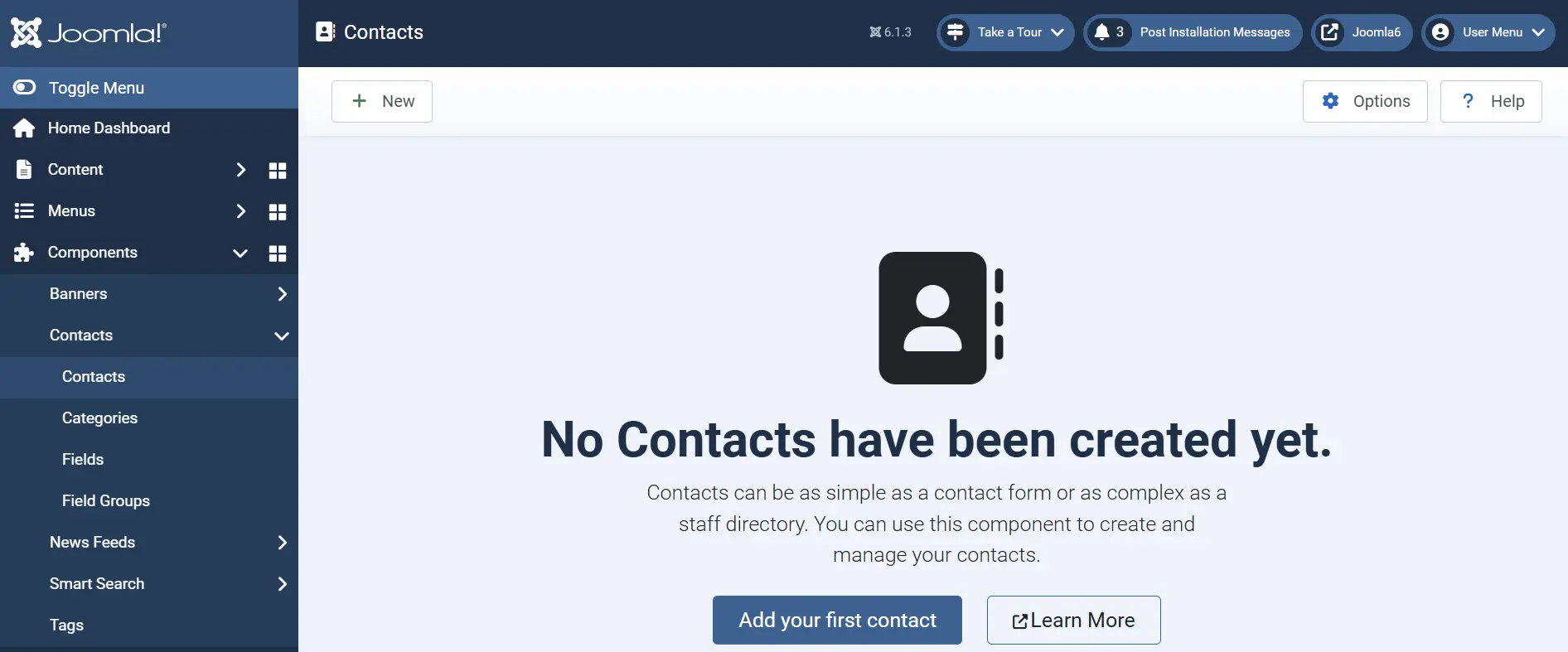
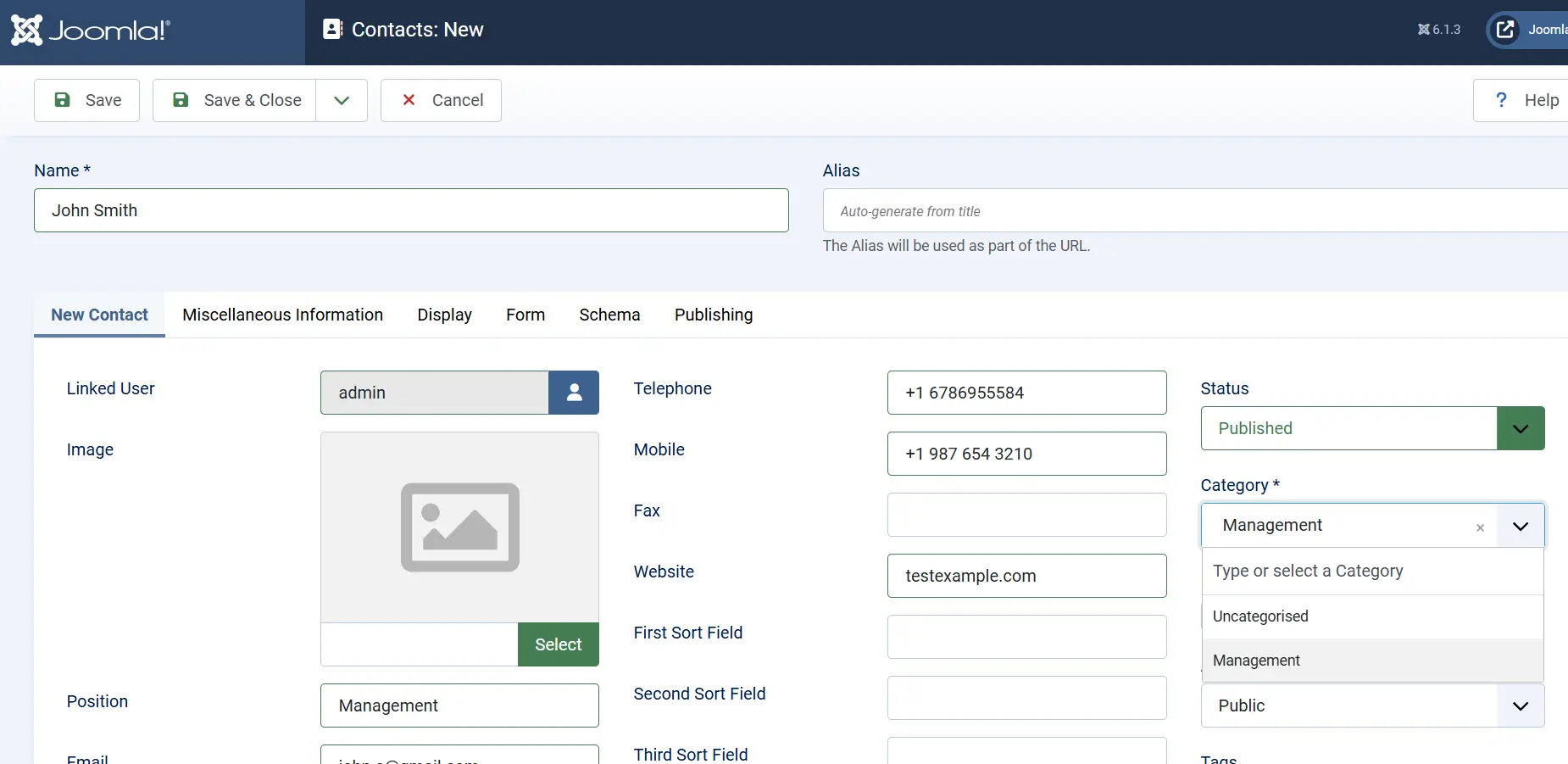
Click New to create a contact.
You can configure information such as:
- Contact Name
- Position
- Linked User
- Email Address
- Telephone Number
- Mobile Number
- Website
- Contact Image
Most importantly, assign the contact to the category created in the previous step.
The category allows Joomla to group related contacts together and display them in an organized manner.
Step 3: Create Custom Fields for Contacts
The standard Joomla contact fields may not always contain all the information your organization needs.
Joomla allows administrators to create custom fields specifically for contacts.
Common examples include:
- Employee ID
- Department
- WhatsApp Number
- Office Location
- Extension Number
- Branch Office
- Designation
Navigate to:
Joomla Administrator → Components → Contacts → Fields
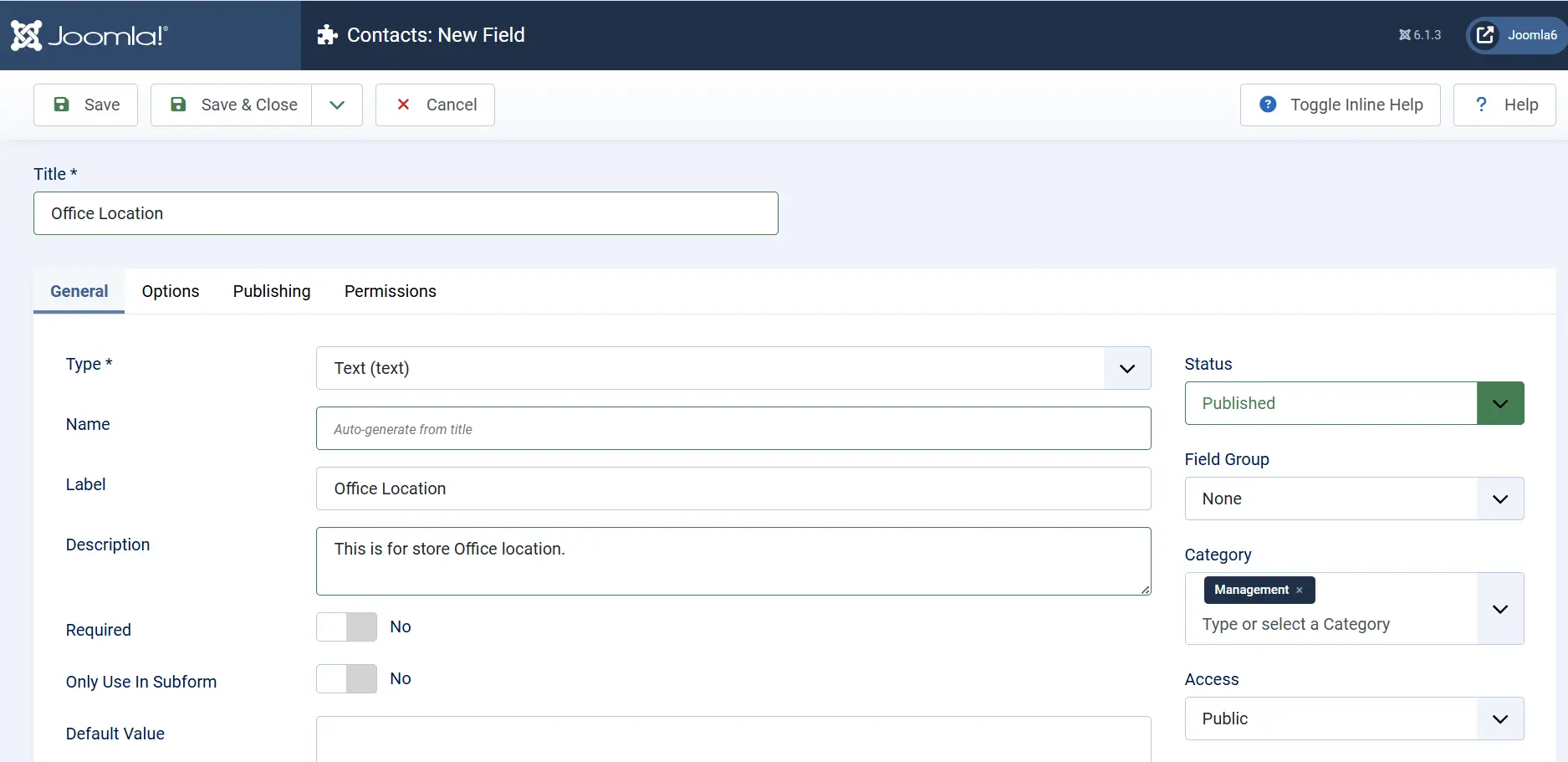
Click New and create your custom field.
For example, you may create an Office Location field to identify which office a contact belongs to.
You can also assign custom fields to specific contact categories.
Step 4: Assign Custom Fields to a Contact
After creating custom fields, they become available while editing contacts.
Navigate to:
Components → Contacts → Contacts
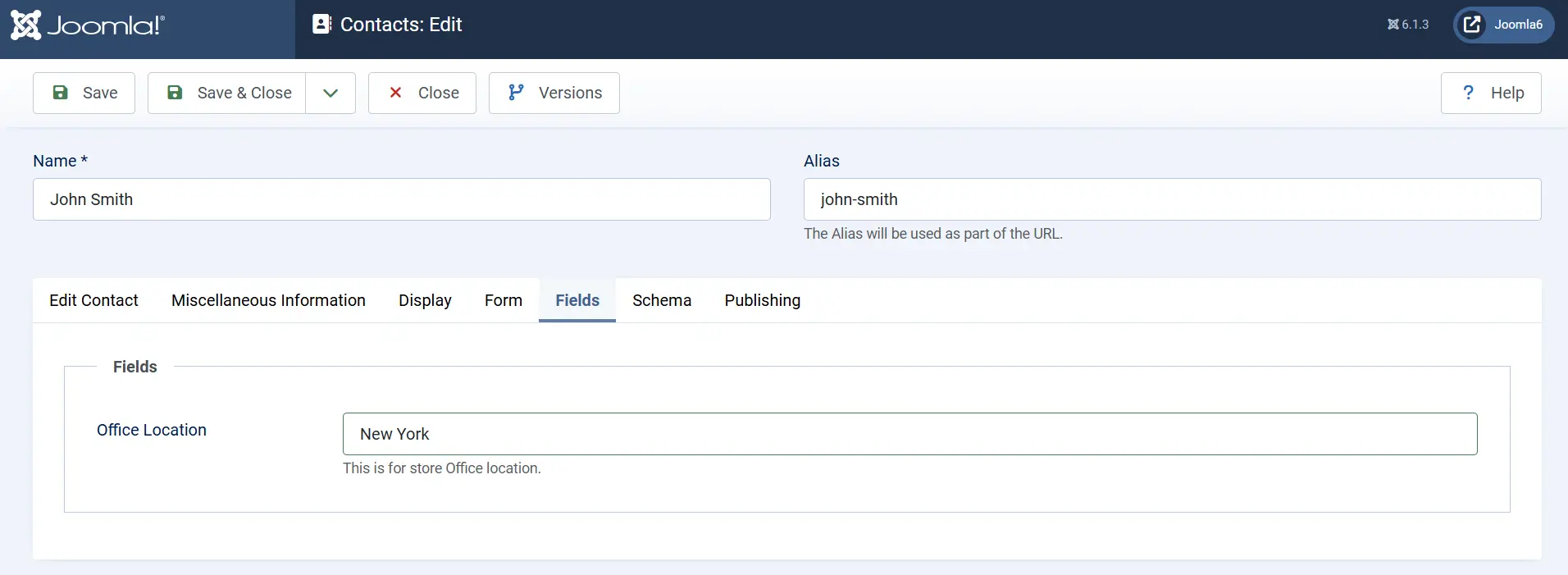
Open your contact and select the Fields tab.
Enter values for the custom fields you created.
Example:
| Field | Value |
|---|---|
| Office Location | London |
| Employee ID | EMP-1001 |
| WhatsApp Number | +44 XXXXXXXX |
This allows you to extend Joomla's standard contact information without modifying core files.
Step 5: Create a Menu Item for the Contact
To display the contact on the frontend, create a menu item.
Navigate to:
Joomla Administrator → Menus → Main Menu
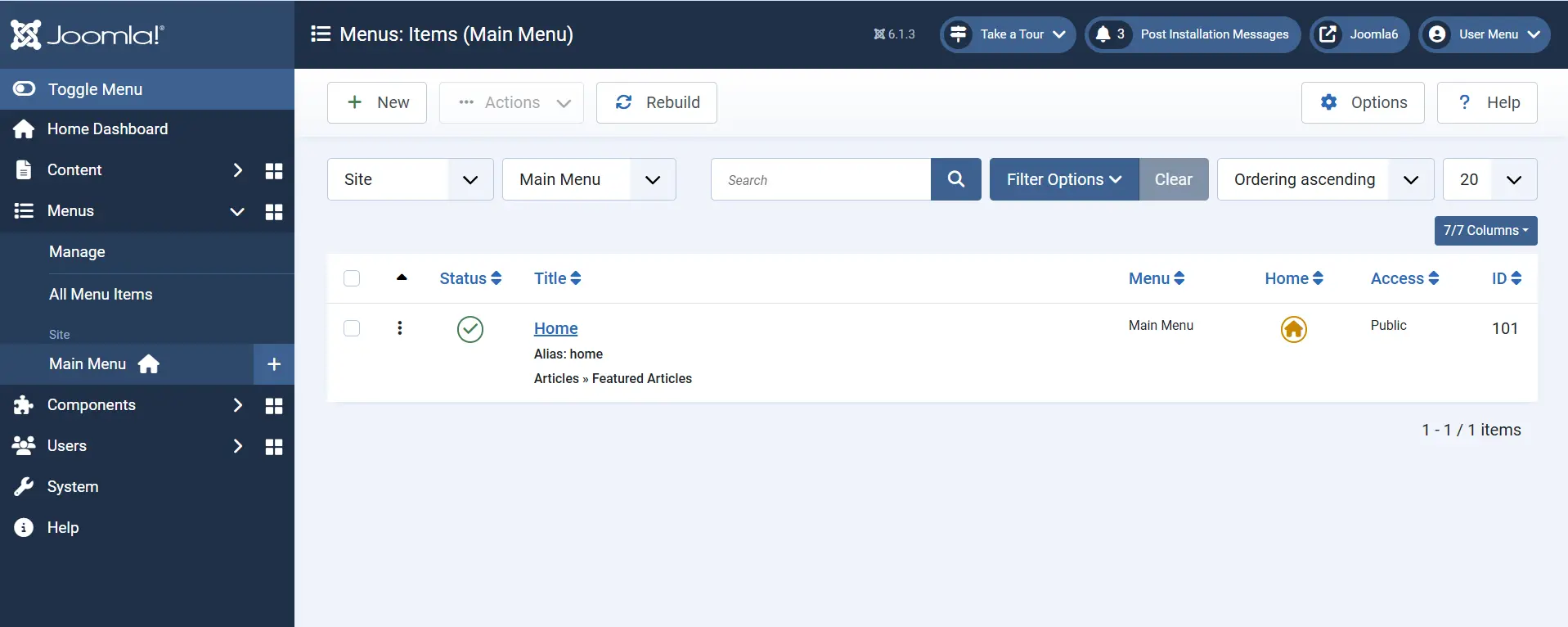
Click New.
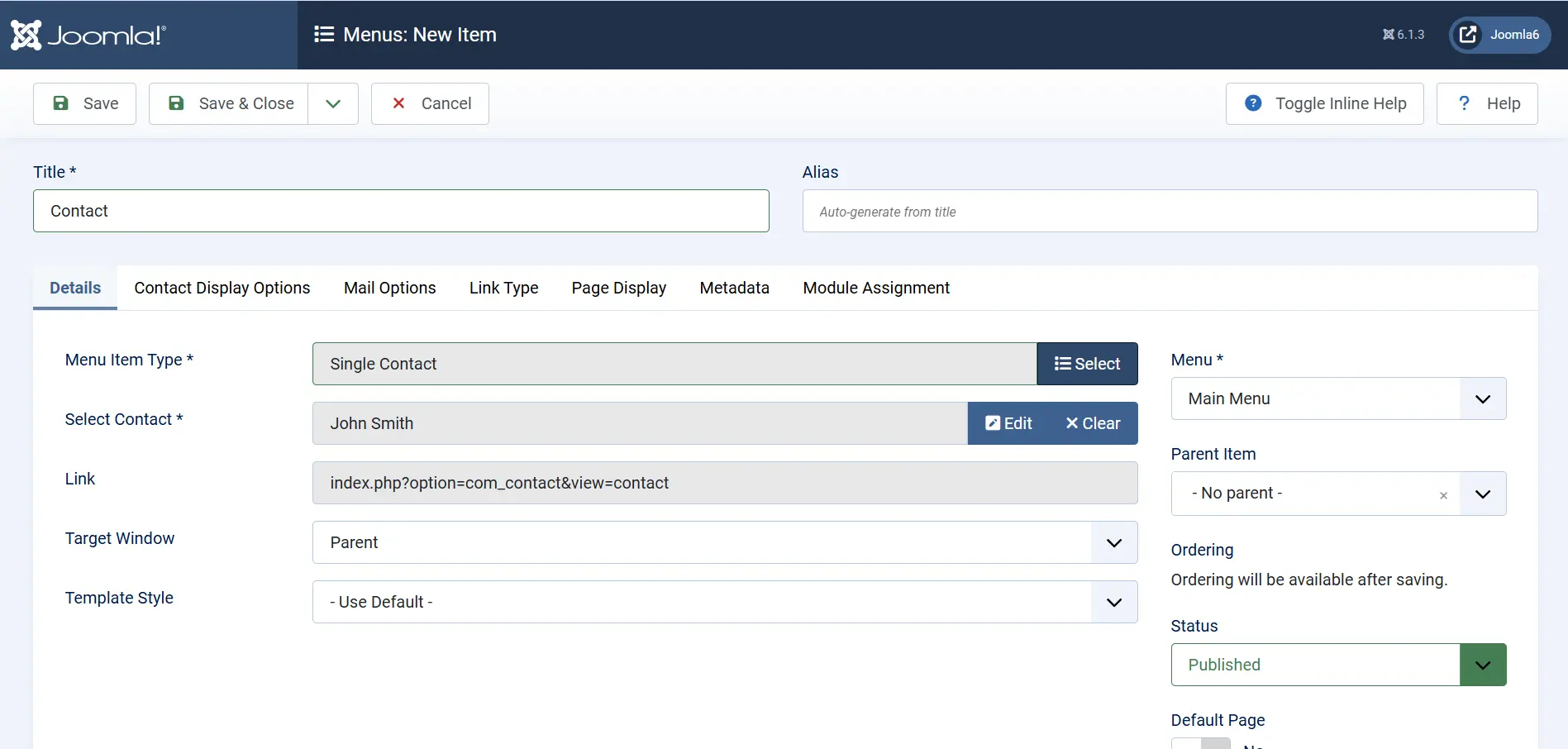
Select:
Menu Item Type → Contacts → Single Contact
Choose the contact you want to display.
Example:
John Smith
Save the menu item.
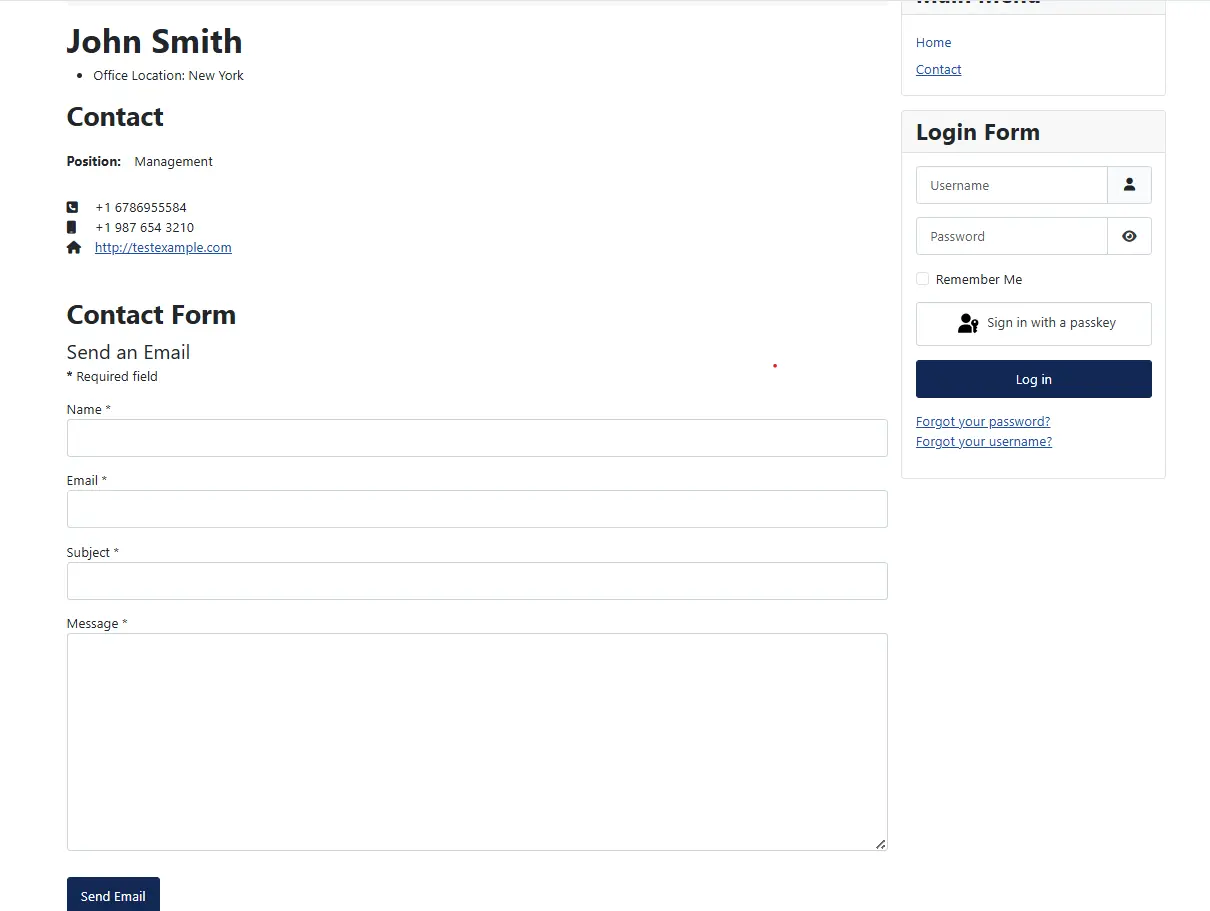
Step 6: Display the Joomla Contact Form
One of the most useful features of the Joomla Contacts component is the built in contact form.
When a contact is displayed on the frontend, Joomla can automatically show a contact form that allows visitors to send messages directly to that contact.
Open the contact menu item on the frontend.
Visitors will see:
- Contact details
- Contact image
- Email information
- Custom field information
- Contact form
When the form is submitted, Joomla sends the message according to the contact's configured email address.
This allows different contacts to receive enquiries independently.
Using Custom Fields with Joomla Contacts
Custom fields become extremely useful when standard Joomla contact fields are not sufficient.
Examples include:
- Office Location
- Department
- Employee Number
- LinkedIn Profile
- WhatsApp Number
- Branch Office
- Support Availability
Using custom fields allows organizations to build powerful employee directories and contact databases without creating custom extensions.
Benefits of Joomla Contact Forms
Built Into Joomla Core
The Joomla Contact Form is included with every Joomla installation.
No additional extensions are required.
Centralized Contact Management
All contacts can be managed from a single location within the Joomla administrator panel.
Administrators can:
- Create contacts
- Edit contacts
- Publish contacts
- Unpublish contacts
- Delete contacts
Organize Contacts with Categories
Categories help group contacts into logical sections such as:
- Sales
- Support
- Marketing
- Management
This makes contact management much easier for larger websites.
Support for Custom Fields
Custom fields allow organizations to store additional information without modifying Joomla core functionality.
Contact-Specific Enquiries
Each contact can have its own contact form and email address.
Messages are automatically routed to the appropriate contact.
No Custom Coding Required
Most contact management requirements can be configured entirely through the Joomla administrator interface.
No PHP development or custom component creation is necessary.
Ideal for Large Organizations
Combining:
- Contacts
- Categories
- Custom Fields
creates a flexible and scalable contact management system suitable for companies, schools, government organizations, and business directories.
 Need Help With Joomla Contact Forms?
Need help setting up contact forms, custom fields, or a full employee directory on your Joomla site? Get in touch with JoomConsultant and we will configure it for you.
Get Help With Joomla Contacts →Conclusion
The Joomla Contact Form and Contacts component provide a complete solution for managing contact information and visitor enquiries. By combining Contacts, Categories, Custom Fields, and built-in Contact Forms, Joomla allows administrators to create everything from a simple Contact Us page to a fully structured employee directory without relying on third-party extensions. The result is a secure, organized, and easy-to-maintain contact management system that integrates seamlessly with Joomla core.