

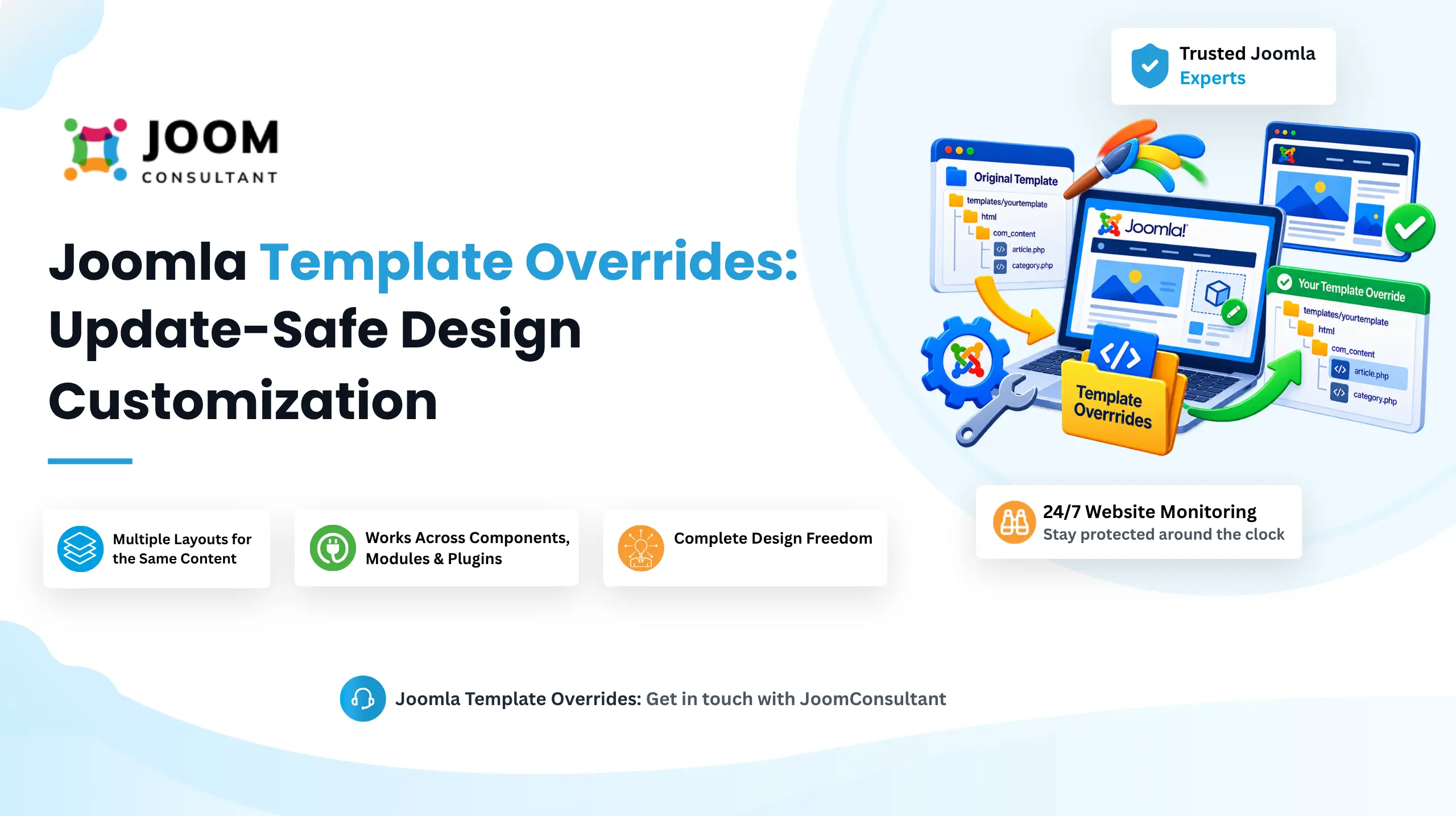
Template Override allows you customize HTML output of a Joomla component, module, or layout without modifying the original core or extension files. When Joomla renders page, it first checks your active template for override. If a matching override exists, Joomla uses that file instead of the default output supplied by component or module.
Directly editing Joomla core files is risky because those changes in overwritten whenever Joomla or the extension is updated. Template Overrides solve this problem by storing customizations inside your template folder, which is not affected by updates. This ensures your changes remain intact over time.
Template Overrides are useful whenever the default layout does not meet your requirements. Whether you need to display additional information, remove unnecessary elements, or completely redesign the output structure, overrides give you the flexibility to customize the presentation while remaining update-safe.
How To Work
Log in to Joomla Administrator and navigate to System → Site Templates → Select your template.
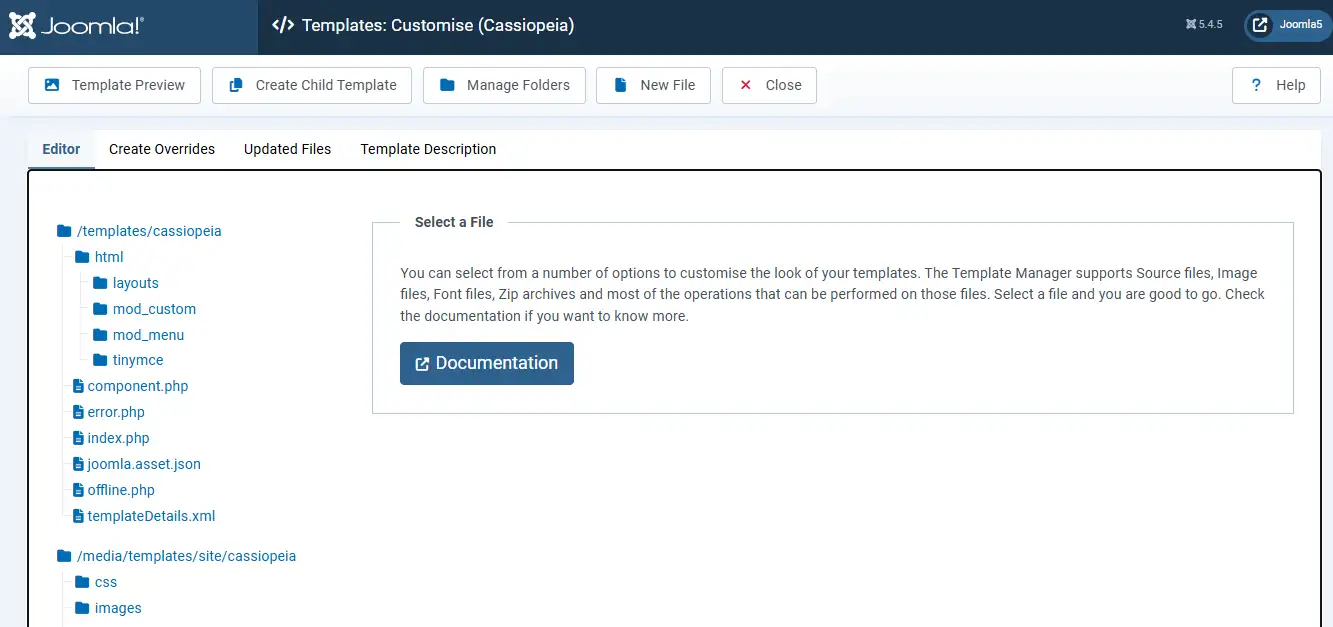
You will arrive at the Template Customise screen, where Template Overrides can be created and managed.
Important Note
Do not edit the original template files directly. Joomla default templates, such as Cassiopeia, include built in files that may be replaced during future updates. Any direct modifications made to those files will be lost when Joomla installs newer versions.
The html folder inside your template contains all override files. Existing overrides can be reviewed, edited, or expanded from this location.
1. Create Overrides
Open the Create Overrides tab from the Template Customise screen.
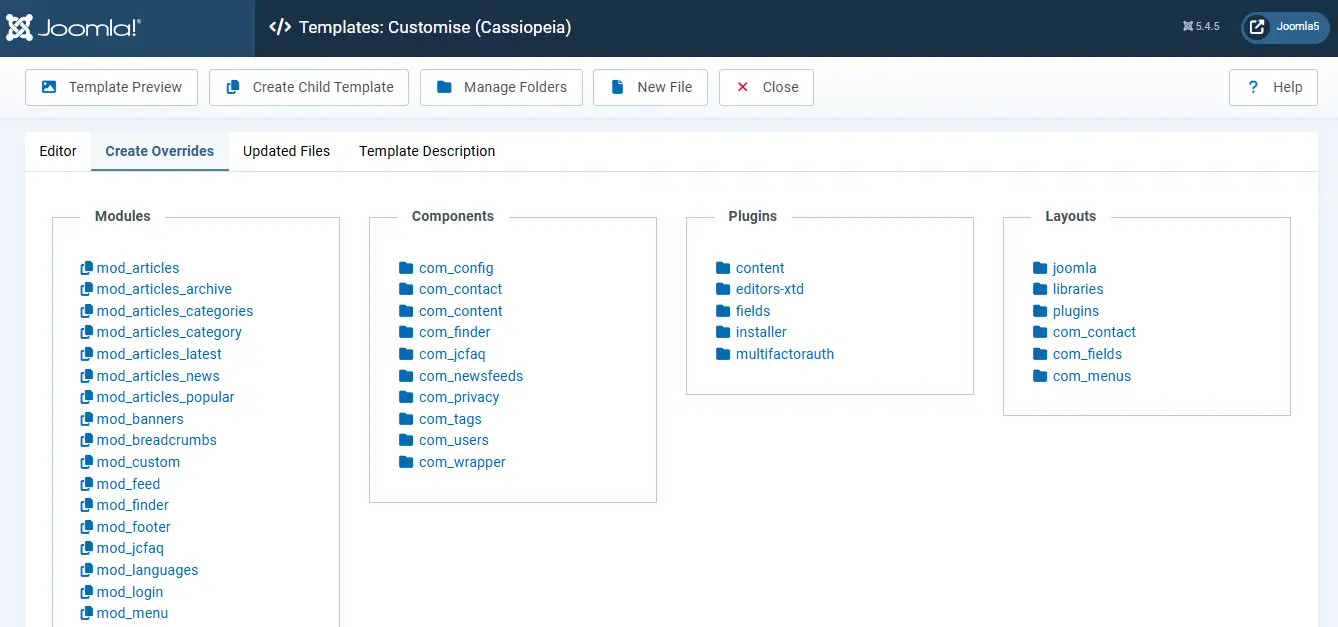
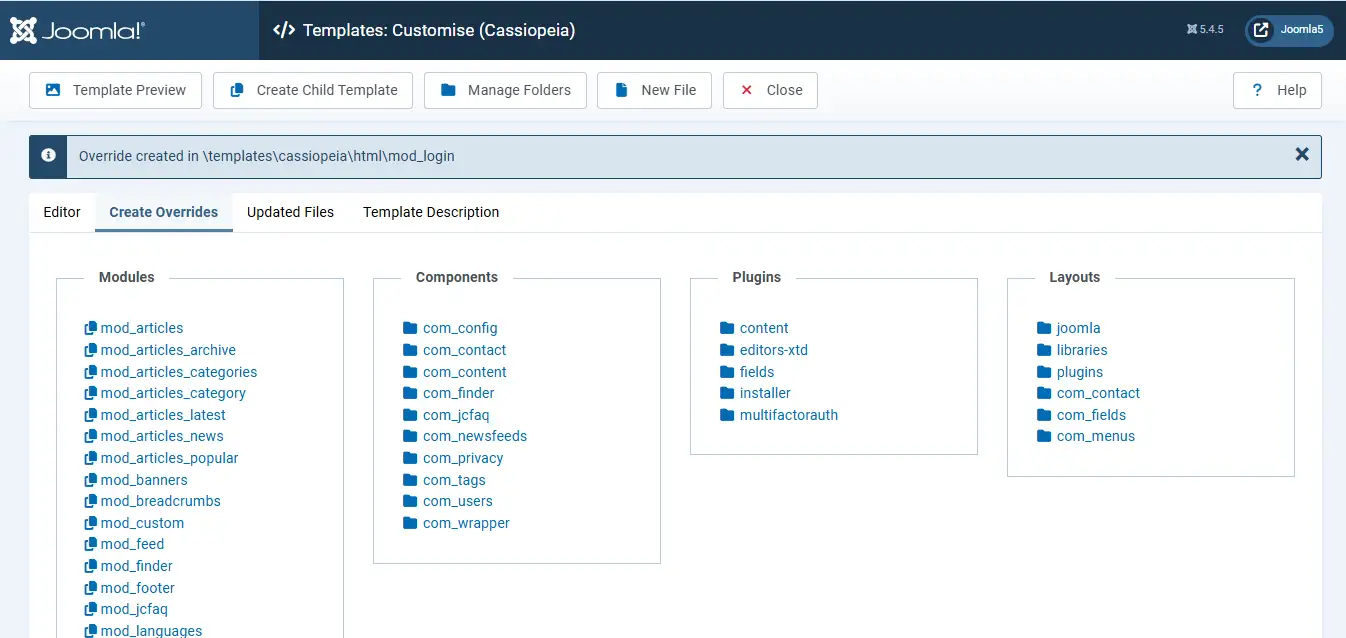
Choose the item you want to override, such as component, module, plugin, layout. For example: if you want to customize the Login module, select mod_login from Modules section. Joomla will automatically create a copy of the required files inside your template html folder.
2. Edit Core File
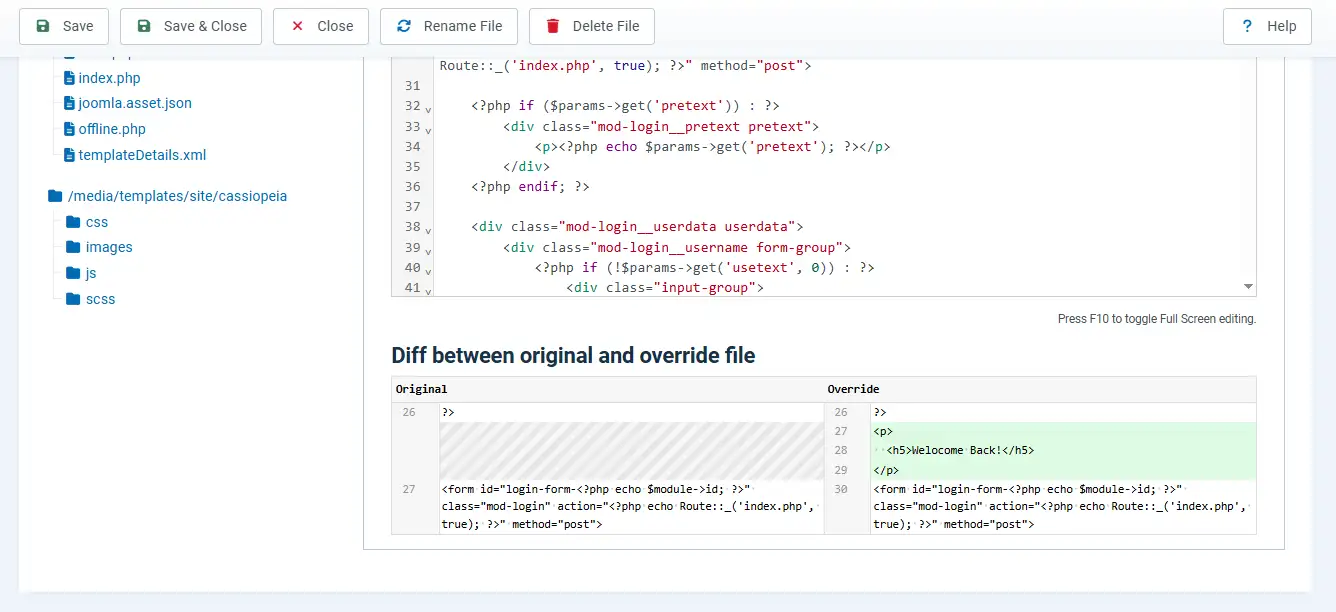
Open the html folder from the Editor tab to access your override files.
You can edit generated files to customize the output. If you want to remove override and return to Joomla original output and select the file and use The Delete File option.
The Show Original File and Show Differences tools make it easy to compare your customized version with the original Joomla file.
Need Help With Joomla Template Overrides?
Whether you need custom article layouts, module overrides, component customization, or update-safe design changes, our Joomla experts can help you build and maintain clean override solutions without touching core files.
Get Joomla Help
3. Check On Frontend
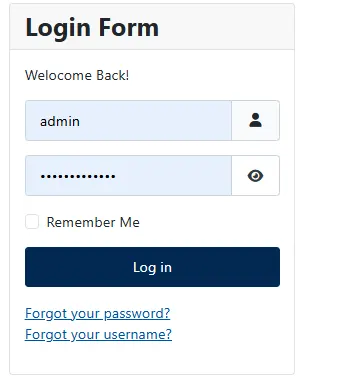
After making your changes and review, the result on frontend of your website.
If the module is not already displayed on site, navigate to Content → Site Modules, create or locate the module, assign a position, and save it.
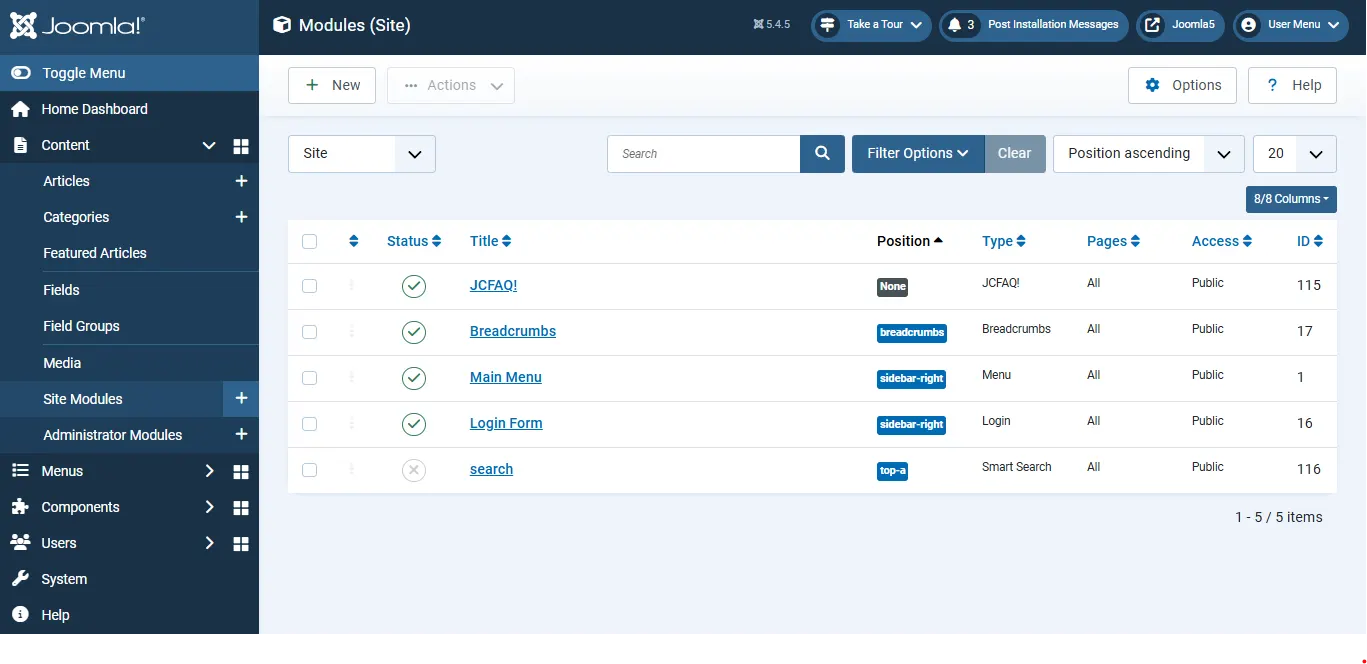
Once the module is published, visit the frontend and verify that your customized output appears as expected.

Benefit Of Use Template Override
Changes Survive Every Update
One of the biggest advantages of Template Overrides is update safety. Whenever Joomla or an extension is updated, its core files are replaced. Because overrides are stored inside your template's html folder, your customizations remain protected.
Complete Design Freedom
Overrides provide full control over HTML output. You can adjust structure and add custom CSS classes, remove unnecessary markup, and align output with frameworks such as Bootstrap, Tailwind, or your own design system.
Works Across Components, Modules & Plugins
Template Overrides not limited to single area of Joomla. They can be applied to articles, contact pages, login forms, menus, breadcrumbs, pagination, and many other parts of system.
Multiple Layouts for the Same Content
Joomla allows you to create alternative layouts for same content. For example: you can offer both grid and list views and choose which layout should be displayed for a specific menu item.
Better SEO & Accessibility
Overrides allow you to add semantic HTML, accessibility attributes, and structured markup exactly where needed, helping improve both usability and search engine visibility.
No Extra Extensions Required
Template Overrides are built directly into Joomla. No third-party extension is required, making them a powerful feature available in every Joomla installation.
 Need Help With Advanced Joomla Customization?
Need more than a simple template override? From custom layouts and dynamic content displays to complex Joomla component and module customization, our team can help you build scalable, update-safe solutions tailored to your website.
Get Expert Joomla Help →