


Websites naturally change as time goes on. You might rename articles move categories around change your menus or redesign parts of your site. Even though these changes make a website better they can also cause links. I have found that the Joomlas Redirect component is great, for fixing this issue. The Joomlas Redirect component finds URLs and sends visitors to the right page. This way you keep your SEO value safe while making sure people do not get lost.
How It Works
1. Enable Redirect Plugin
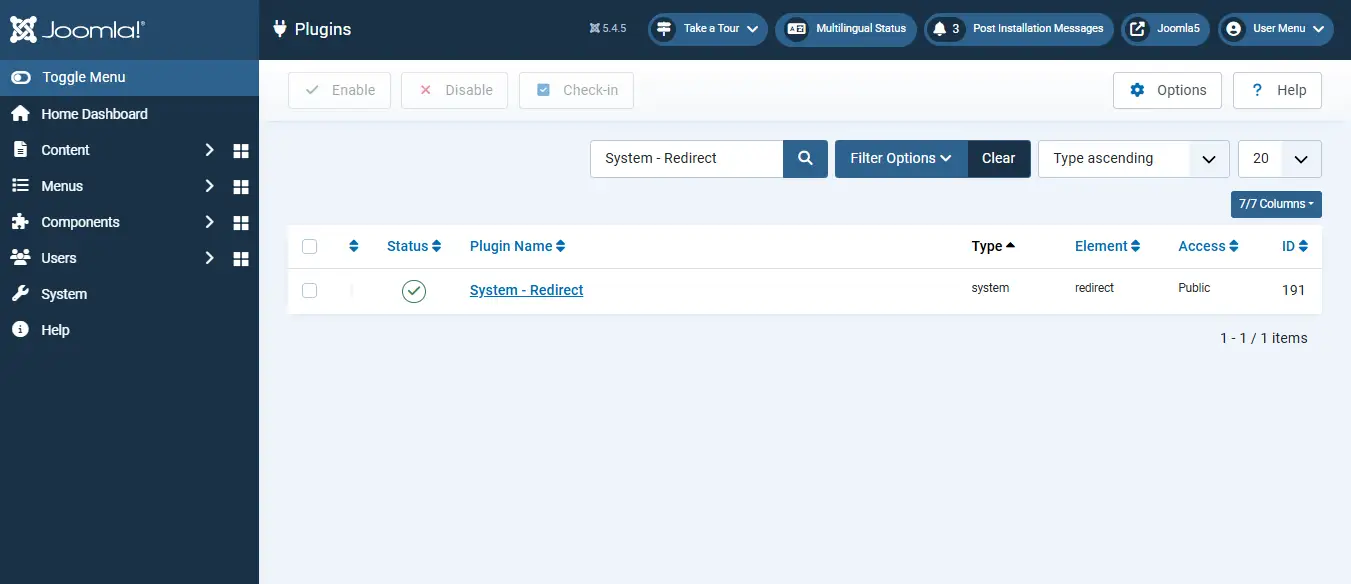
Before Joomla can track broken links, enable the System Redirect plugin. Once enabled, Joomla automatically records 404 errors and stores them inside the Redirect component for management.
2. Record the Original URL
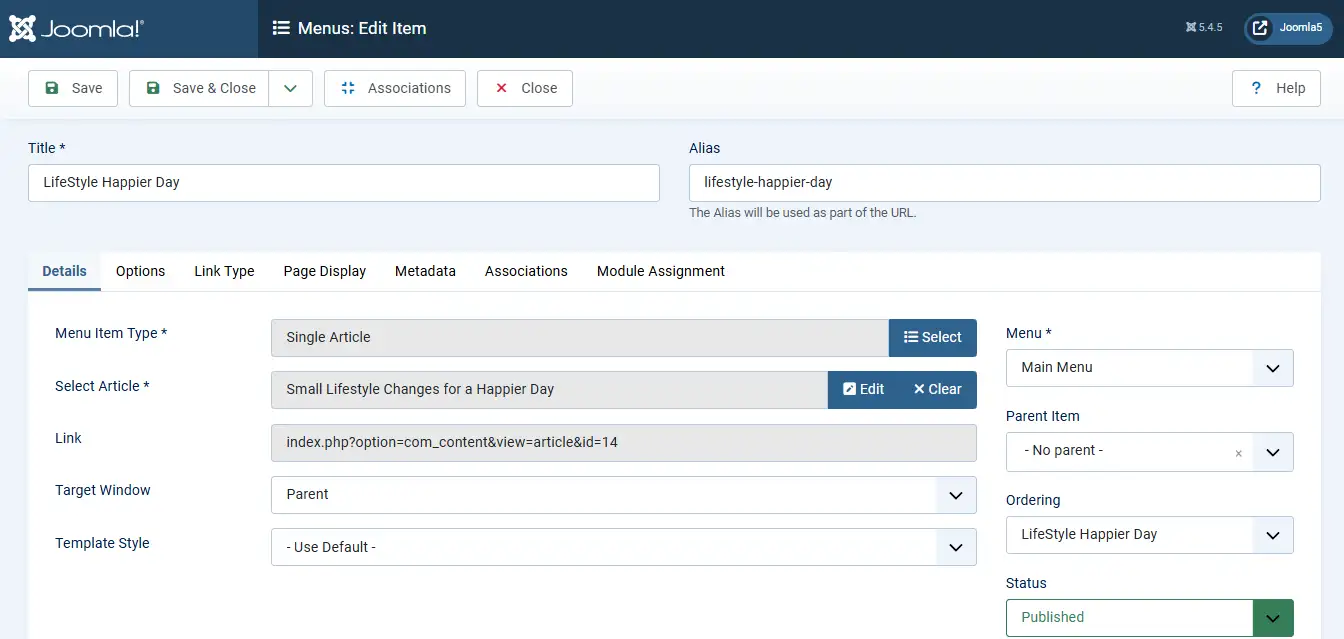
Identify the current URL of the article or menu item before making structural changes. This allows you to see how Joomla handles the old URL after it changes.
3. Change the Menu Structure
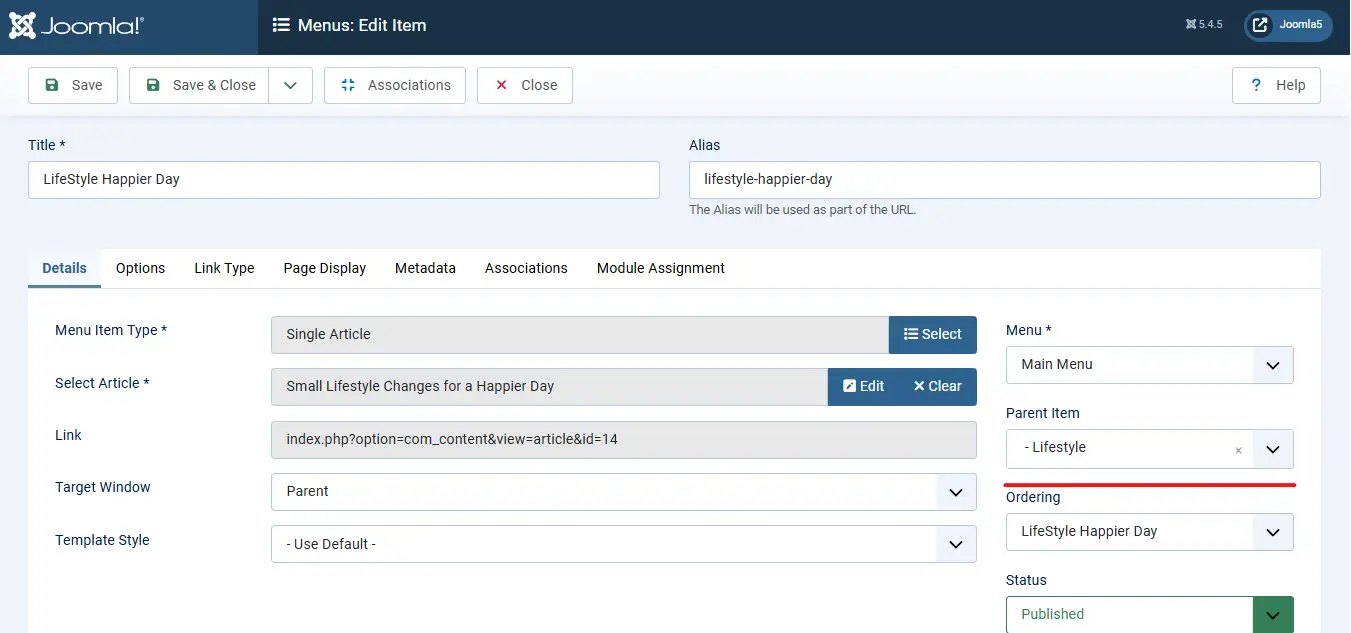
Update the menu item's parent menu and save the changes. This creates a new URL and causes the previous URL to become invalid.
Need Help Managing Joomla Redirects?
Whether you are restructuring your website, changing URLs, fixing 404 errors, or improving SEO performance, our Joomla experts can help you configure redirects correctly and preserve your search rankings.
Get Joomla Help
4. Verify the 404 Error
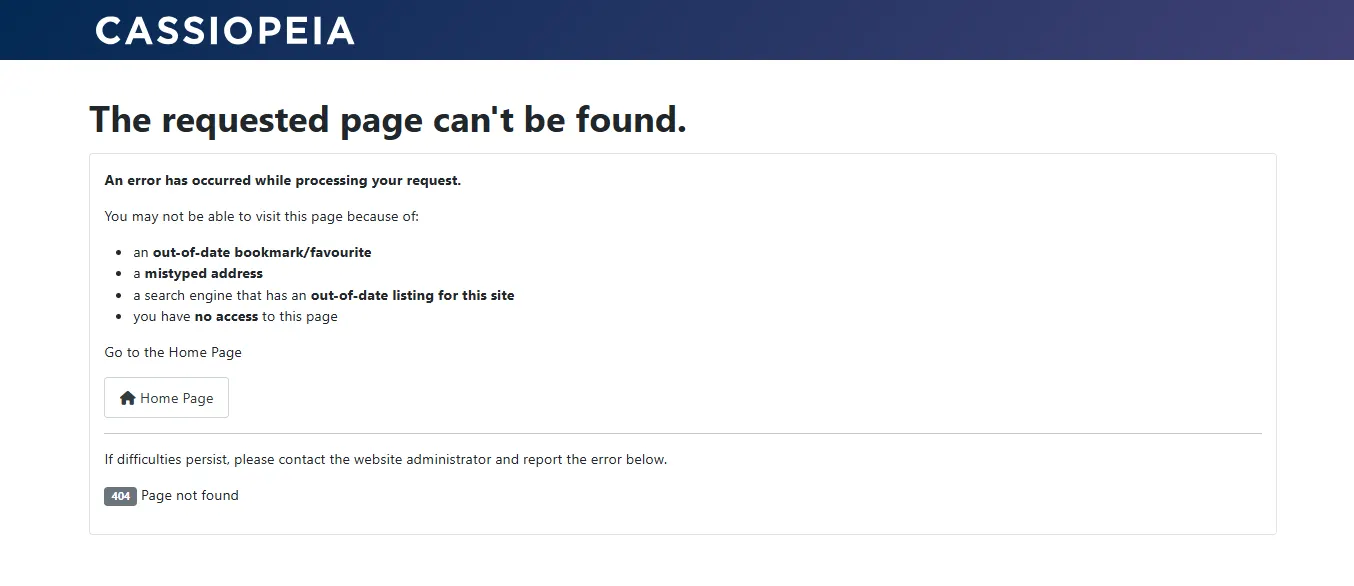
Go to the URL again. Joomla shows 404 Error page confirming that old address is gone. 404 Error means that the previous page no longer exists.
5. Create the Redirect
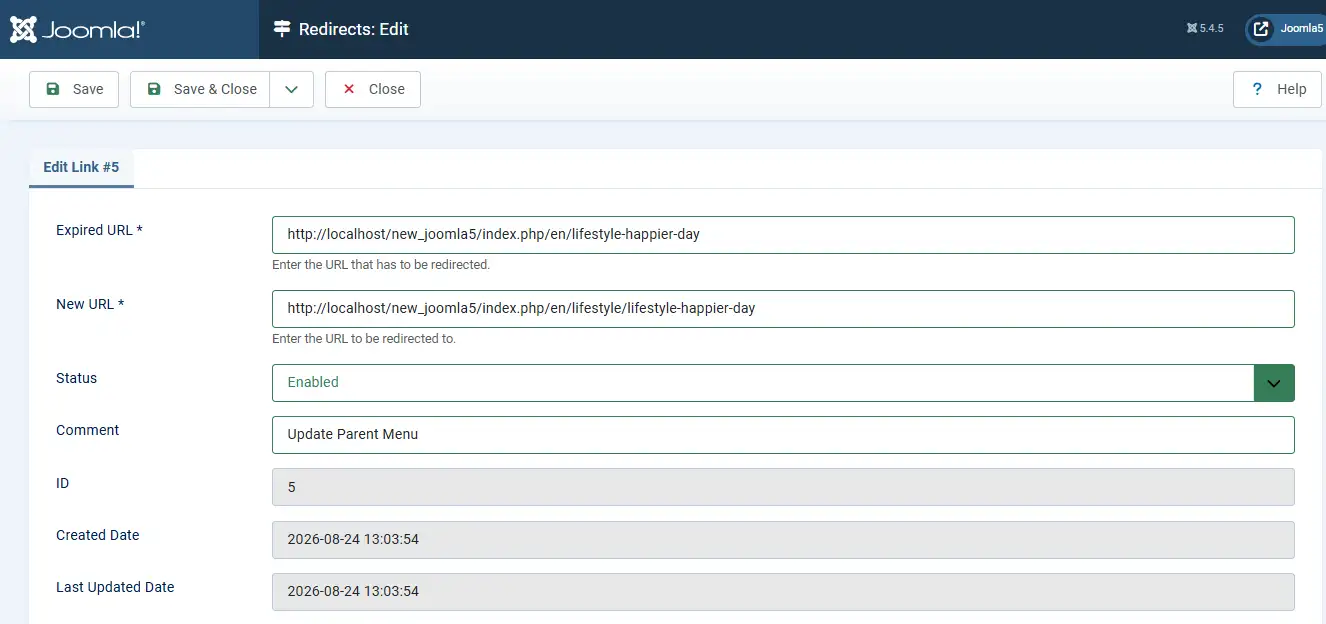
Open System → Redirect, locate the logged URL, open the entry, enter the new URL, and save the redirect configuration.
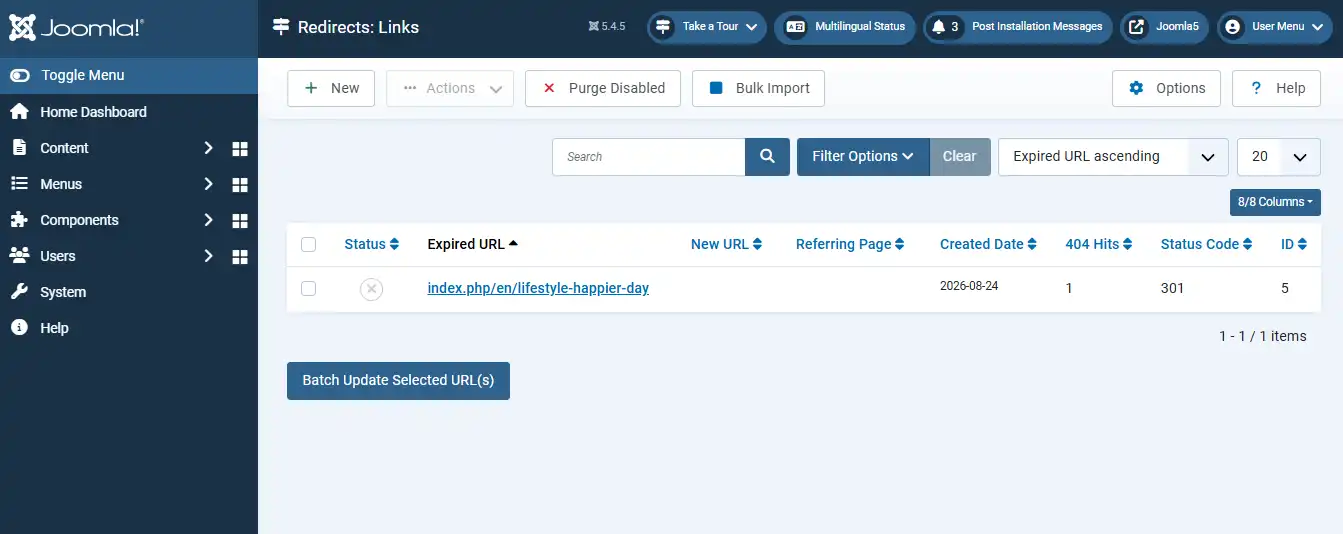
Click & Open that Link. Update New URL & update config → Save.
6. Test the Redirect
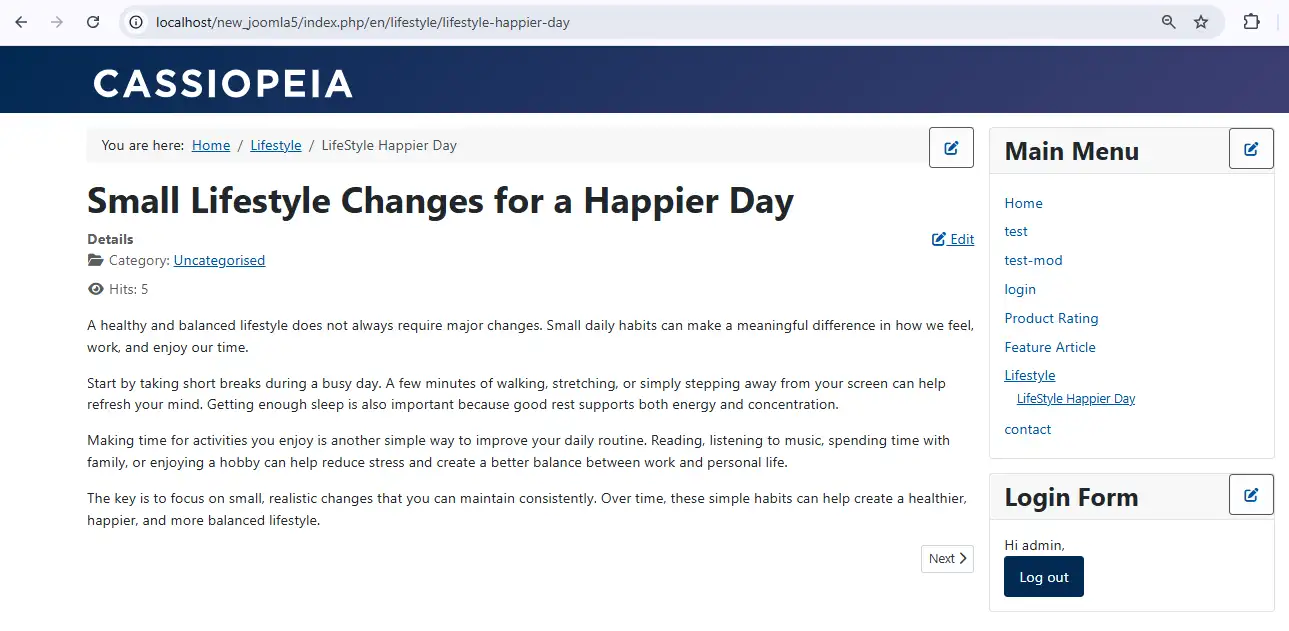
After saving, visit the old URL again. Instead of showing 404 error, Joomla automatically redirects visitors to the new URL.
Benefits of Joomla Redirect
Joomla Redirect prevents broken links, protects SEO rankings, improves user experience, requires no server level coding, and provides useful traffic insights through logged URL statistics.
Conclusion
Joomla Redirect is a valuable built in feature that helps maintain website usability and search engine visibility whenever URLs change. It offers a simple, administrator friendly way to manage redirects without editing server configuration files.
 Need Help With Advanced Joomla Redirect Management?
Need assistance managing URL changes, fixing 404 errors, preserving SEO rankings, or implementing large scale redirect strategies? Our Joomla experts can help you build and maintain a clean, search engine friendly website.
Get Expert Joomla Help →