

If your website serves visitors from different countries or language backgrounds, offering content in multiple languages can make a significant difference. People naturally engage more with content written in their preferred language, and a multilingual website helps remove barriers that might otherwise prevent visitors from exploring your content.
Joomla has features built right into the core. This means you do not have to go out and find a multilingual extension to make it work. I love that you can manage different languages from just one Joomla installation. You can make content and menus for each language. You can even let Joomla look at a visitors browser language to pick the one automatically. Also Joomla keeps your URLs SEO metadata and content organized by language. This helps each language version show up better in search results.
This guide walks through the complete setup process, from installing language packs to configuring content associations and the Language Switcher module. :contentReference[oaicite:0]{index=0}
Step 1: Install Languages
Before creating a multilingual website, install every language you plan to support.
Administrator → System → Manage → Languages → Install Languages
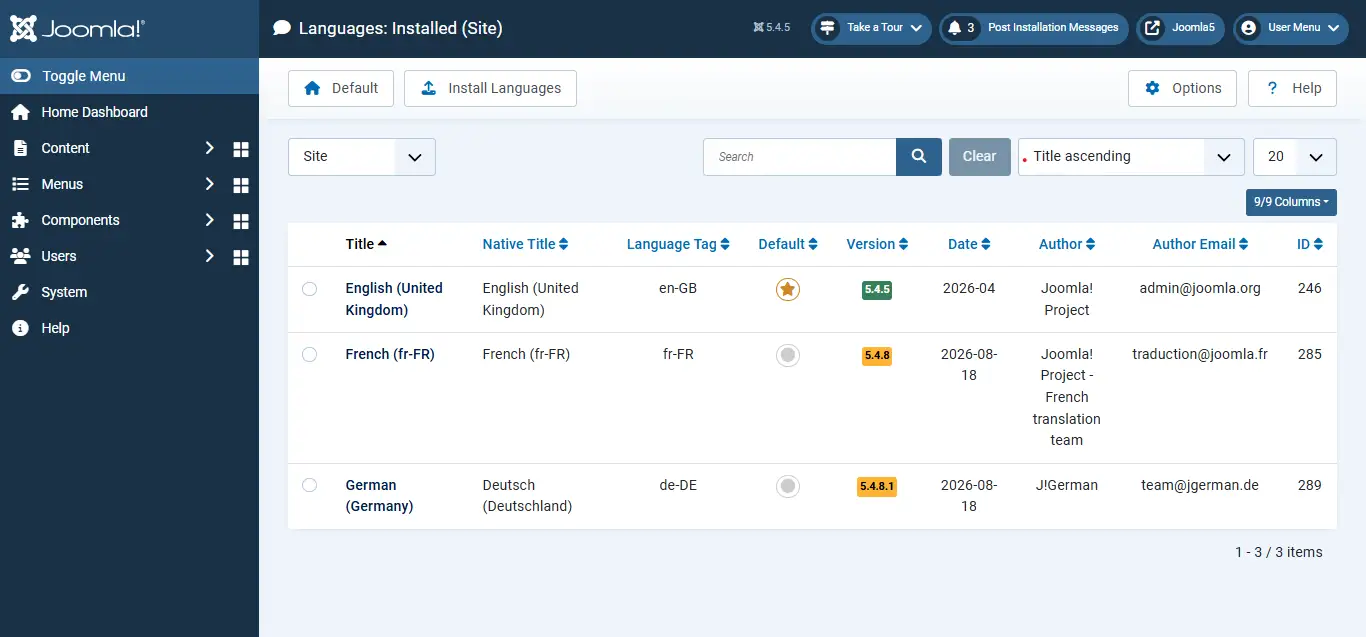
Choose language packs that you need to install them. After installation the language packs are ready for use, across Joomla. The language packs can be applied to content, menus, modules and multilingual associations.
Step 2: Create Content Languages
Each installed language requires a corresponding Content Language entry. In cases Joomla creates these items automatically but it is important to verify that these items exist and are enabled.
System → Manage → Content Languages → Enable the installed language
If a language is not available, create it manually:
System → Manage → Content Languages → New → Fill in Title, Language Tag, and URL Language Code → Save
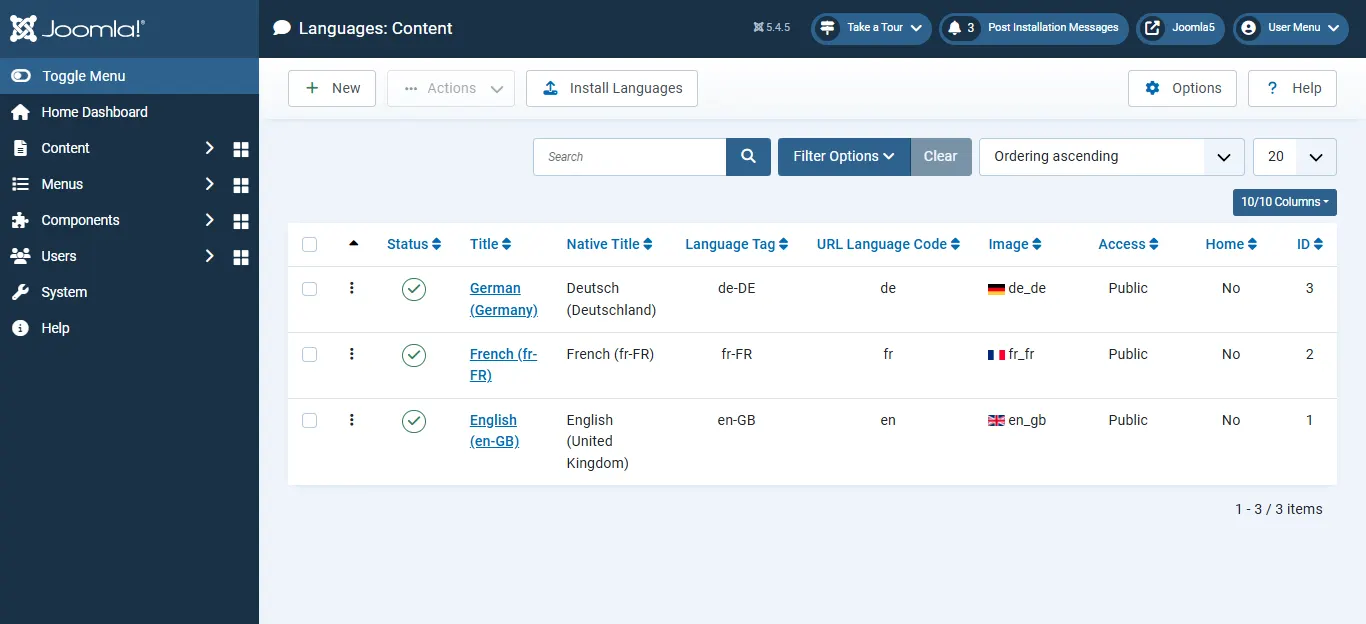
Content Languages help Joomla identify and organize content for each language version of your website.
Step 3: Enable the Language Filter Plugin
This step is among the crucial, in the whole setup procedure. If the Language Filter plugin is missing Joomla will treat all content as belonging to a site and will not properly separate the languages. I have seen many sites fail because of this.
System → Manage → Plugins → Search 'System – Language Filter' → Enable Plugin
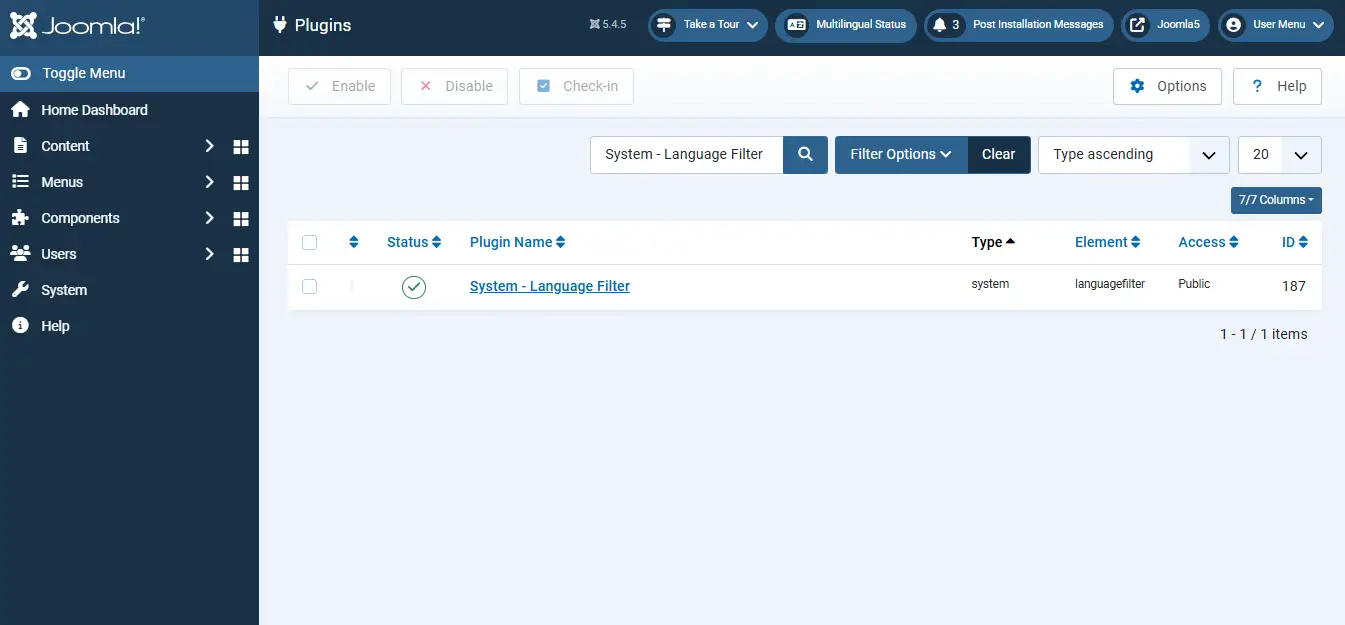
Once enabled, Joomla displays content according to the visitor's selected language and manages multilingual routing correctly.
Step 4: Create a Menu for Each Language
Every language should have its own dedicated menu structure. This ensures visitors see navigation that matches the language they selected.
Menus → Manage → New → Enter Menu Title, Name, and Description → Save
After creating the menu, create a language-specific Home menu item:
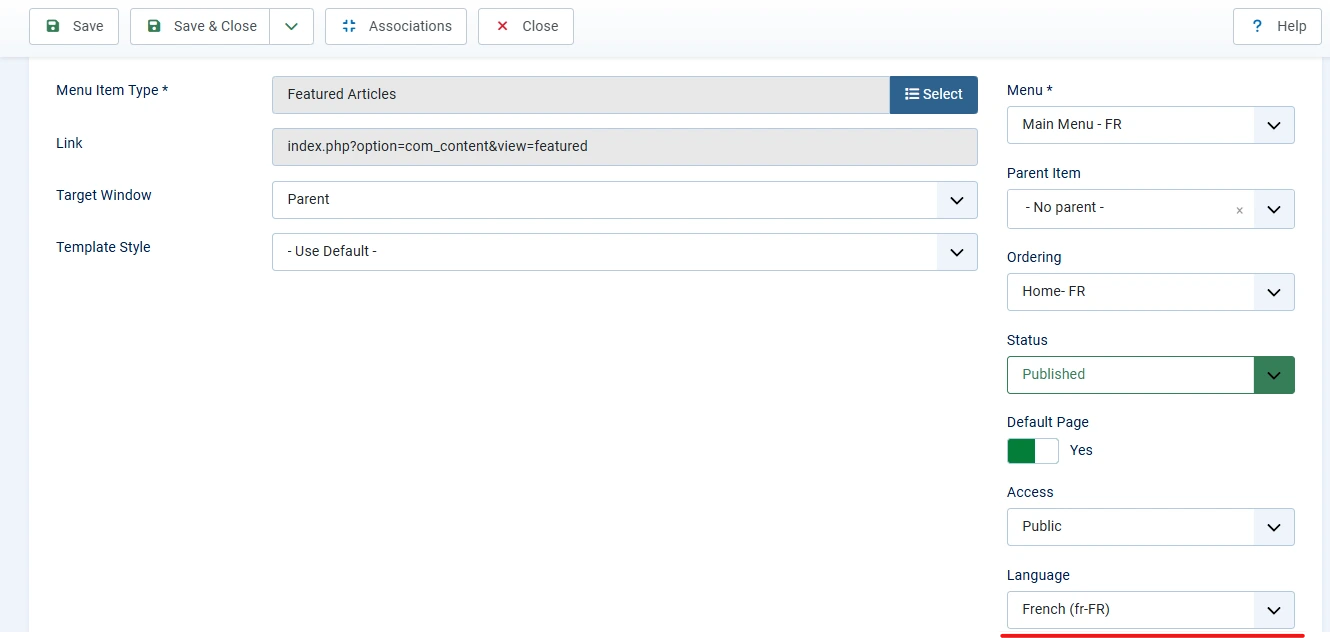
Menus → Language Menu → New → Complete Menu Item Details → Set Default to Yes → Select the Corresponding Language → Save
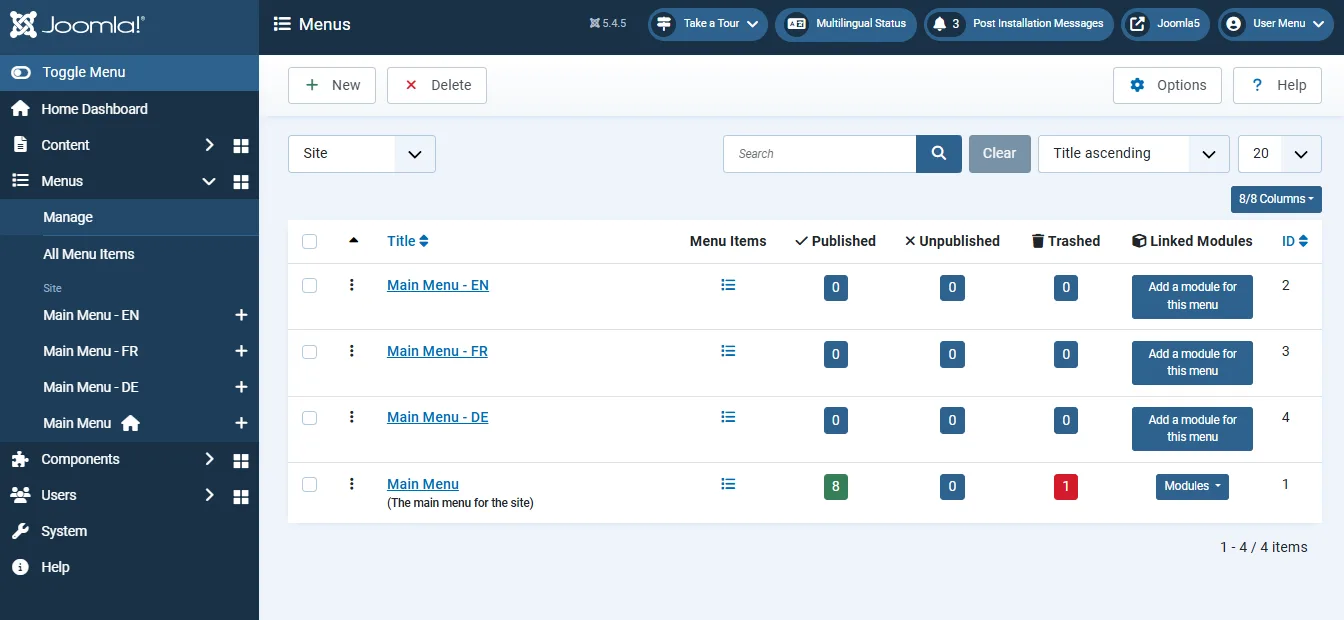
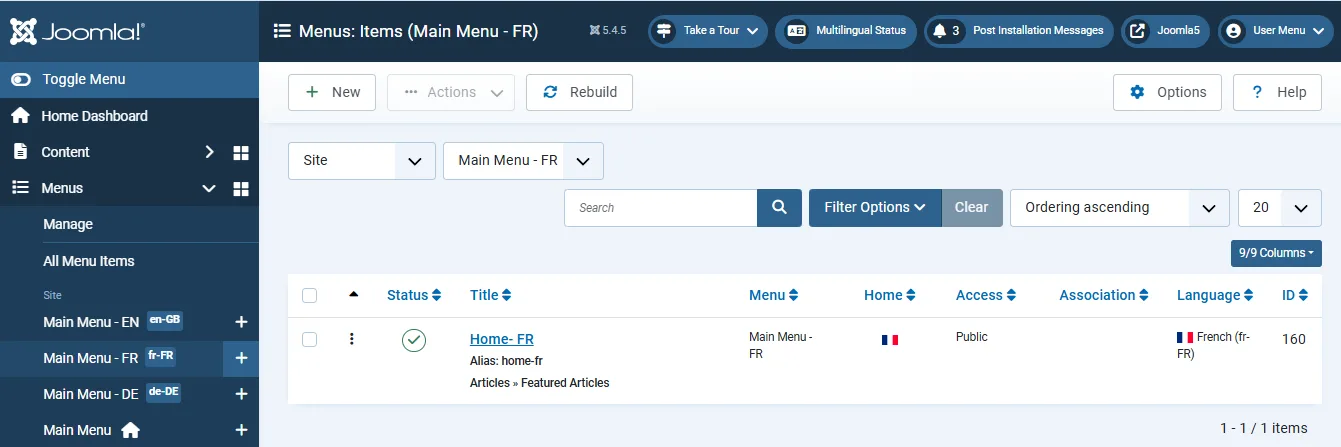
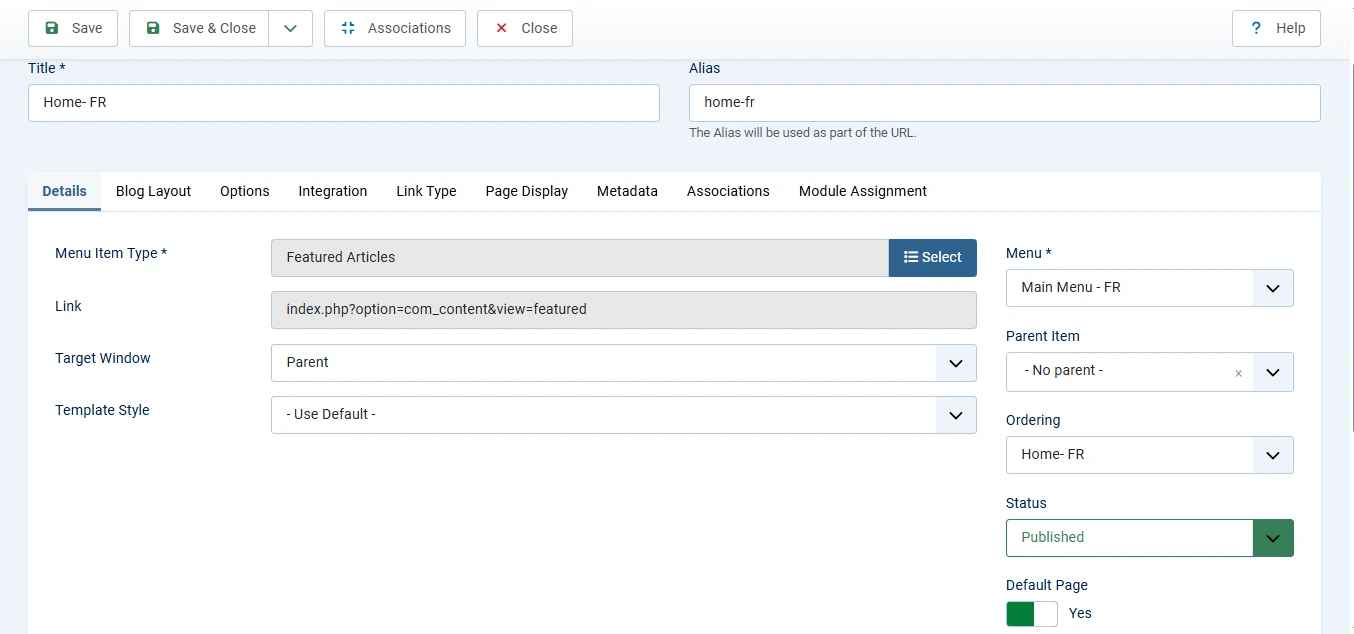
Each language must have its own default Home page. Without it, the Language Switcher cannot properly switch visitors between language versions.
Need Help Building a Multilingual Joomla Website?
Whether you need multilingual content setup, language associations, SEO-friendly language URLs, or complete multilingual website configuration, our Joomla experts can help you build a fully localized website using Joomla core features.
Get Joomla Help
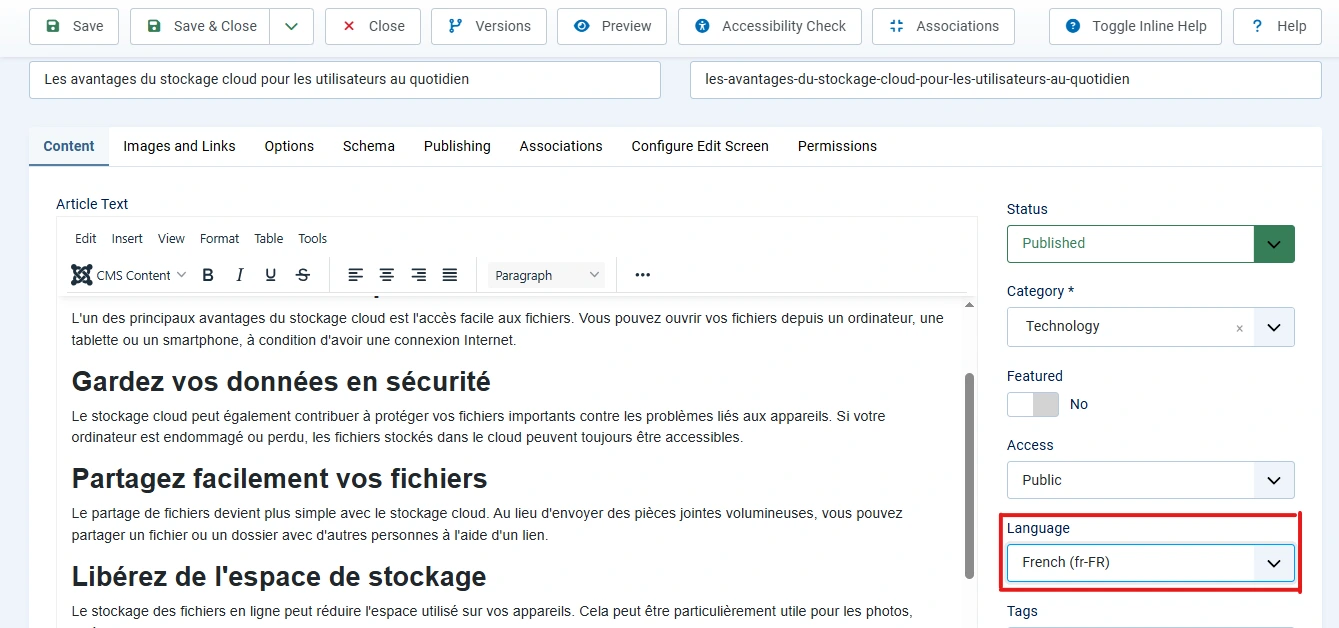
Step 5: Create Content and Assign Languages
Create your articles, modules, and other content in the appropriate language.
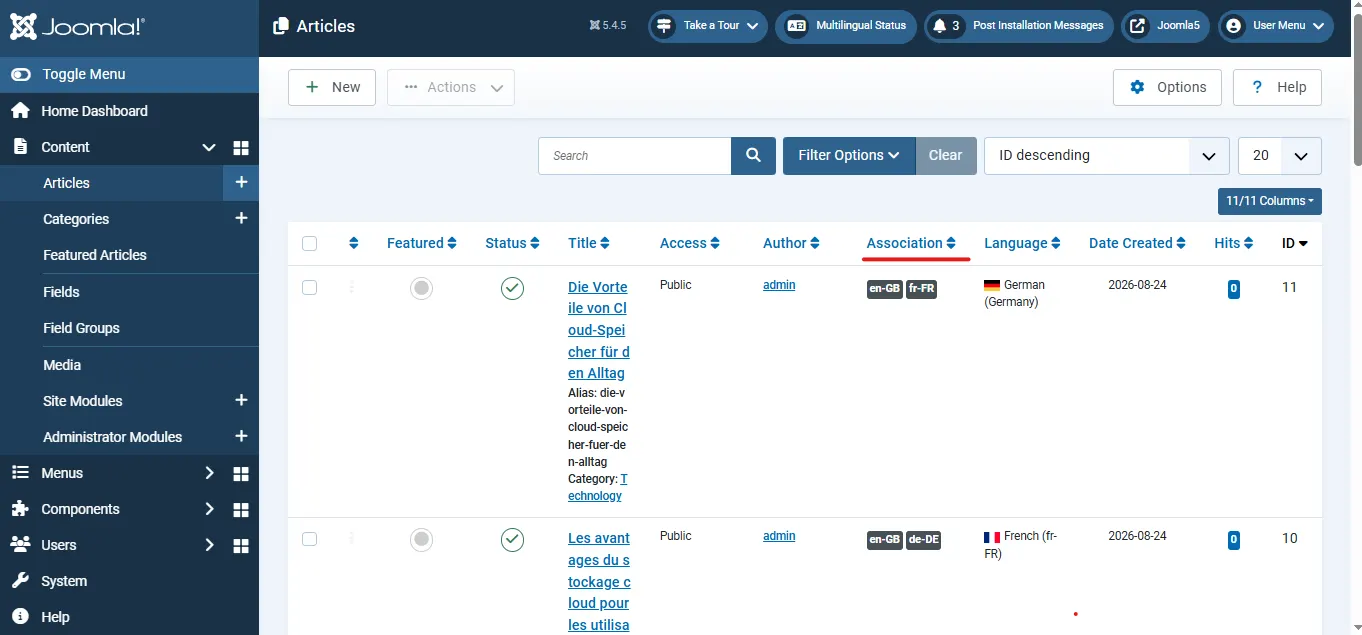
Content → Articles → New (or Edit Existing Article) → Select Language → Save
Repeat this process for every translated article. Make sure the Home menu item for each language also has the correct language assigned. This keeps navigation and content aligned across the site.
Step 6: Create Content Associations
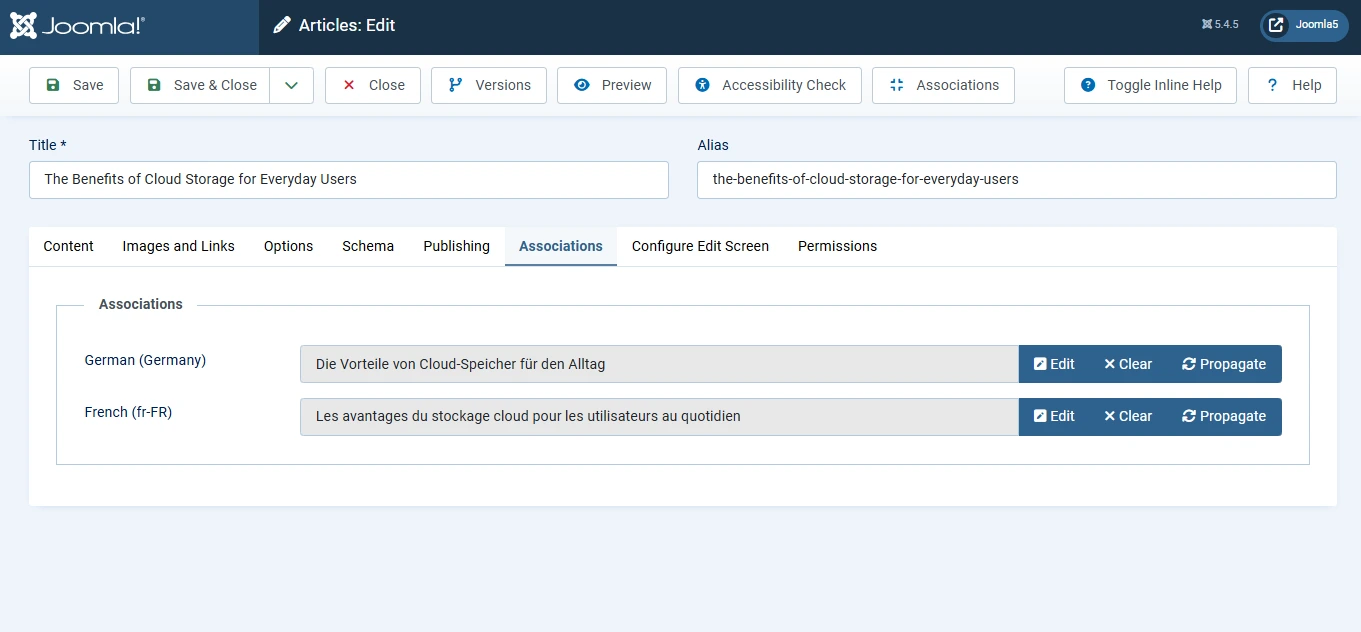
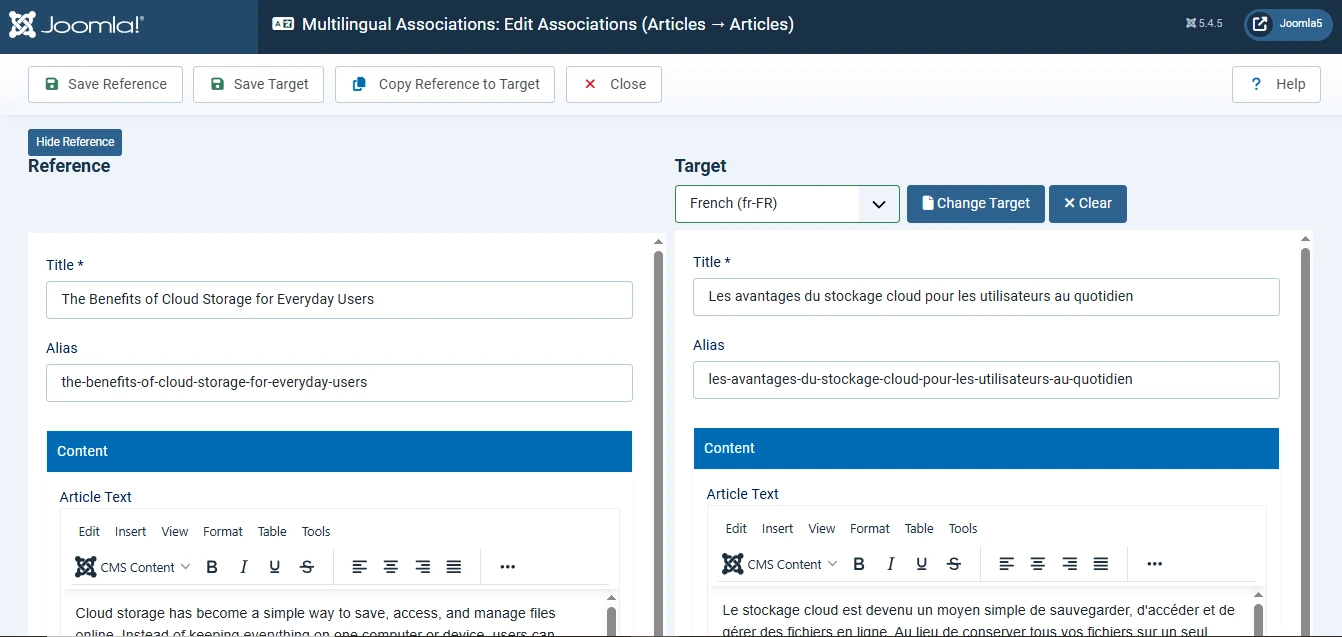
Content Associations connect translated versions of the same content. This allows visitors to switch languages while remaining on the equivalent page instead of being redirected elsewhere.
Content → Articles → Open Article → Associations Tab → Select Matching Articles in Other Languages → Save
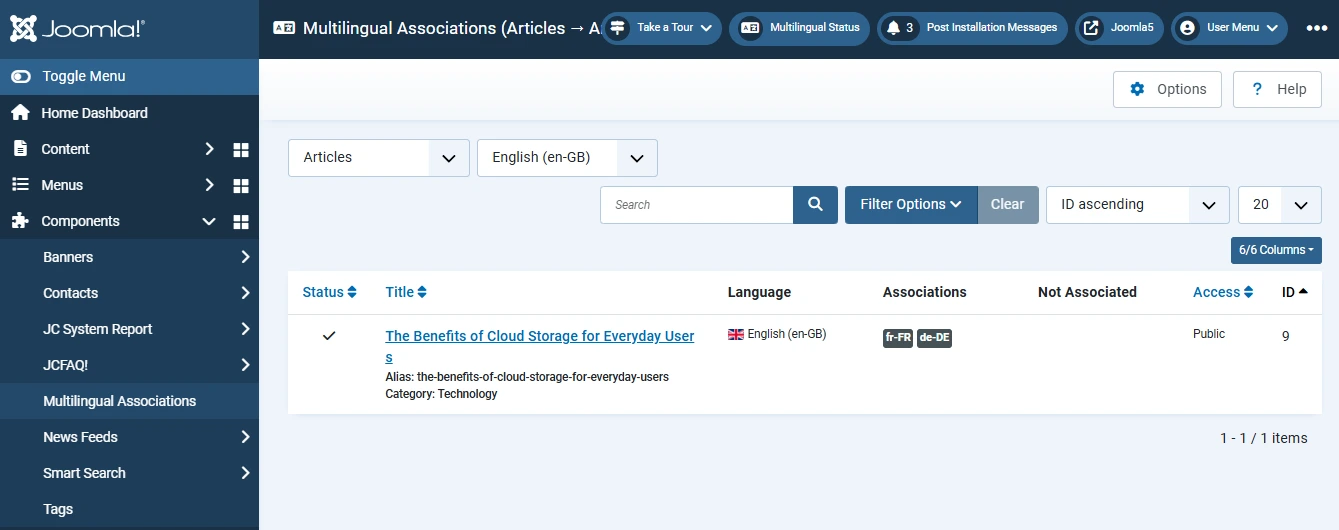
For larger websites, Joomla also provides a centralized management area:
Components → Multilingual Associations → Select Item Type and Languages → Link Content → Save
Associate Home Pages
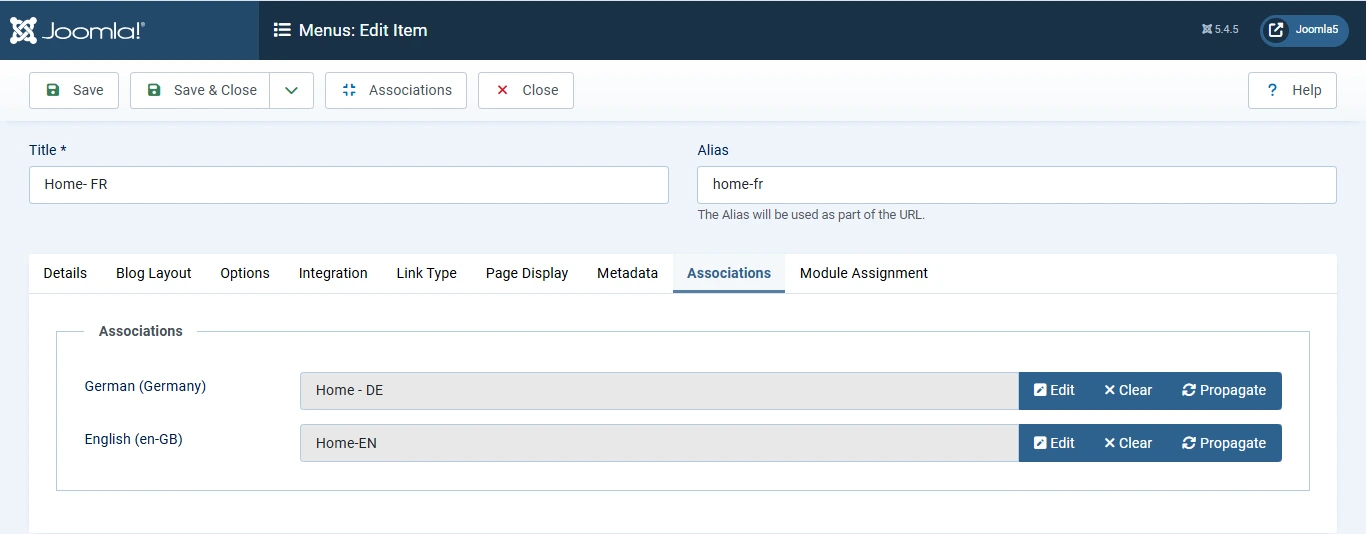
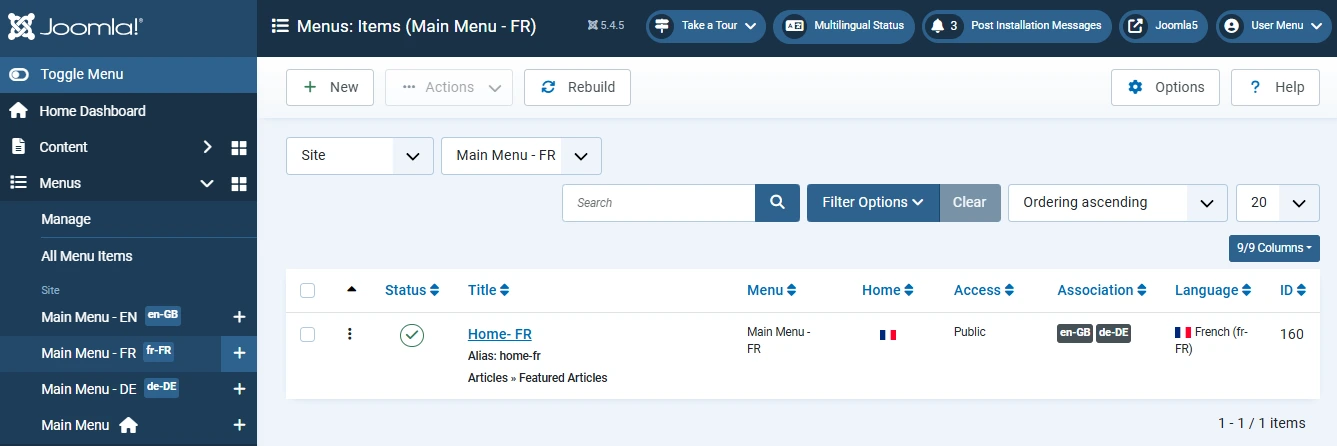
Do not forget to associate the default Home menu items for each language. Just like articles, language-specific Home pages should be linked together.
Menus → Language Menu → Home Page → Associations Tab → Link Matching Home Pages → Save
This ensures visitors are taken to the correct Home page when switching languages.
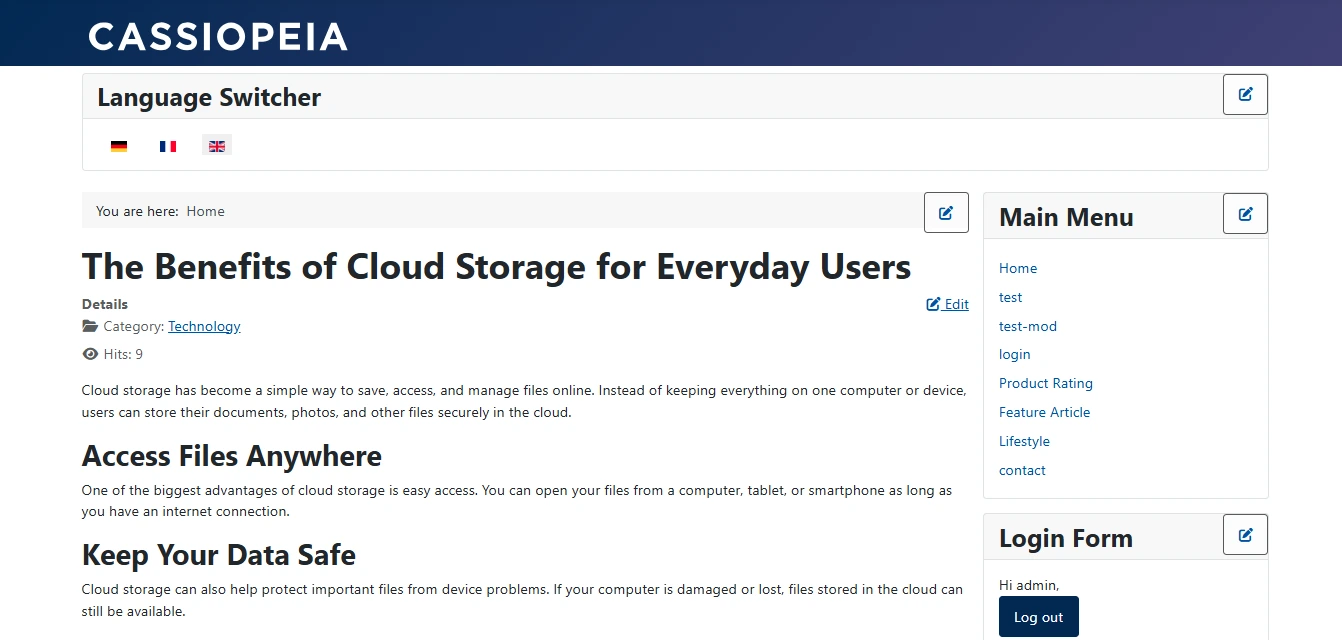
Step 7: Create the Language Switcher Module
The final configuration step is adding the Language Switcher module so visitors can change languages on the frontend.
Content → Site Modules → New → Search 'Language Switcher' → Configure Module → Assign Position → Save
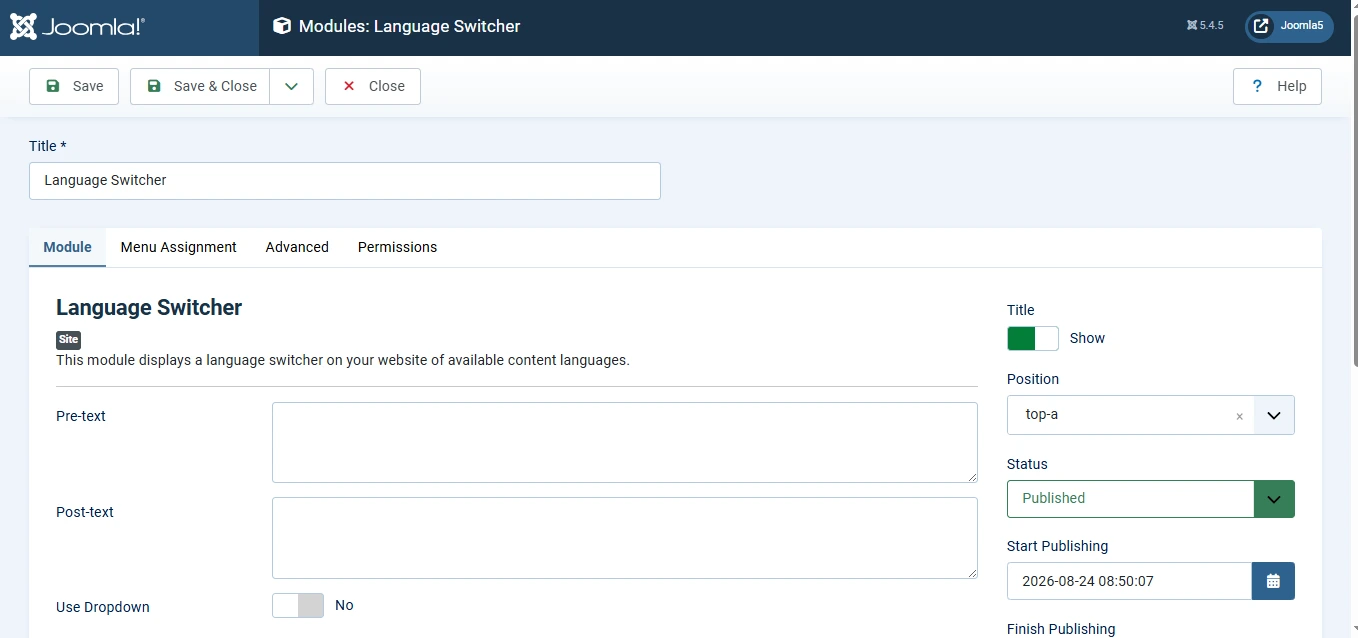
Under Menu Assignment, select 'On all pages' so the switcher remains available throughout the website.
Benefits of Content Associations
Associations provide several important advantages:
- Visitors remain on the equivalent page when changing languages.
- Navigation feels more natural and user-friendly.
- Joomla can generate proper hreflang tags for multilingual SEO.
- Related translations are easier to manage from the administrator area.
- Language versions maintain a consistent structure and user experience.
These benefits help create a professional multilingual website that feels connected rather than a collection of separate sites.
Conclusion
Joomla's multilingual features provide everything needed to build and manage a multilingual website without relying on third-party extensions. By installing languages, enabling the Language Filter plugin, creating language-specific menus and content, setting up associations, and adding the Language Switcher module, you can deliver a smooth experience for visitors in every language you support.
 Need Help With Advanced Joomla Multilingual Setup?
Need more than a basic multilingual configuration? Whether you require multilingual SEO optimization, content associations, language-specific menus, custom language workflows, or complex multilingual website architecture, our Joomla experts can help you build a scalable multilingual solution.
Get Expert Joomla Help →