

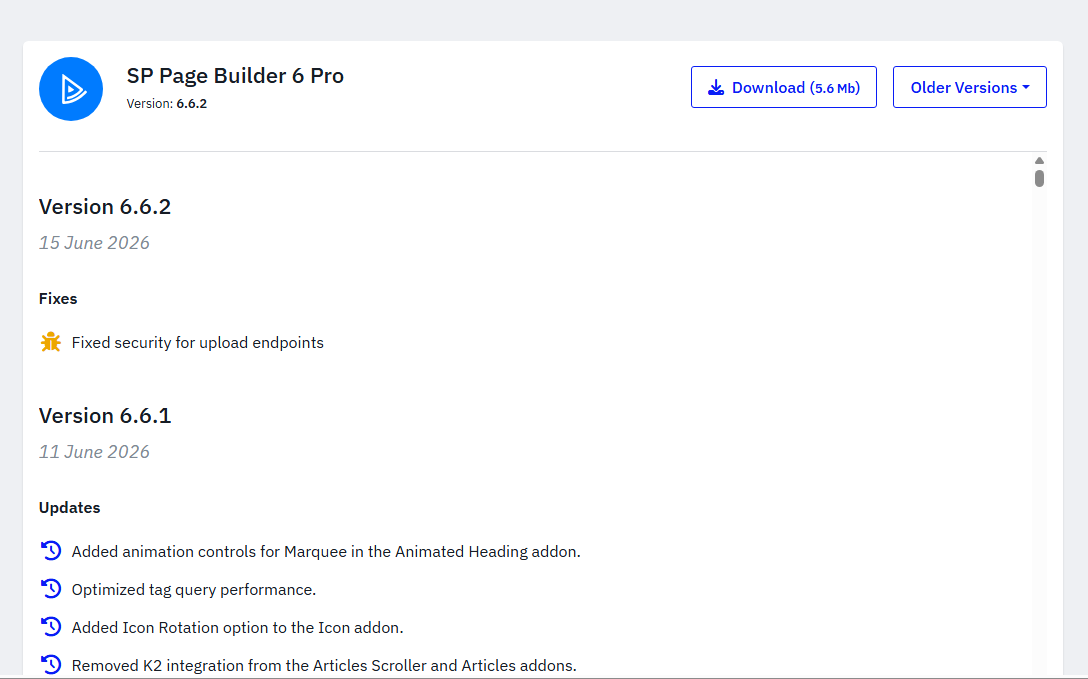
JoomShaper, the company behind SP Page Builder, sent an official security advisory confirming a vulnerability in the extension. The flaw allowed unauthenticated access to sensitive site functions. In plain terms, it meant someone could reach certain backend operations without ever logging in. JoomShaper closed this by adding strict checks at the core level: active login sessions, administrator authorization, and CSRF tokens. The fix shipped as version 6.6.2.
This is not a Joomla core issue. Joomla itself was never the problem here. The vulnerability sat inside a third party extension, SP Page Builder, which is built and maintained separately by JoomShaper. Joomla core remains as solid as it always has been.
What We Found
As part of our routine maintenance, we checked every Joomla website we manage for signs that this vulnerability had already been used. On one site, we found an unauthorized Super User account that we never created.
The account had a username and an email address ending in @secure.local. That domain does not belong to any real mail service. Seeing it attached to a Super User account is a clear sign the site had been accessed through this vulnerability before the fix was available.
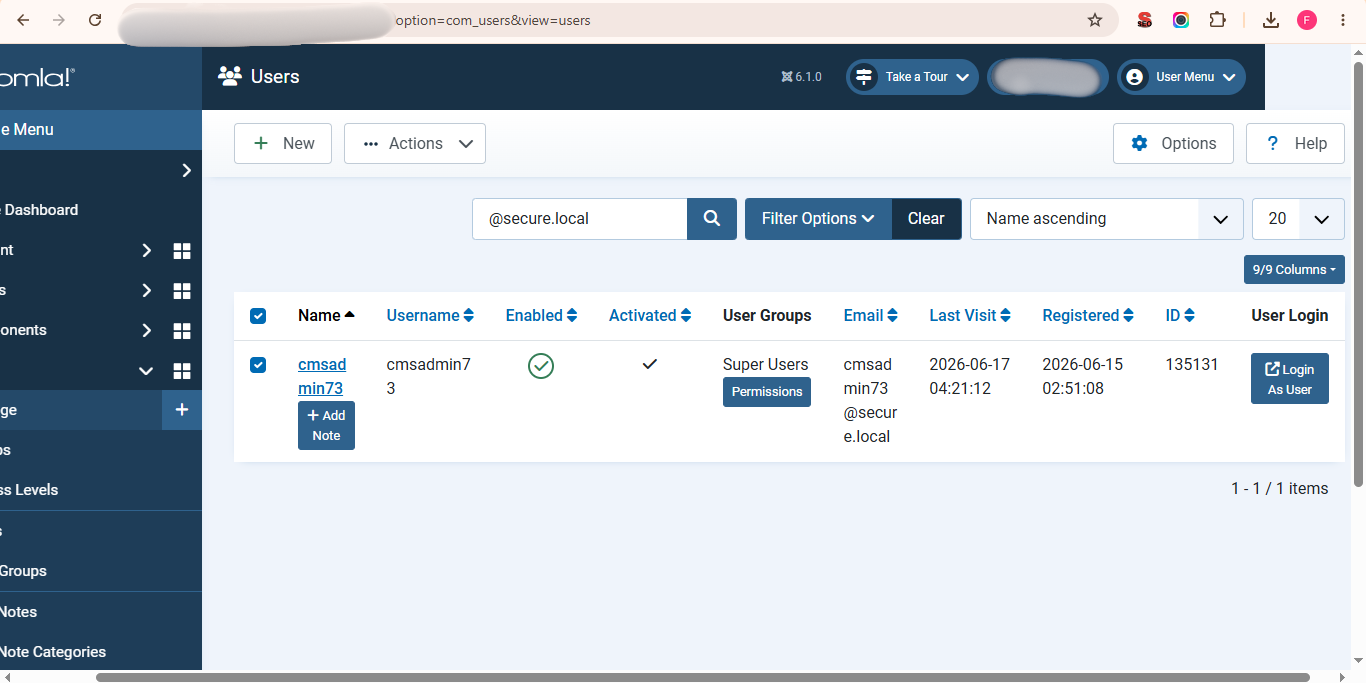
We removed the account immediately, updated SP Page Builder to 6.6.2, and ran a full check across the rest of the site for anything else left behind. The site is now clean and secure.
Official Confirmation from JoomShaper
JoomShaper's changelog for version 6.6.2 lists the fix under "Fixed security for upload endpoints." Their direct advisory to developers went further, confirming that the patch closes unauthenticated access to sensitive site functions by adding session, authorization, and CSRF checks.
 Not Sure If Your Joomla Site Is Affected?
We can check your site for this vulnerability, confirm your SP Page Builder version, and update it safely if needed. Tested and verified, with zero downtime.
Get Expert Help → joomconsultant.comWhat You Should Check on Your Own Site
If you run a Joomla website with SP Page Builder, take these steps today.
Step 1: Check your version Log in to your Joomla admin panel, go to System, then Update, then Extensions. Check the installed version of SP Page Builder. Anything below 6.6.2 needs an update.
Step 2: Update Update SP Page Builder to version 6.6.2 through the Joomla updater, or download it directly from JoomShaper if needed.
Step 3: Check your user list Go to Users, then Manage. Look through the list for any Super Administrator account you do not recognize. Pay close attention to email addresses ending in @secure.local. That is the clearest sign of compromise.
Step 4: If you find something Do not stop at deleting the account. A site that was accessed this way may have other changes too. Check for unfamiliar files added recently, review your file structure for anything out of place, and consider rotating your admin passwords as a precaution.
Why This Matters Beyond One Update
We see this pattern often. A third party extension has a flaw, it gets fixed quietly in a changelog, and most site owners never realize it applied to them until something goes wrong. Updating extensions on time is not optional housekeeping. It is one of the most important habits for keeping a Joomla site secure.
If you are not sure whether your site is affected, or you want a second pair of eyes on it, reach out to us. We are happy to take a look.
JoomConsultant.com Joomla Specialists